Payment procedure via the SAFERPAY secured platform
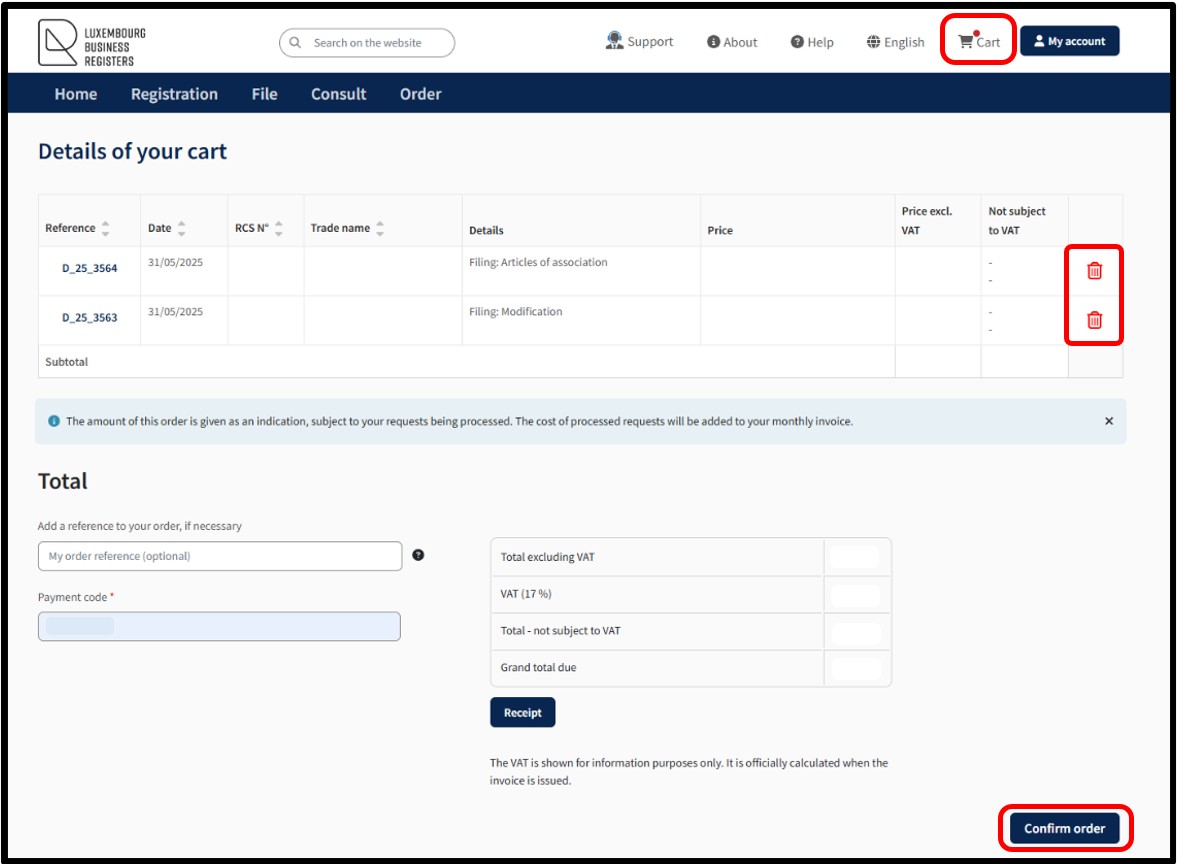
Filing requests finalised and ready to be submitted by the user can be accessed in the menu Cart.
By accessing the Cart menu, the user can find all of their requests in their personal cart.
Several requests can therefore be grouped into a single order so that the user can make the payment in one go.
The user can delete a request from their cart by clicking on the Trash icon.
To finalise their filing request(s), the user must confirm their order by clicking on the button Confirm order.
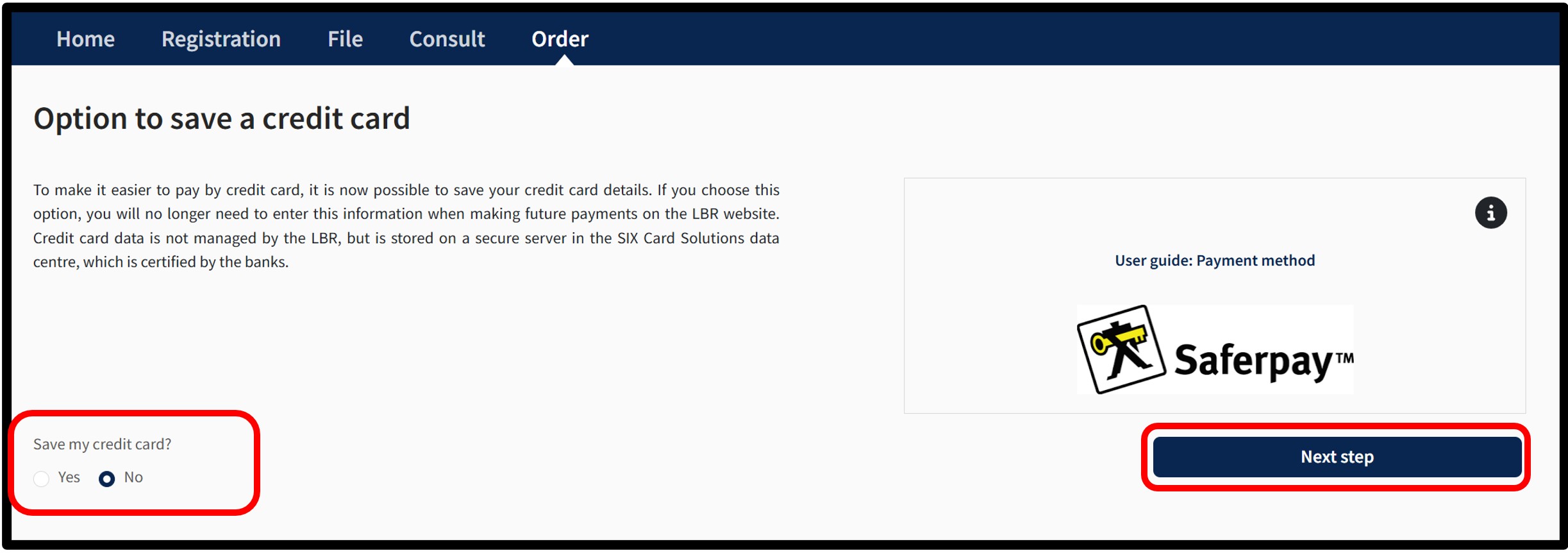
After clicking on the Confirm order button, the user is redirected to the next screen Option to save a credit card, offering the possibility of saving a credit card for future payments.
Credit card details are not managed by LBR but are stored on a secure server in the SIX Card Solution data centre, certified by the banks.
The user has to choose whether or not they wish to register their payment method.
- To save the data, the user has to select the Yes box and click on the Next step button.
The next time payment is made, the user will no longer need to enter the details of their payment method, but simply select the card to be used.
- If the user decides not to save their payment method, the No box has to be selected. Then click on Next step.
The user will always have the option of saving their payment method during a future formality.
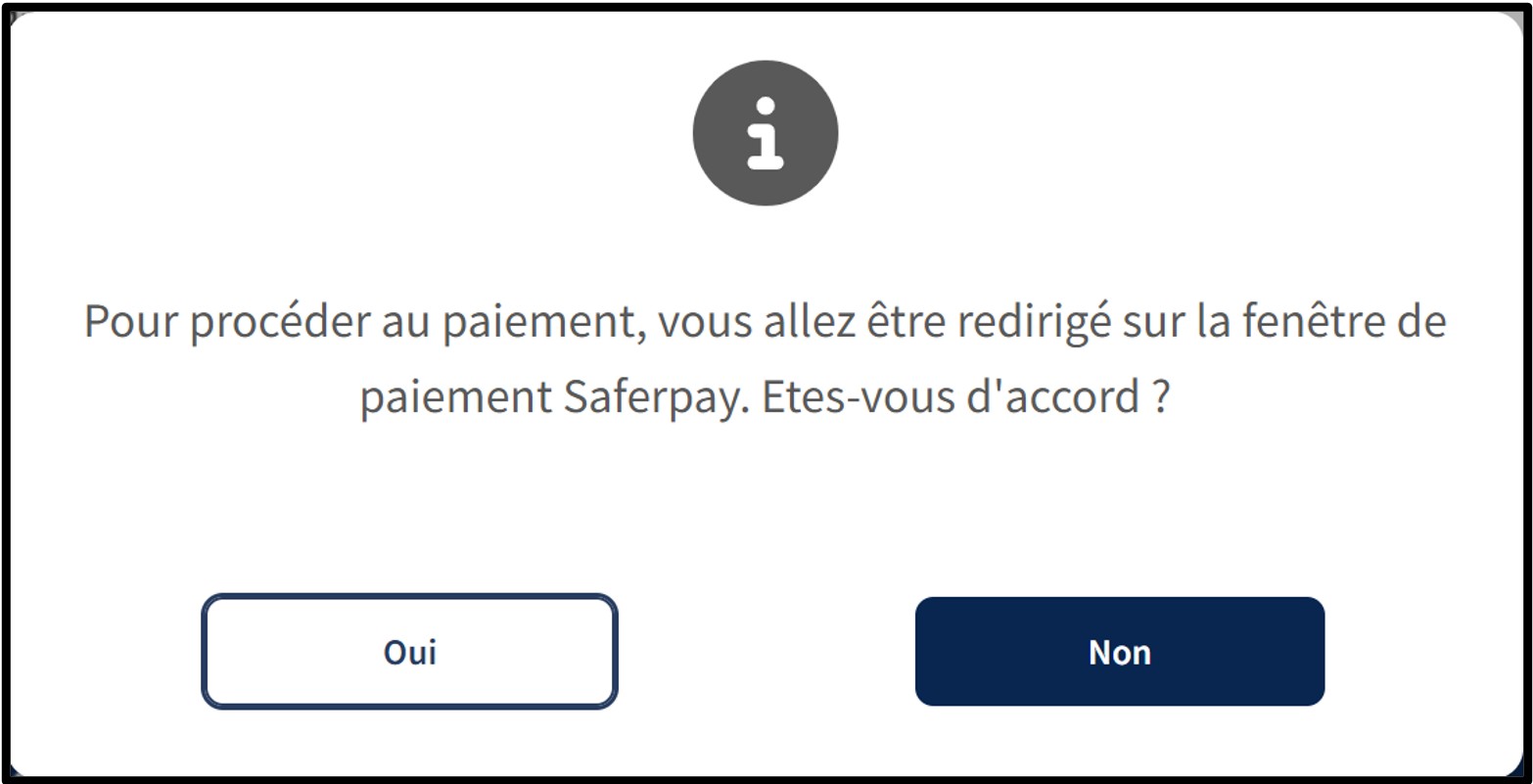
Whatever the user's choice, after clicking on the Next step button, an information pop-up will appear on the page.
To continue the payment procedure, click on the button Yes. The user is redirected to the secured payment platform Saferpay. The user simply has to follow the instructions on the page to finalise the payment process. To cancel the payment procedure, click on the No button.
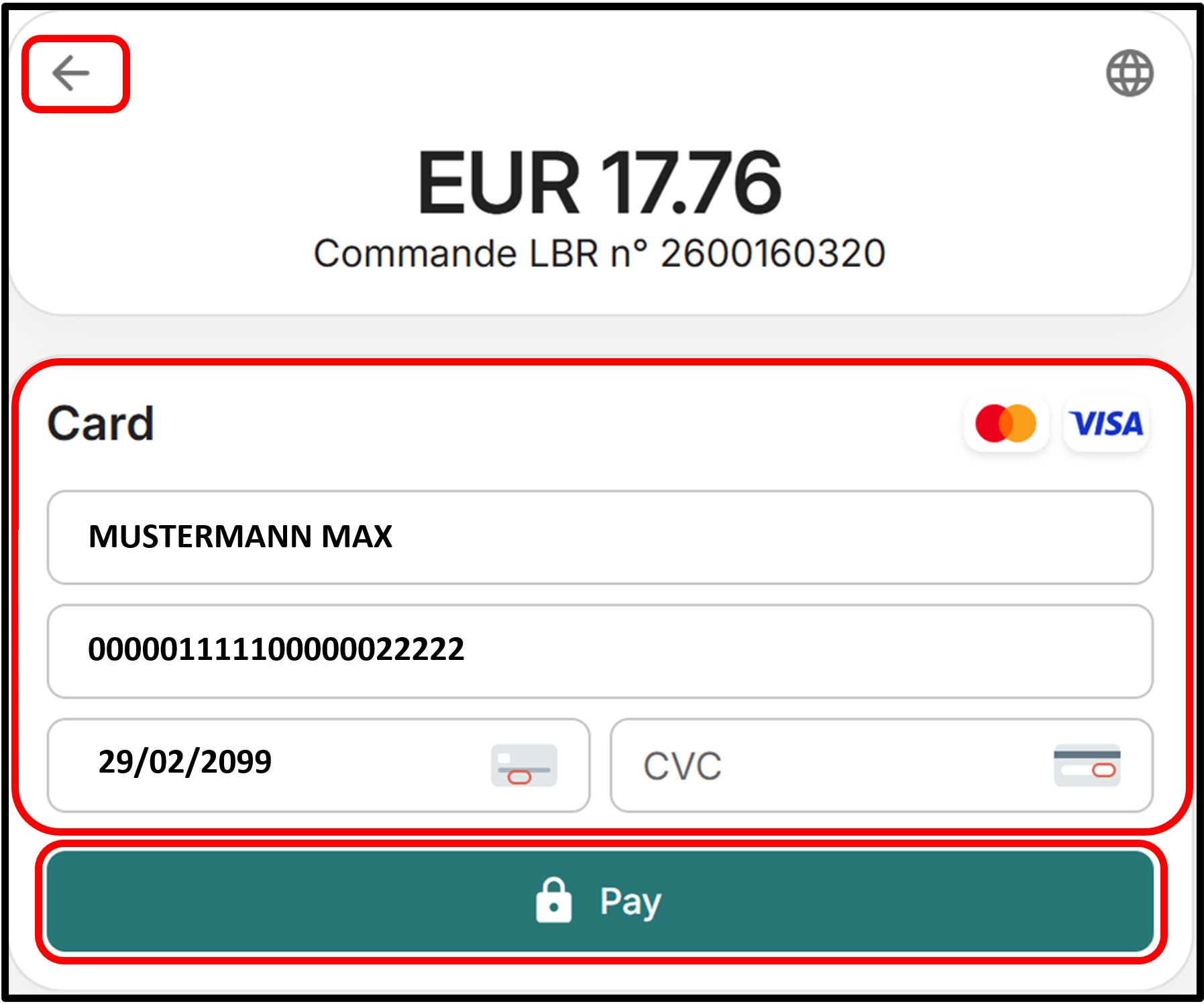
After entering or confirming the information relating to the desired payment method, the user will be taken to a page requesting confirmation of payment with the selected card. The user can also cancel the transaction by clicking on the arrow at the top left of the page.
To confirm their choice, the user has to click on the Pay button. The user then has to follow the instructions on the page to finalise the payment process.
Once the payment process has been finalised and provided that the payment is accepted, the user is then redirected to the Confirmed order form page.
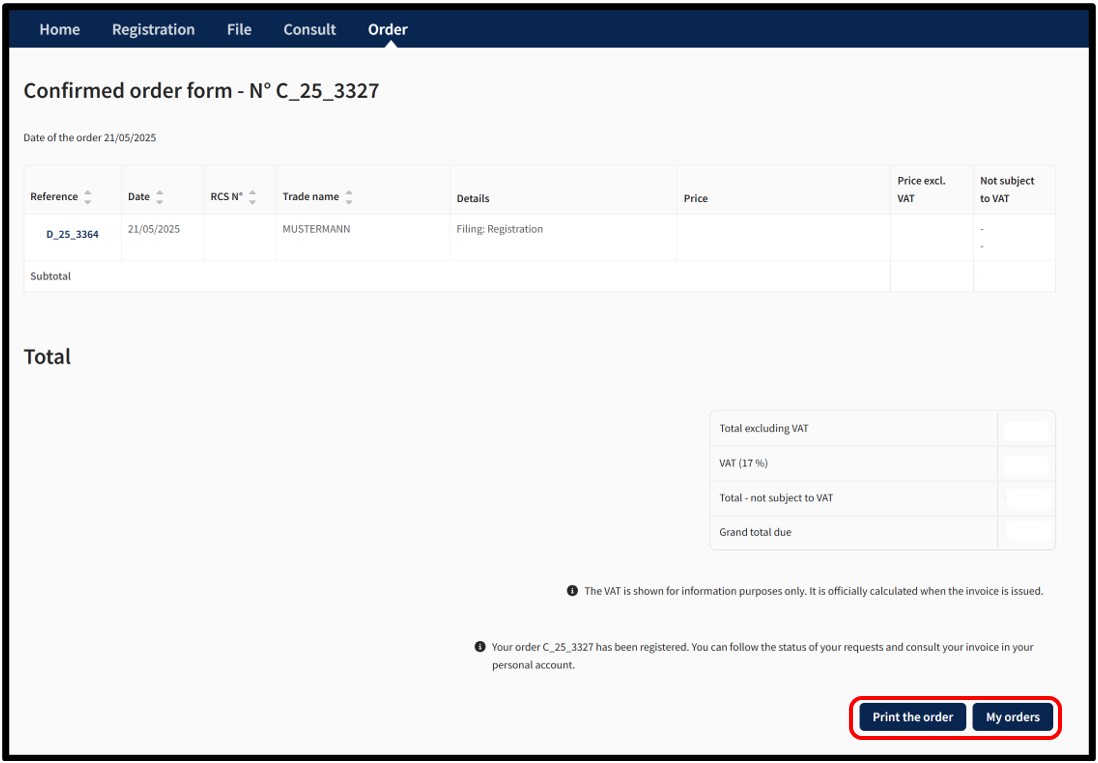
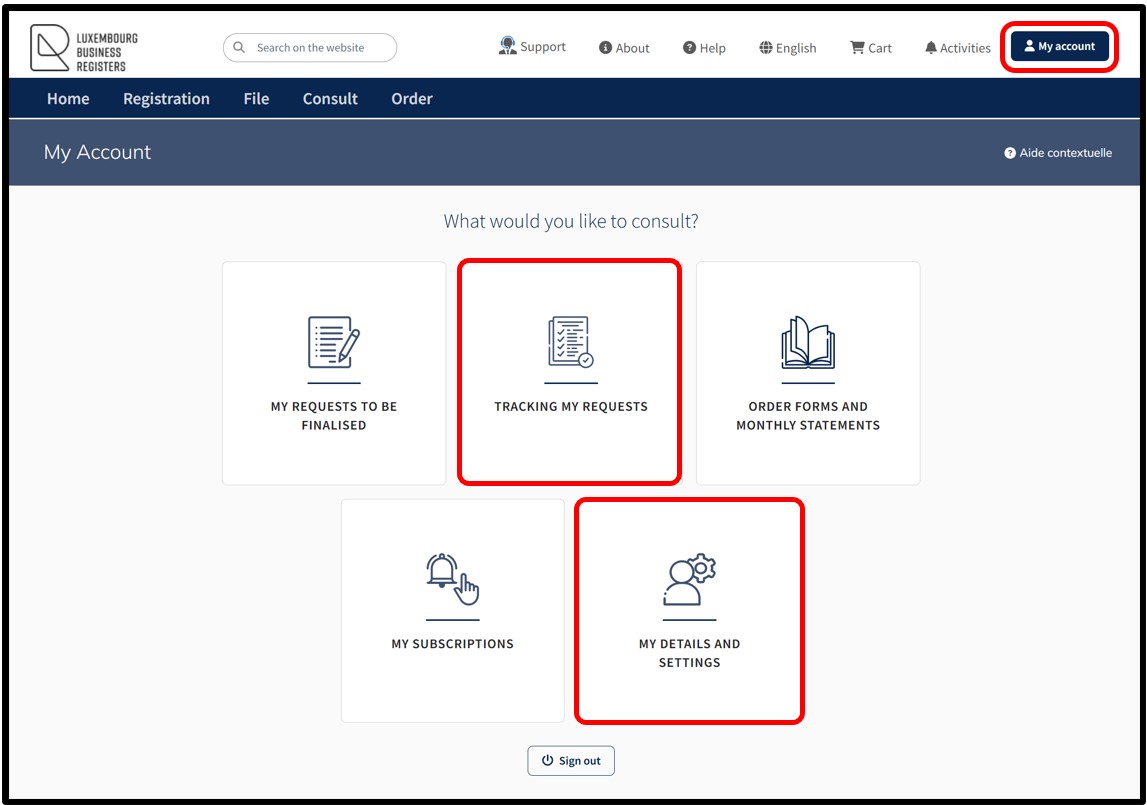
The user can print their Confirmed order form in PDF format by clicking on the Print the order button. The My Orders button redirects the user directly to the Tracking My Requests feature accessible within their personalised user account.
The user can also track their orders from the My Account menu and select the heading Tracking my requests.
Notifications are automatically sent by email to the user:
- To confirm receipt of their order by LBR
- To confirm that their order has been processed by LBR
If the user does not wish to receive these emails, they can disable receipt from the menu My Account and select My details and settings.
Useful information
The SAFERPAY electronic payment platform
Payment on the LBR website uses the secured payment platform Saferpay from SIX Card Solutions. Saferpay is the electronic payment solution from SIX Card Solutions for the processing of credit card payments on the Internet. LBR therefore has no access to payment data.
The SAFERPAY solution offers:
- Complete data security: SAFERPAY is certified to the international PCI DSS standard.
- Secure encrypted data: All data exchanged with SAFERPAY is SSL encrypted.
- Separate environments: Credit card details are entered in a SAFERPAY payment window that is independent of the LBR website. Credit card details do not pass through the LBR website, which has no access to these details at any time.
- Secure data storage: SAFERPAY Secure Card Data complies with PCI DSS guidelines and allows card data to be stored securely in the bank-certified SIX Card Solutions data centre.
Recording of credit card information
The SAFERPAY electronic payment platform allows credit card data to be stored in the secured data centre of SIX Card Solutions. Credit card data does not pass through the LBR website, and the latter has no access to this information under any circumstances.
By choosing the option to save credit card details, the information is entered only once during the first payment. For subsequent payments, the user only has to select the desired card from the list of saved cards. Users can also register several credit cards and delete them at any time, according to their needs.
Please note: The functionality of recording credit card data mandatorily requires an authentication by certificate of the user. An authentication by anonymous connection does not allow the use of ttheir functionality.
3D Secure technology
The 3D Secure technology, used by VISA (“Verified by Visa”) and MasterCard (“MasterCard SecureCode”), guarantees that the cardholder is identified before each payment.
If your card is 3D Secure compatible, you will be redirected to your bank's website via the SAFERPAY payment window to proceed with authentication. This step, managed by your bank, is independent of LBR and SAFERPAY.
The payment is validated only if the authentication is successful. If it fails, the payment is cancelled.