The date of birth of one or more registered natural persons is missing
Explanation
At least one natural person registered in your entity’s file does not have a date of birth recorded. However, the date of birth is mandatory information. You must therefore complete the file by indicating the missing date of birth for the person or persons concerned. Updating this information makes it possible to accurately reflect the current situation of your entity.
How can the missing date of birth be indicated?
To complete the missing date of birth of one or more registered natural persons, you must submit a modification filing with the RCS. This involves updating the information relating to the person or persons concerned by indicating their date of birth.
The information presented is standard and provided for guidance purposes only. Depending on the legal form of your entity, the documents to be provided or the steps to be followed may differ.
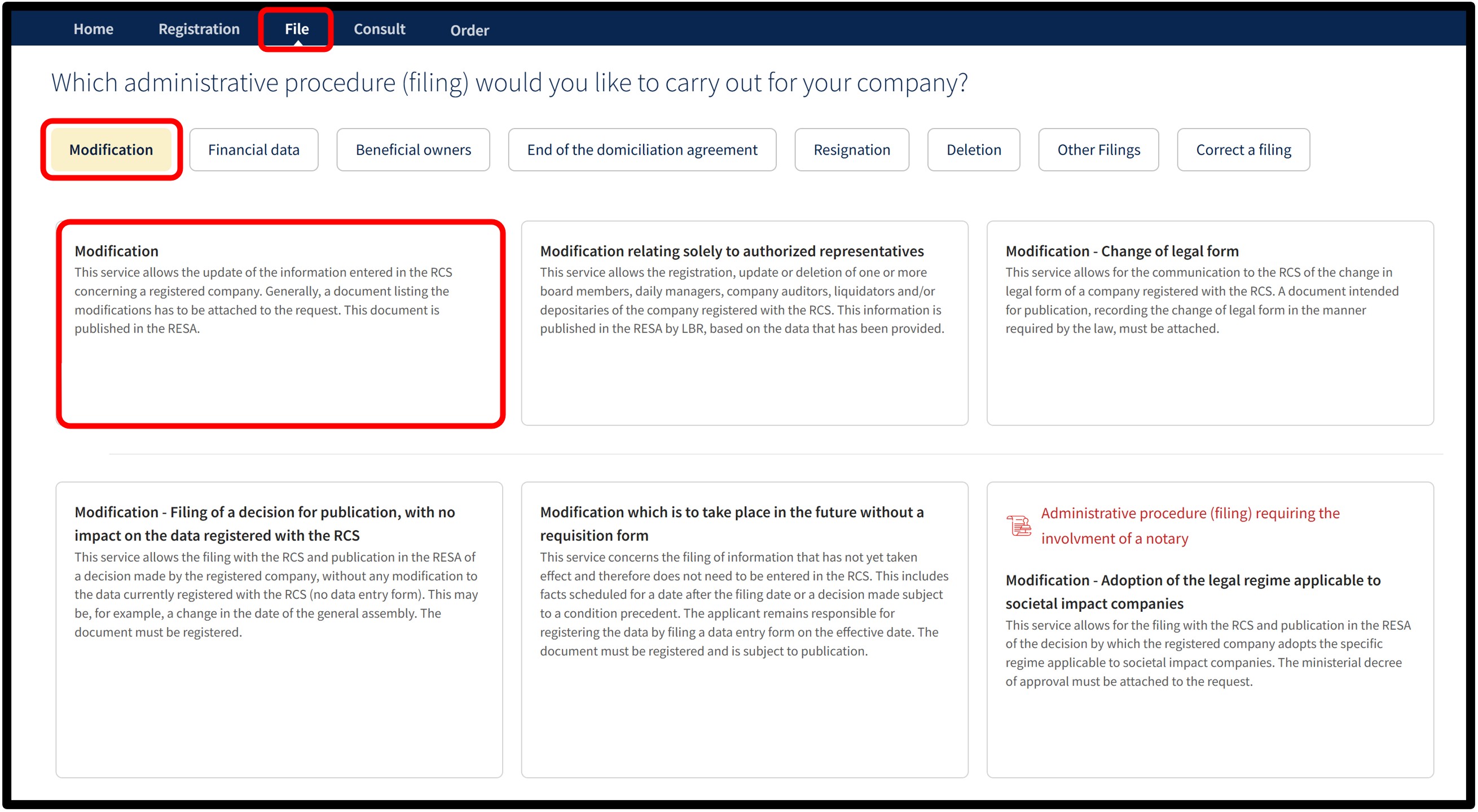
After selecting the Modification service, you will be taken to the page where you have to select the language of the form.
Before continuing, ensure you have all the necessary information and documents required to make the modification.
Once you have selected your language, click Next. You will then be automatically redirected to the data entry form to complete the modification.
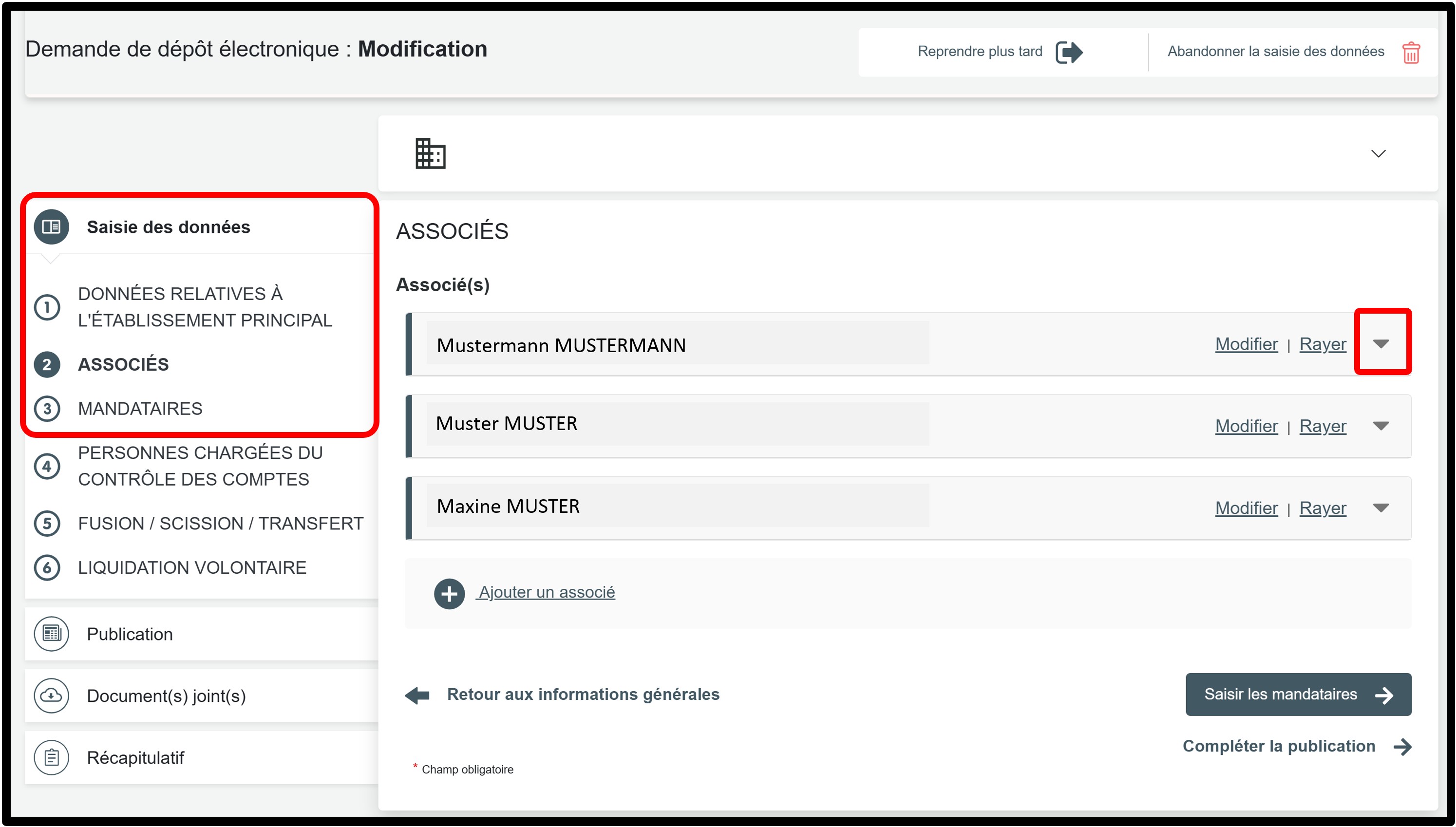
In the part Saisie des données, select the section Associés to access the information to be amended.
By clicking on the small arrow, you can display the information relating to the associate concerned and verify that the date of birth has been correctly entered.
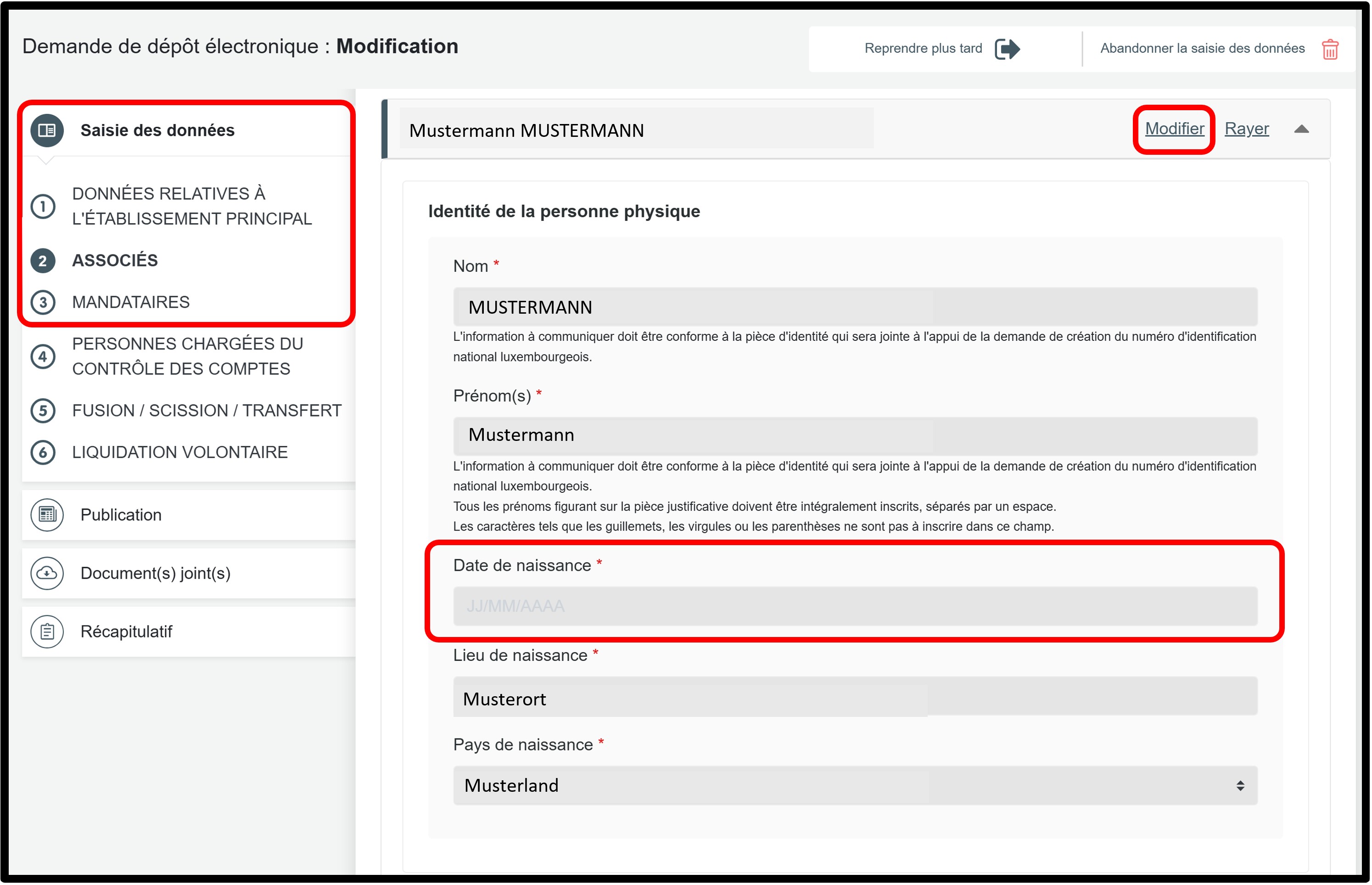
In the example presented as part of the explanations provided, you can see that no information is entered in the Date de naissance field.
To enter the date of birth for the person concerned, click on the Modifier option in order to unlock the data entry fields and make the necessary changes.
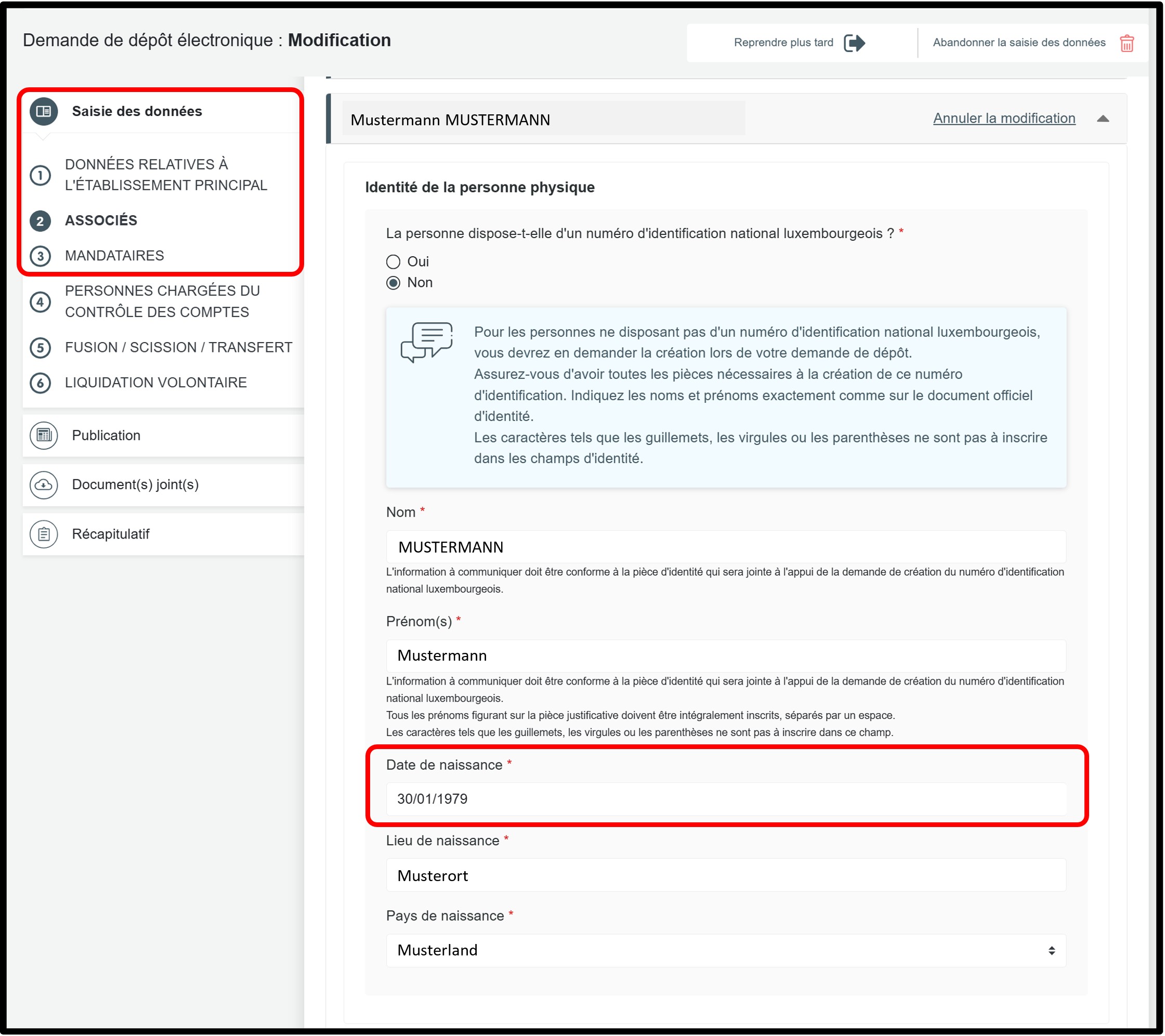
Scenario 1 – The associate has a Luxembourg national identification number
In this case, you must answer Oui to the corresponding question and enter the national identification number in the field specifically provided for this purpose.
The Date de naissance field for the person concerned will then be completed automatically.
Scenario 2 – The associate does not have a Luxembourg national identification number
In this case, you must answer Non to the corresponding question. Then go to the Date de naissance section to enter the date of birth for the person concerned.
In the part Saisie des données, please remember to check both parts:
- the section relating to Associés,
- as well as the section relating to Mandataires.
Once the changes have been made, click on the Saisir les données relatives à la création du numéro d'identification national luxembourgeois button to proceed to the next step.
Form: Additional information
Upload of the required documents
Creation of the Luxembourg national identification number
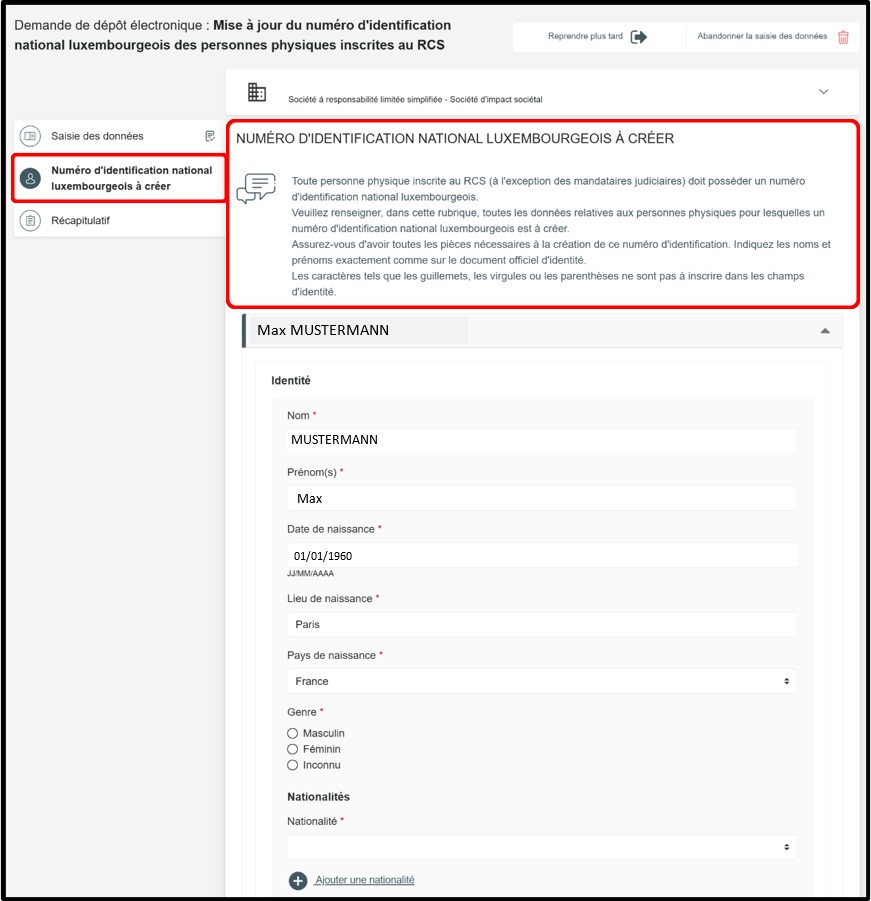
In the Numéro d'identification national luxembourgeois à créer section, the following information must be provided in order to create the Luxembourg national identification number:
- Surname(s)
- Given name(s)
All given names of the natural person must be provided. - Date, place and country of birth
- Gender (male, female, unknown)
- Nationality
All nationalities of the natural person must be indicated using the drop-down list. - Private home address (number, street, postal code, locality, country) – supporting document required. The full address must be provided, not only the locality and the country.
In this case, you must also attach an identity document and, where necessary, proof of address. These documents are used to create the Luxembourg national identification number by the manager of the RCS when processing the application.
It is important that the information provided in the application exactly matches the information shown on the attached documents.
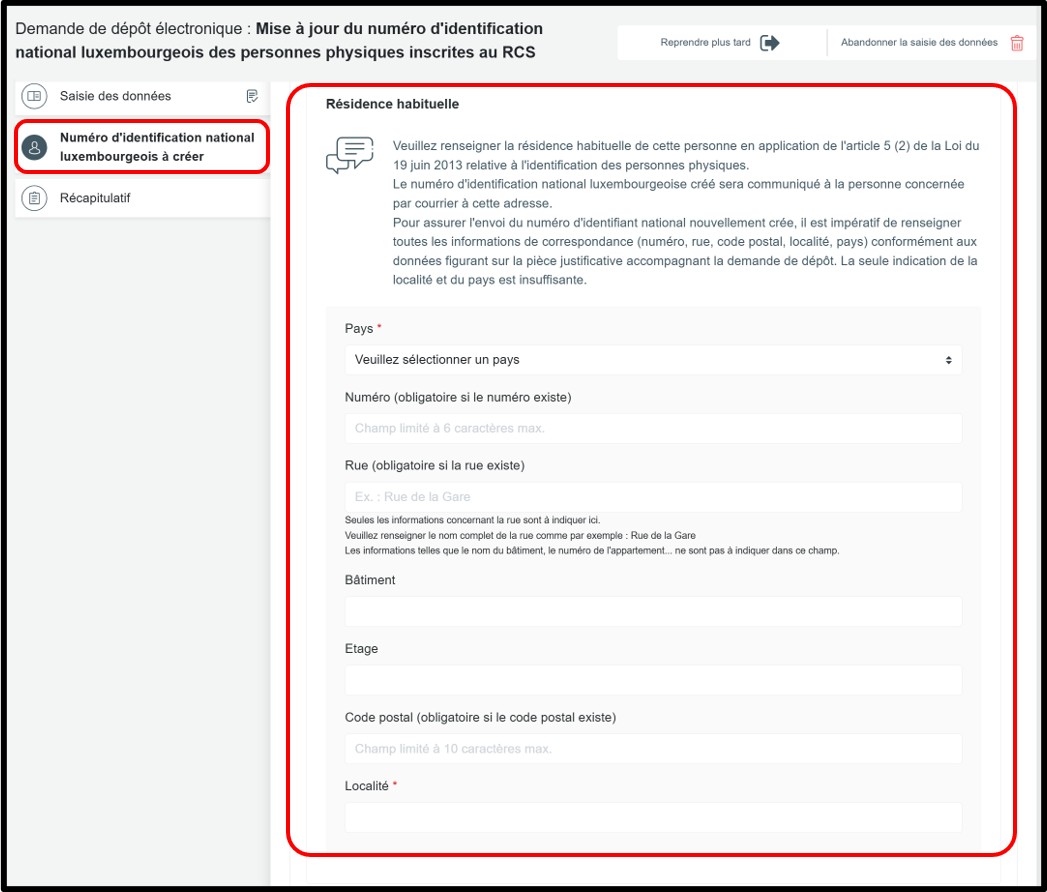
When applying for the creation of a Luxembourg national identification number, you must indicate the person’s private home address in the Résidence habituelle section. The national identification number will be sent to this address.
It is therefore mandatory to provide all address details (number, street, postal code, locality and country), in accordance with the information shown on the supporting document attached to the application. Providing only the locality and the country is not sufficient.
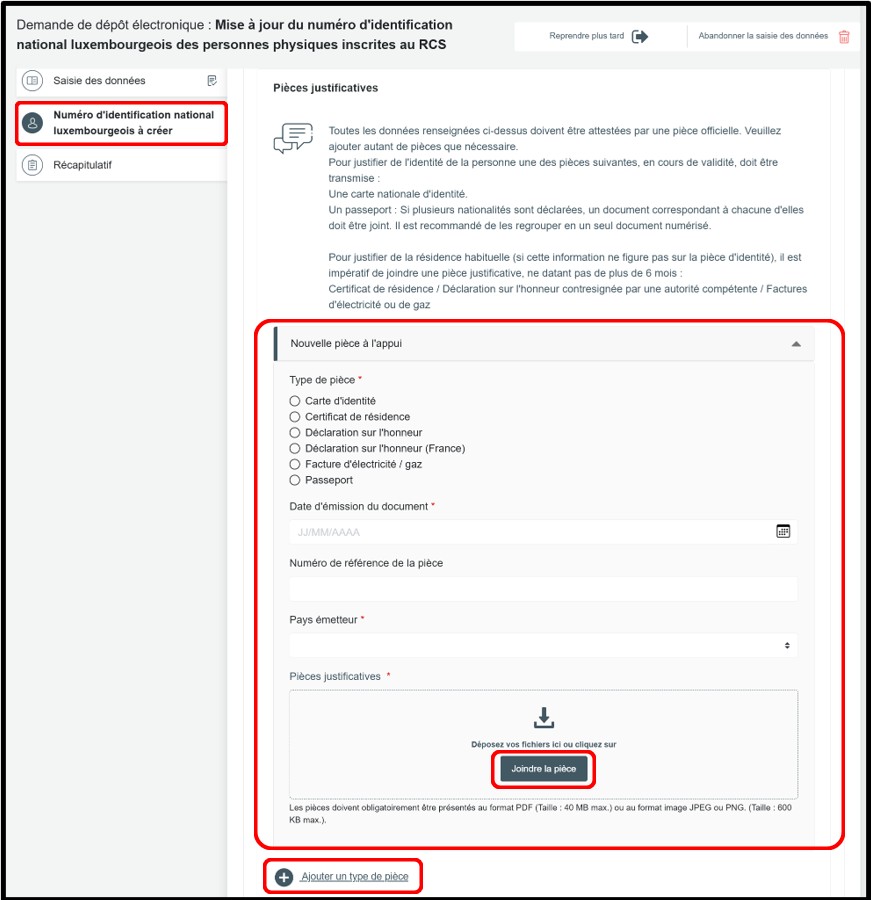
To verify the identity of the person for whom a Luxembourg national identification number is to be created, one of the following valid documents must be provided for control purposes:
- A passport:
Where several nationalities are indicated and not all of them appear on a single supporting document, a supporting document corresponding to each nationality must be attached to the filing application. Where several passports are submitted as supporting documents, it is recommended that they be grouped together in a single scanned document.
- A national identity card.
To justify the private home address (where this information does not appear on the identity document), one of the following documents must be provided for control purposes. The document must not be older than six months:
- a certificate of residence issued by the municipality (or an official document issued by the competent regional authority responsible for confirming home addresses);
- a sworn statement from the person concerned, stamped or countersigned by the competent regional authority responsible for confirming home addresses, an embassy, a notary, or a police station;
- if none of these documents can be provided: a water, electricity, gas, telephone or internet bill.
Please note that these documents are not listed in any order of priority.
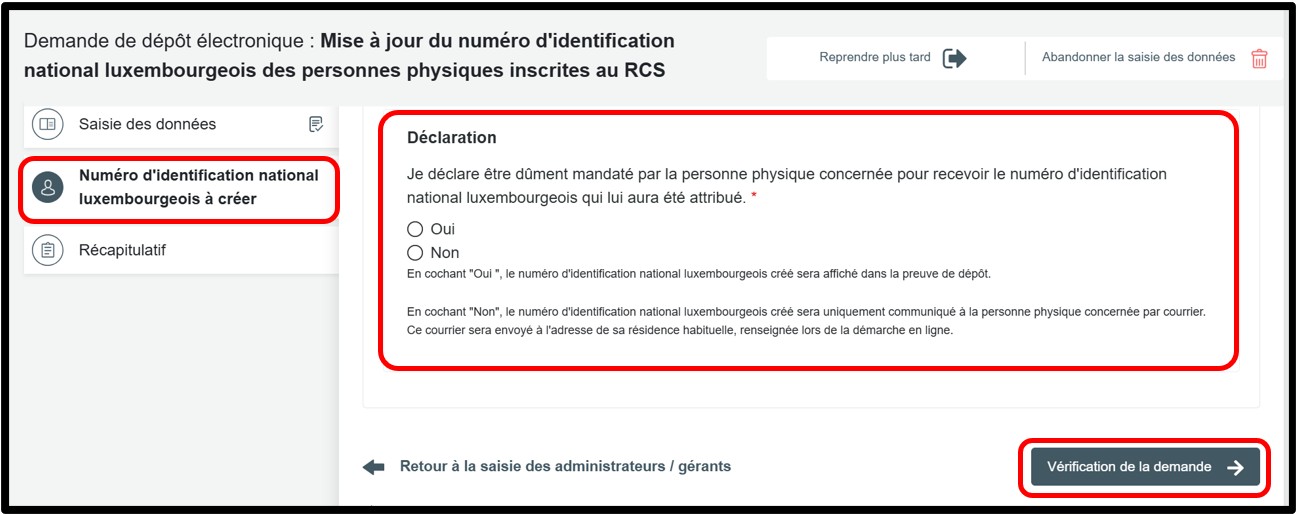
You must indicate whether you are authorised to receive the Luxembourg national identification number for the person concerned.
- If you select Oui: the national identification number will be shown in the proof of filing, which can be downloaded at the end of the procedure.
- If you select Non: the number will not appear in the proof of filing. It will be sent by post directly to the person concerned, at the address indicated in the application.
Once the information has been completed, click on the Compléter la publication button to continue the procedure.
Publication
No publication is required for updating the date of birth. You may continue the procedure by clicking on the Récapitulatif section in order to review the information entered and proceed to the next step.
Récapitulatif
Section of the request where you can check the summary of your request before sending it to the cart. To do this, click on Visualiser le récapitulatif de ma demande en français to open the PDF document. If you spot an error, you can go back using the previous step button to the section where the information has to be corrected.
If all the information is correct, check the box J’ai contrôlé mon document récapitulatif. You can also add a personal reference in the field Ma référence de dépôt to better organise your requests. Once you have finished verifying, click on Ajouter la demande au panier to confirm your procedure.