One or more board members or daily managers have resigned from their positions
Explanation
One or more board members or daily managers of your ASBL have resigned from their functions and have notified their resignation to the RCS. If an authorized representative is no longer in office, you must delete them from your list of authorized representatives and, where applicable, register a new authorized representative. Updating this information ensures that your entity’s situation is correctly reflected.
How to update the list of board members and/or daily managers following a resignation?
One or more board members or daily managers have resigned and have informed the RCS of their decision. In order for the information to be accurate, you must update your file with the RCS:
- The authorized representative who has resigned must be deleted from the list of authorized representatives, as they are no longer in office.
- Where applicable, a new authorized representative may be registered to replace them.
These adjustments help ensure that the list of authorized representatives remains accurate and up to date.
The information presented is standard and provided for guidance purposes only. Depending on the legal form of your entity, the documents to be provided or the steps to be followed may differ.
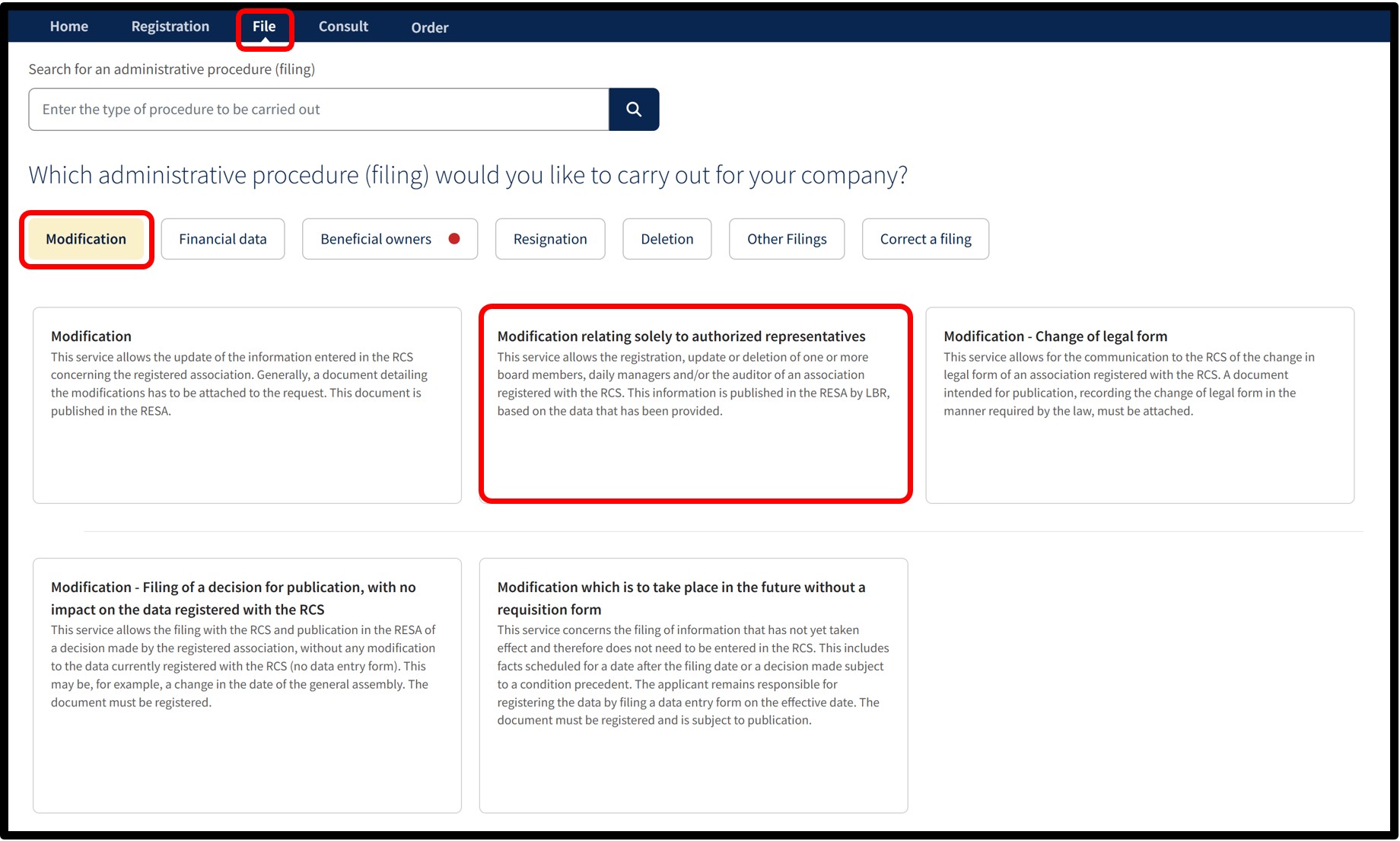
After selecting the service Modification relating solely to authorized representatives, you will access a screen where you must choose the language of the form.
For this type of filing, publication in the RESA is generated automatically by the manager of the RCS based on the information provided in your application.
Once the language has been selected, click on Next. You will then be redirected to the data entry form to complete the amendment.
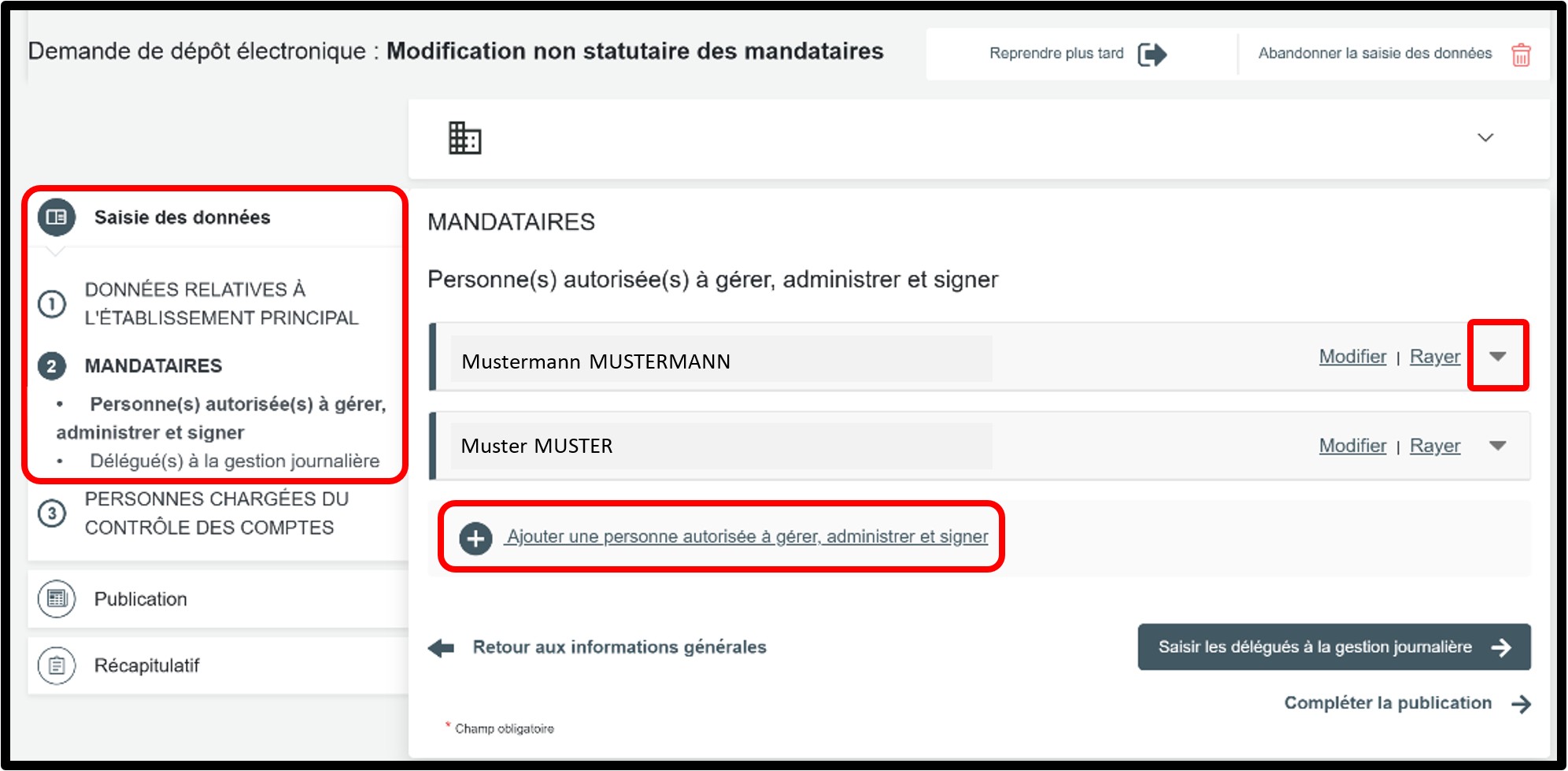
In the part Saisie des données, select the Mandataires section to access the information to be updated. First, click on the small arrow to display the authorized representative’s details and identify the person who has notified their resignation to the RCS.
To add an additional board member, click on Ajouter une personne autorisée à gérer, administrer et signer, select the Type de personne, then complete the required information.
In the Mandataires section, make sure to check both parts:
- the section relating to Personnes autorisées à gérer, administrer et signer,
- as well as, where applicable, the section relating to Délégués à la gestion journalière.
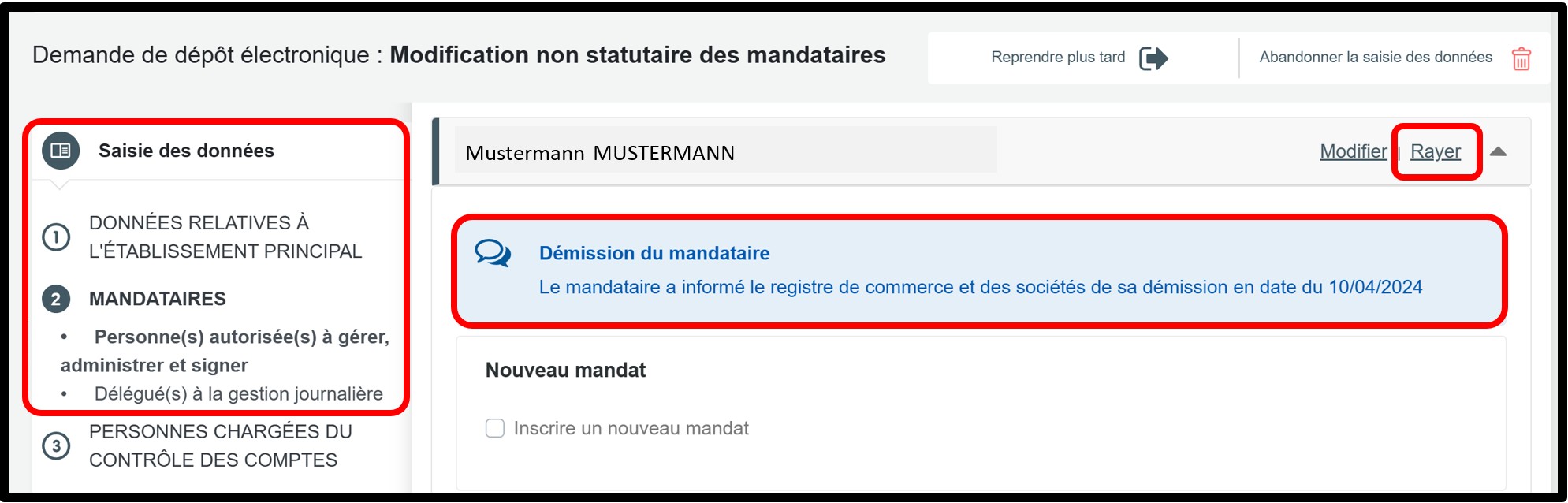
In the example provided as part of the explanations, you can see that the authorized representative notified the RCS of their resignation in April 20224.
The authorized representative has resigned and is therefore no longer in office.
In this case, you must remove the authorized representative from your list, as they are no longer in office. To do so, simply click on the Rayer option.
To add an additional board member, click on Ajouter une personne autorisée à gérer, administrer et signer, select the Type de personne, then complete the required information.
Once the changes have been made, click either on the Publication tab or on the Compléter la publication button to proceed to the next step.
Form: Additional information
Publication
When using this procedure, there is no need to create and attach a document for publication. As an administrative simplification, publication in the RESA for this type of filing is generated automatically by the manager of the RCS based on the information provided in your application. Once this step has been completed, click on the Récapitulatif section to proceed to the next step.
Récapitulatif
Section of the request where you can check the summary of your request before sending it to the cart. To do this, click on Visualiser le récapitulatif de ma demande en français to open the PDF document. If you spot an error, you can go back using the previous step button to the section where the information has to be corrected.
If all the information is correct, check the box J’ai contrôlé mon document récapitulatif. You can also add a personal reference in the field Ma référence de dépôt to better organise your requests. Once you have finished verifying, click on Ajouter la demande au panier to confirm your procedure.