One or more board members are registered, although their file has been deleted from the RCS
Explanation
One or more board members are registered as having the power to bind your entity, even though their own file has been deleted from the RCS. These persons can therefore no longer perform this function. You must update the information relating to your board members in order to correct this situation.
How to correct the information relating to the entity’s board members (following the deletion of their file from the RCS)?
To update this information, you must submit a modification filing with the RCS. This involves verifying, among your authorized representatives that are legal persons, which one has been deleted from the RCS and then deleting it from your list of authorized representatives. You must also register, where necessary, the natural or legal persons who now have the power to bind your entity.
The information presented is standard and provided for guidance purposes only. Depending on the legal form of your entity, the documents to be provided or the steps to be followed may differ.
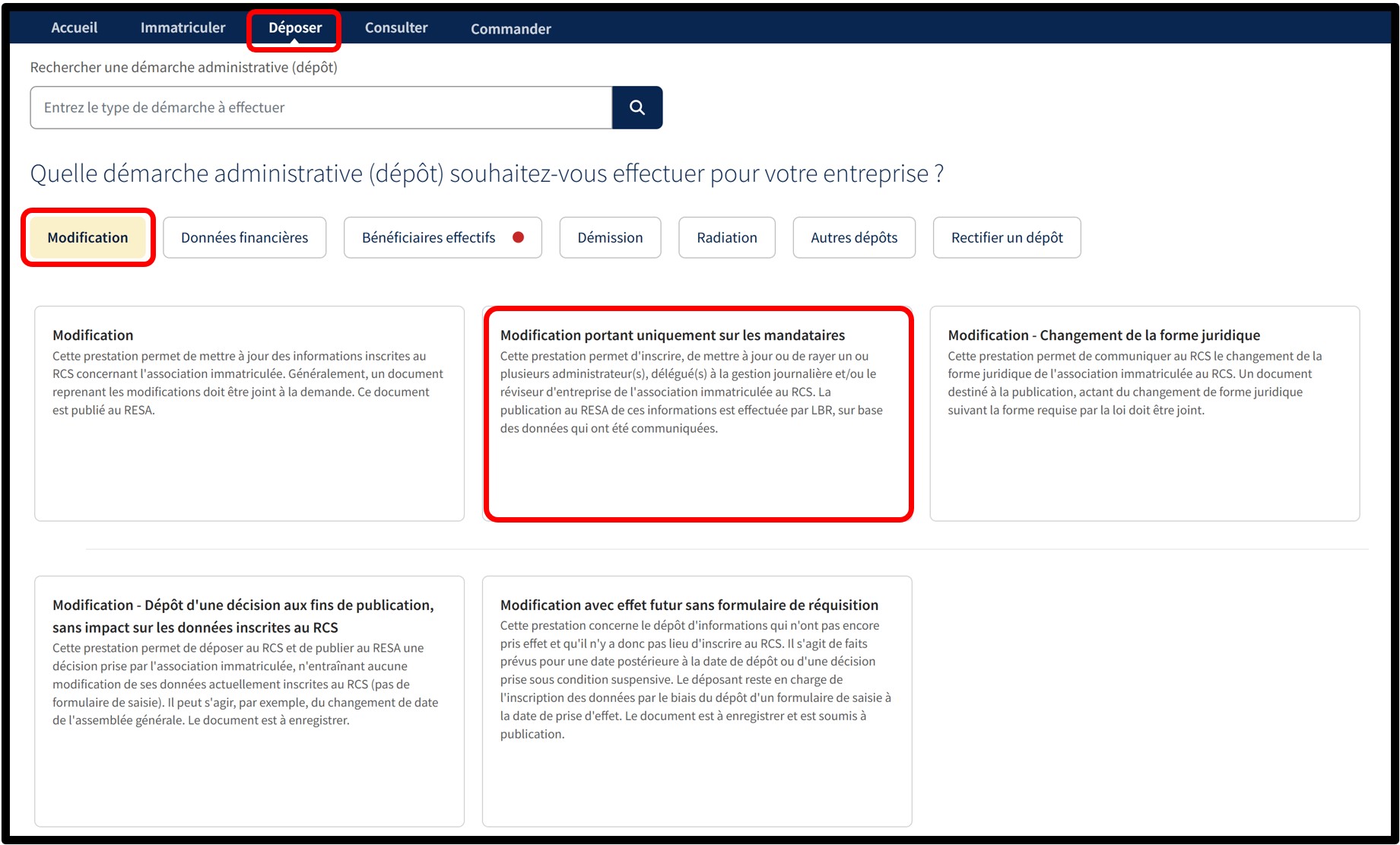
After selecting the service Modification relating solely to authorized representatives, you will access a screen where you must choose the language of the form.
For this type of filing, publication in the RESA is generated automatically by the manager of the RCS based on the information provided in your application.
Once the language has been selected, click on Next. You will then be redirected to the data entry form to complete the amendment.
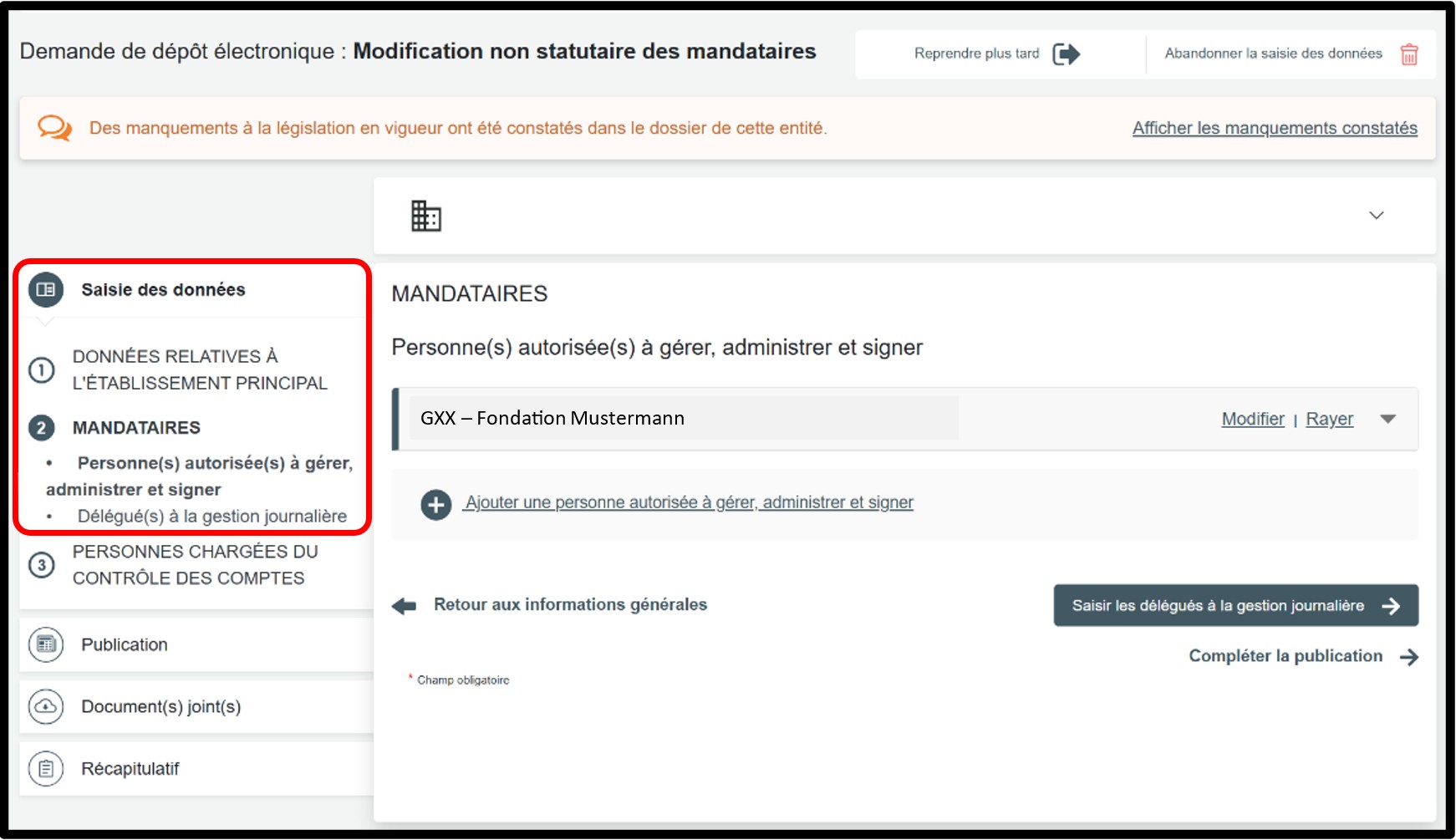
In the part Saisie des données, select the Mandataires section to access the information to be modified.
You must verify, among your authorized representatives that are legal persons, which one has been deleted from the RCS by searching for its file directly in the RCS.
Once identified, you must delete it from your list of authorized representatives.
If necessary, then add the natural or legal persons who now have the power to bind your entity by clicking the Ajouter une personne autorisée à gérer, administrer et signer option.
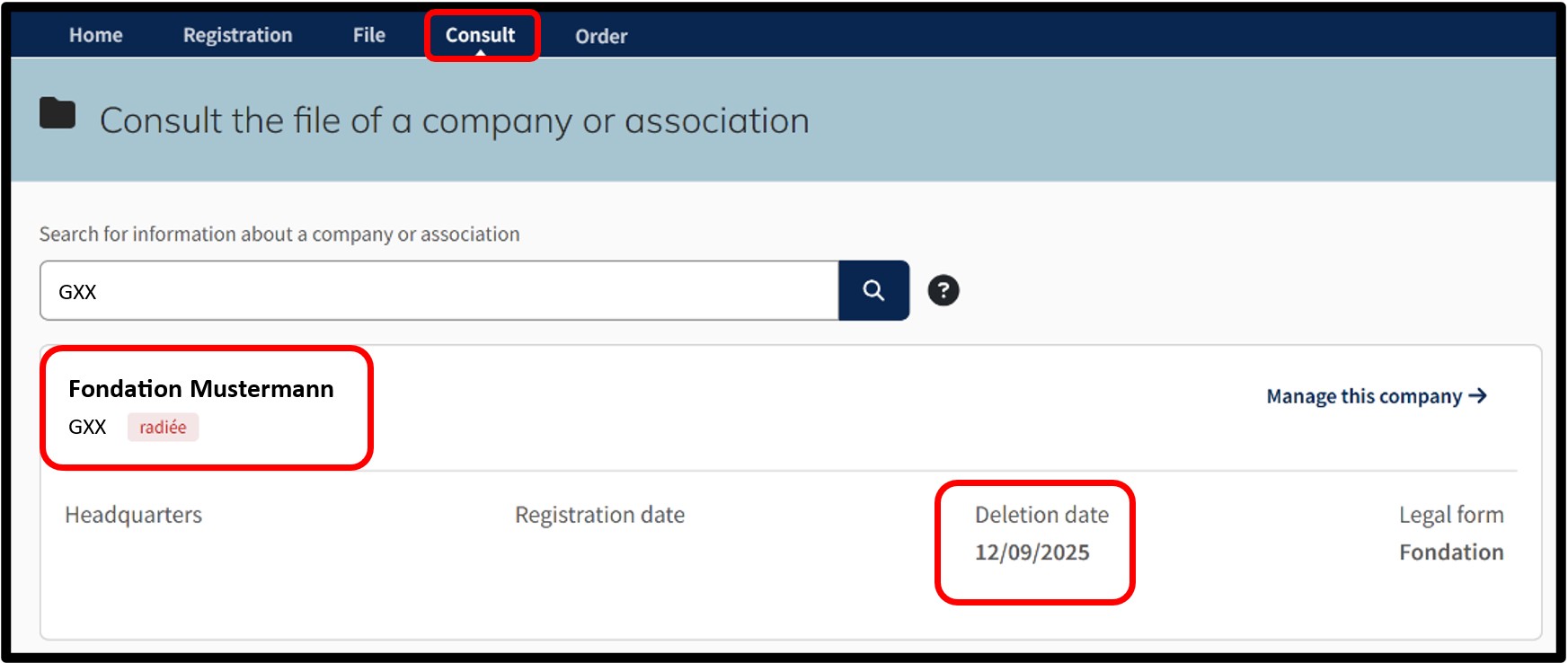
To search for a file in the RCS, go to the Consult menu and click on File of a company or association.
In the search tool that appears, enter the RCS number of the legal person registered as an authorized representative of your entity.
After consulting the various RCS files of your authorized representatives that are legal persons, you will be able to identify the authorized representative whose file has been deleted. This is the authorized representative that you must remove from the list of authorized representatives recorded in your entity’s RCS file.
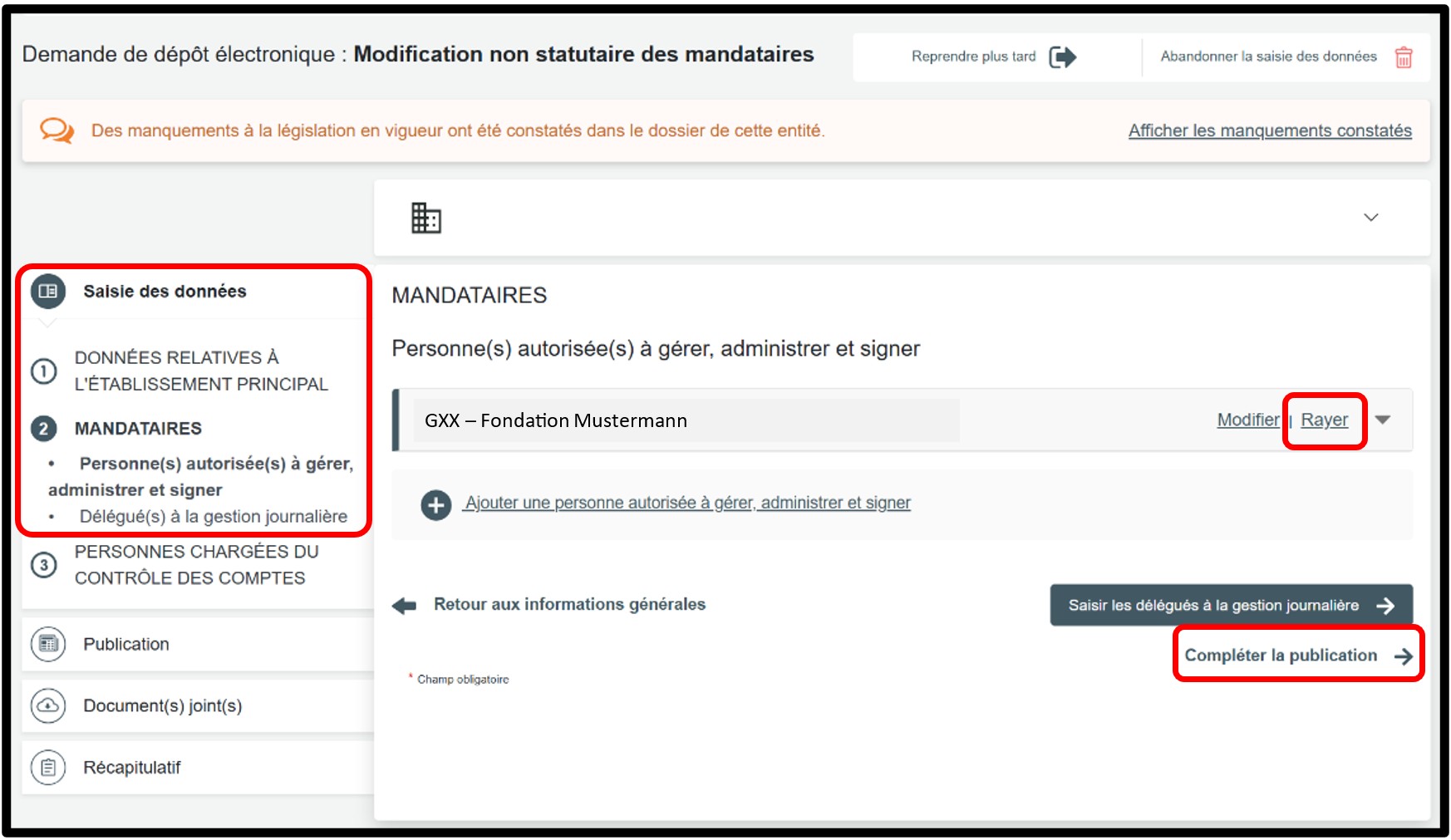
Once the legal person acting as an authorized representative whose RCS file has been deleted has been identified, you must remove it from your list of authorized representatives by simply clicking the Rayer option.
If necessary, then add the legal or natural persons who now have the power to bind your entity.
To add a person authorised to manage, administer and sign, click the Ajouter une personne autorisée à gérer, administrer et signer option, choose the Type de personne, then complete the required information.
Once the information has been modified, click the Compléter la publication button to proceed to the next step.
Form: Additional information
Publication
When using this procedure, there is no need to create and attach a document for publication. As an administrative simplification, publication in the RESA for this type of filing is generated automatically by the manager of the RCS based on the information provided in your application. Once this step has been completed, click on the Récapitulatif section to proceed to the next step.
Récapitulatif
Section of the request where you can check the summary of your request before sending it to the cart. To do this, click on Visualiser le récapitulatif de ma demande en français to open the PDF document. If you spot an error, you can go back using the previous step button to the section where the information has to be corrected.
If all the information is correct, check the box J’ai contrôlé mon document récapitulatif. You can also add a personal reference in the field Ma référence de dépôt to better organise your requests. Once you have finished verifying, click on Ajouter la demande au panier to confirm your procedure.