My details and settings
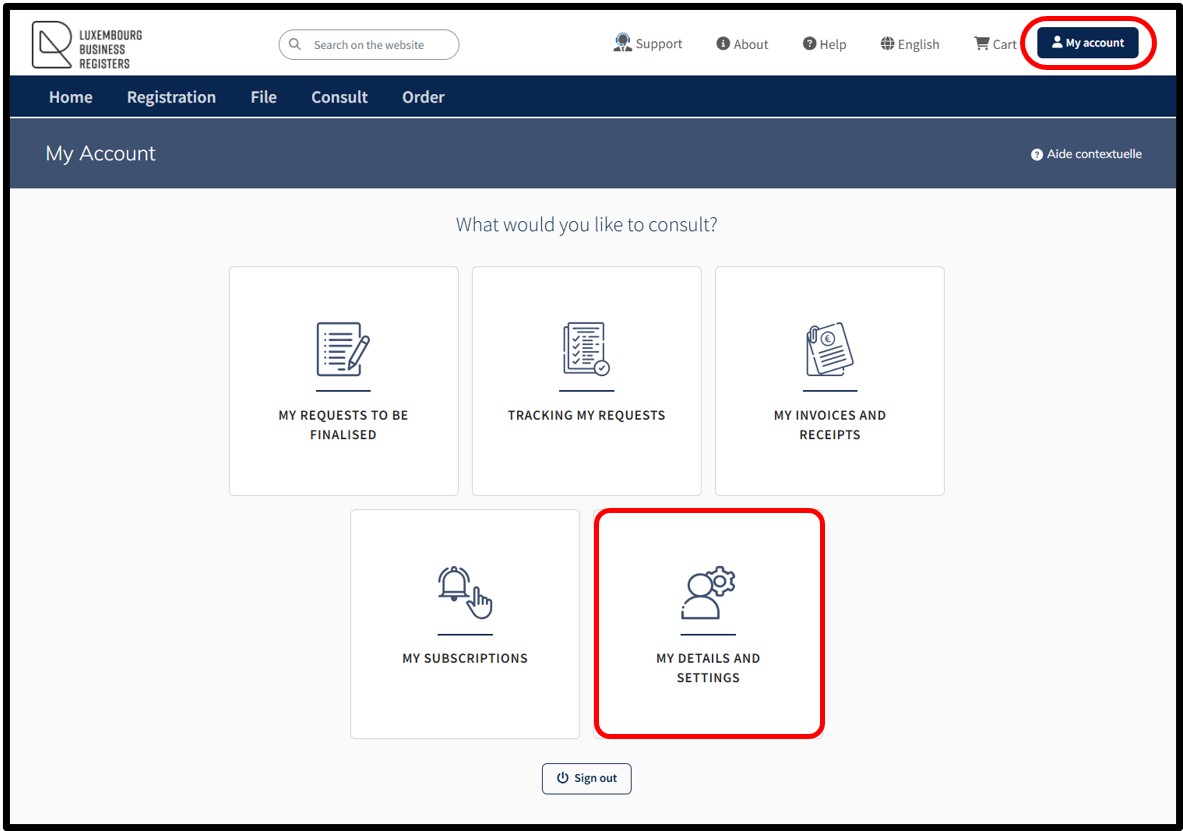
This functionality allows the user to access their customer space where they can consult and modify information relating to their account as well as manage their notification preferences.
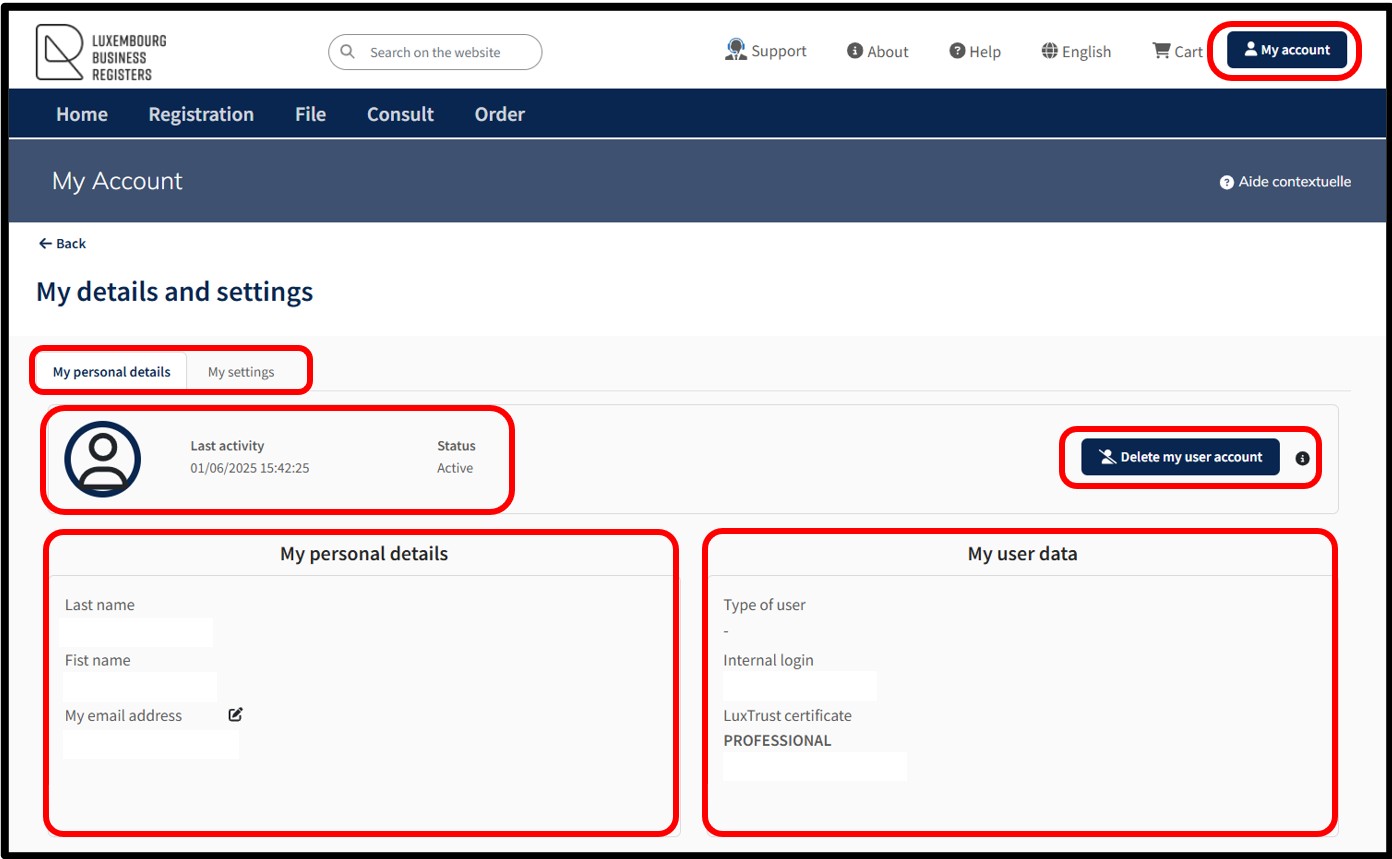
On accessing this page, the user will view their personal identification sheet, including information relating to their customer account.
This identification sheet is structured around a menu with two tabs:
My personal information
The user can find all their personal details in this tab:
- Last activity indicating the date and time of the user’s last connection to the LBR website.
- Status indicating that the account is active.
- Delete my user account allows the user to permanently delete their customer account.
- My personal details, containing the user's identity details.
- My user data, containing the user's authentication data.
My settings
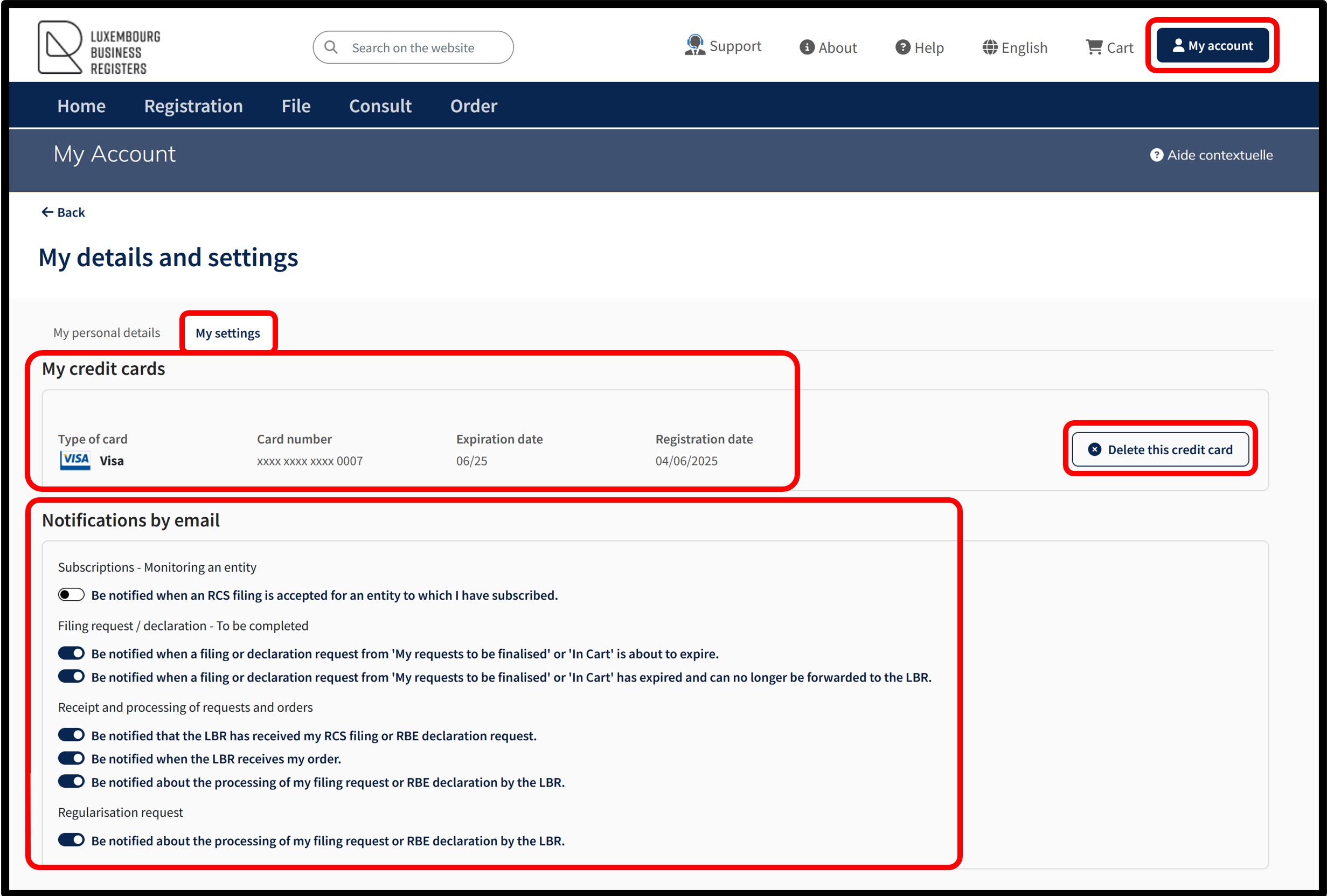
In this tab, the user will find the following information:
My credit cards that have been saved by the user. The user can delete the saved card by clicking on the Delete this credit card option.
Notifications by email, allowing the user to configure their notification settings for:
- Subscriptions - Monitoring an entity enables the user to be notified when a filing with the RCS is accepted for an entity for which the user has taken out a subscription.
- Filing request and declaration request - To be completed allows the user to be notified:
- When a filing request or a declaration request, available in My request to be finalised or in the cart, is about to expire.
- When a filing request or a declaration request, available in My request to be finalised or in the cart, has expired and can no longer be submitted to LBR.
- When a filing request or a declaration request, available in My request to be finalised or in the cart, is about to expire.
- Receipt and processing of requests and orders allows the user to be notified:
- About the successful receipt by LBR of their RCS filing request or RBE declaration request.
- About the receipt by LBR of their secured services order.
- About the processing by LBR of their RCS filing request or RBE declaration request.
- Regularisation requests allows the user to be notified about the processing by LBR of their RCS filing request or RBE declaration request.
The user is invited to indicate their notification settings by clicking on the respective sliders according to their choice.
Useful information
Filing notifications
By default, the email address used is the one that has been listed when the user account was created. The user can, however, specify a different email address for each new subscription, and even modify the one for an existing subscription by selecting the functionality My subscriptions accessible in their customer space.

The main advantage of the subscription is that the user is notified each time a new filing is made in the file of the entity that is the subject of the subscription. Each day on which one or more filings have been made concerning entities that are the subject of one of the user's subscriptions, an email containing a list of these filings is sent to the user. The email also contains a link that allows the user to directly access the filing log.
Notification of the expiry of a subscription
In order to facilitate the management of the user's subscriptions, a notification is provided for subscriptions that are about to expire. An email is sent to the user 30 days before the subscription(s) expire. This email contains a list of the subscriptions that are about to expire and provides the user with a link to access the subscription management system directly.
