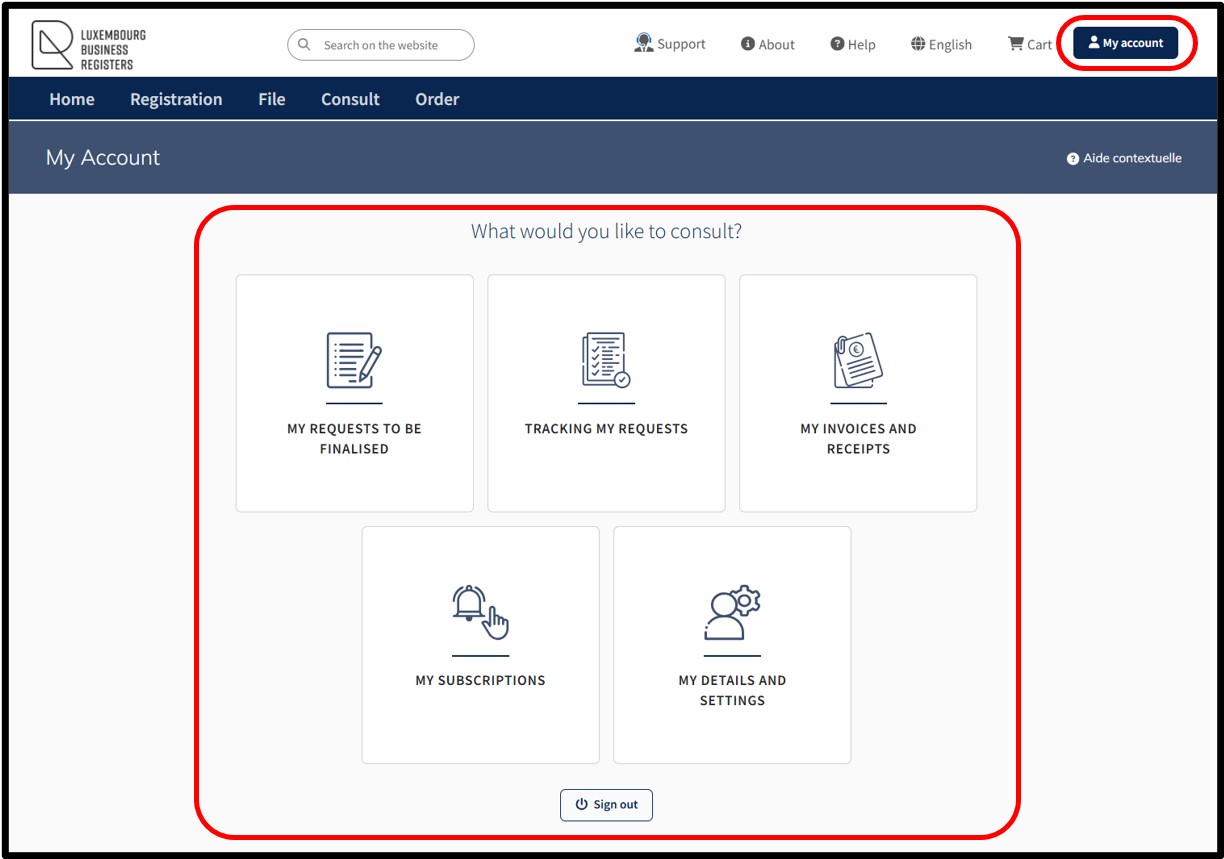
My Account - Functionalities: what you need to know
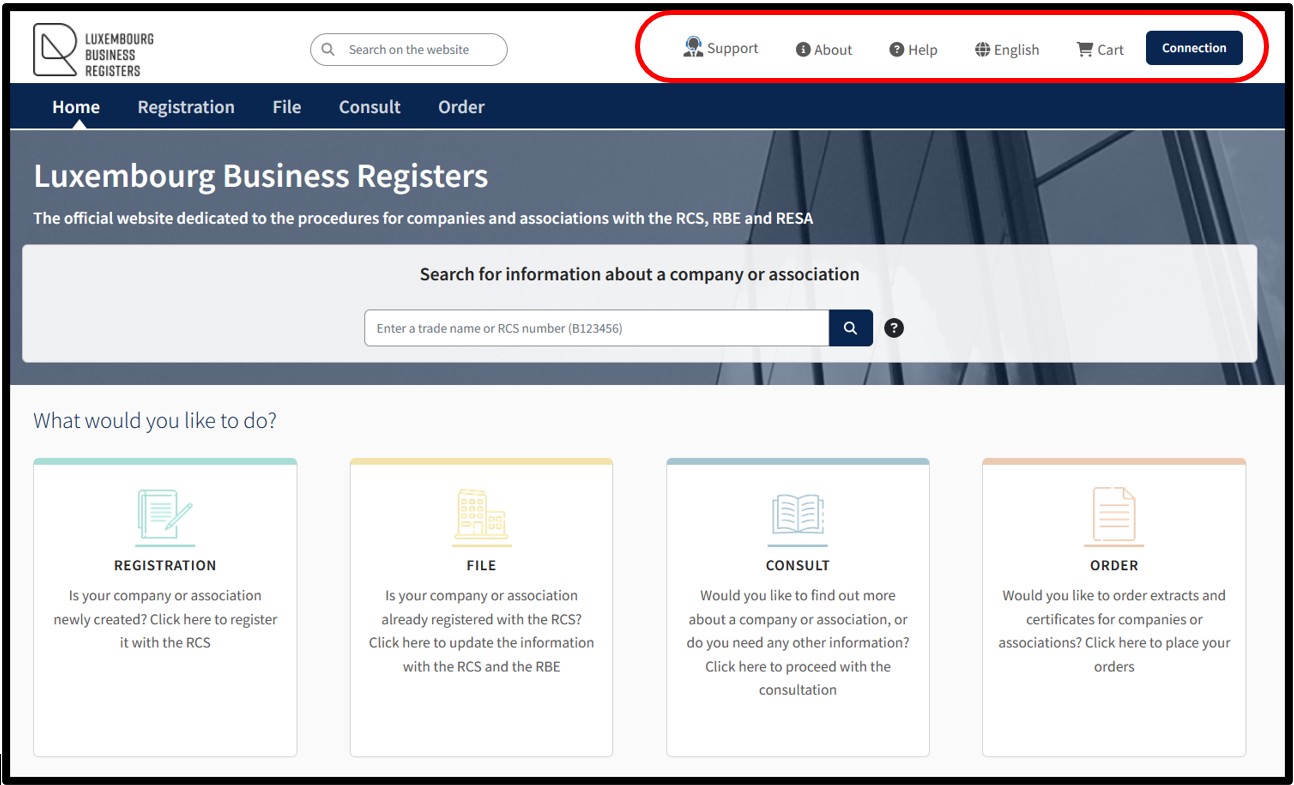
In the main menu bar at the top of the screen, the user can view different navigation options:
- Support:
Allows the user to obtain technical assistance by accessing the assistance and support form, enabling them to contact the LBR Helpdesk if they have any questions.
- About:
Provides the user with information about LBR.
- Help:
Provides the user with access to general help resources concerning the various functionalities and administrative procedures available on the LBR website.
- English:
Allows the user to choose the language in which the website is displayed according to their language preferences.
- Cart:
This area allows the user to access the details of their cart and consult a summary of their orders prior to purchase, with the option of viewing, modifying or validating their order.
- Activities:
This is where the user can consult news and warnings intended for the general public, published by LBR.
- Connection:
Allows the user to connect securely to the LBR website through an authentication by anonymous connection or with an authentication by certificate.
The functionality My Account is only available through an authentication by certificate of the user.
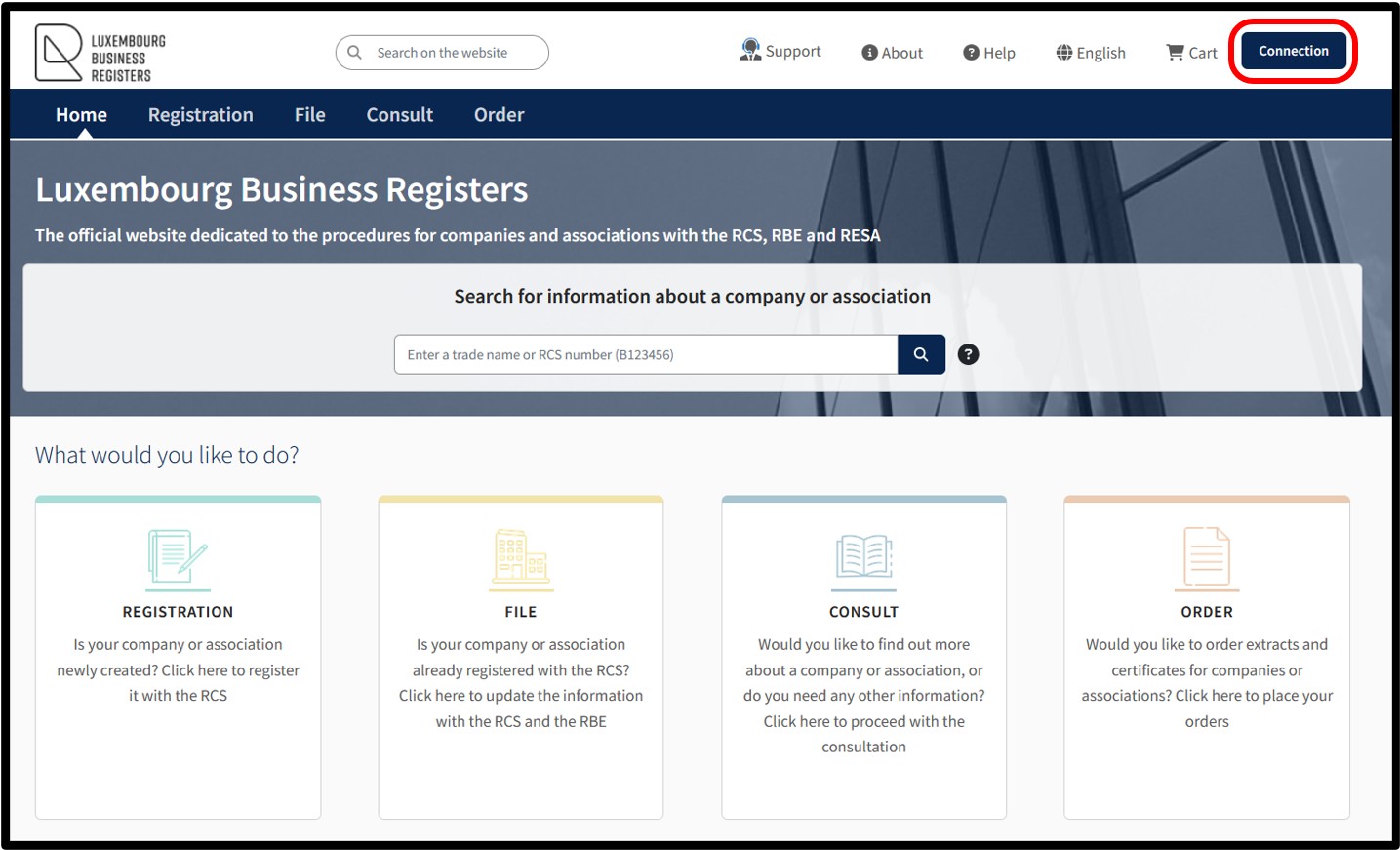
By clicking on the Connection button, the user is directed to the authentication screen where they are invited to select their preferred authentication method.
4 authentication methods are available:
- Authentication by anonymous connection.
- Authentication by LuxTrust certificate.
- Authentication via the GouvID application.
- Authentication by eIDAS electronic certificate.
Please note: The functionality My Account is only available through an authentication by certificate of the user.
Once the user has made their choice, they are invited to follow the on-screen instructions to log on to the LBR website.
Main functionalities
Useful information
Authentication by anonymous connection
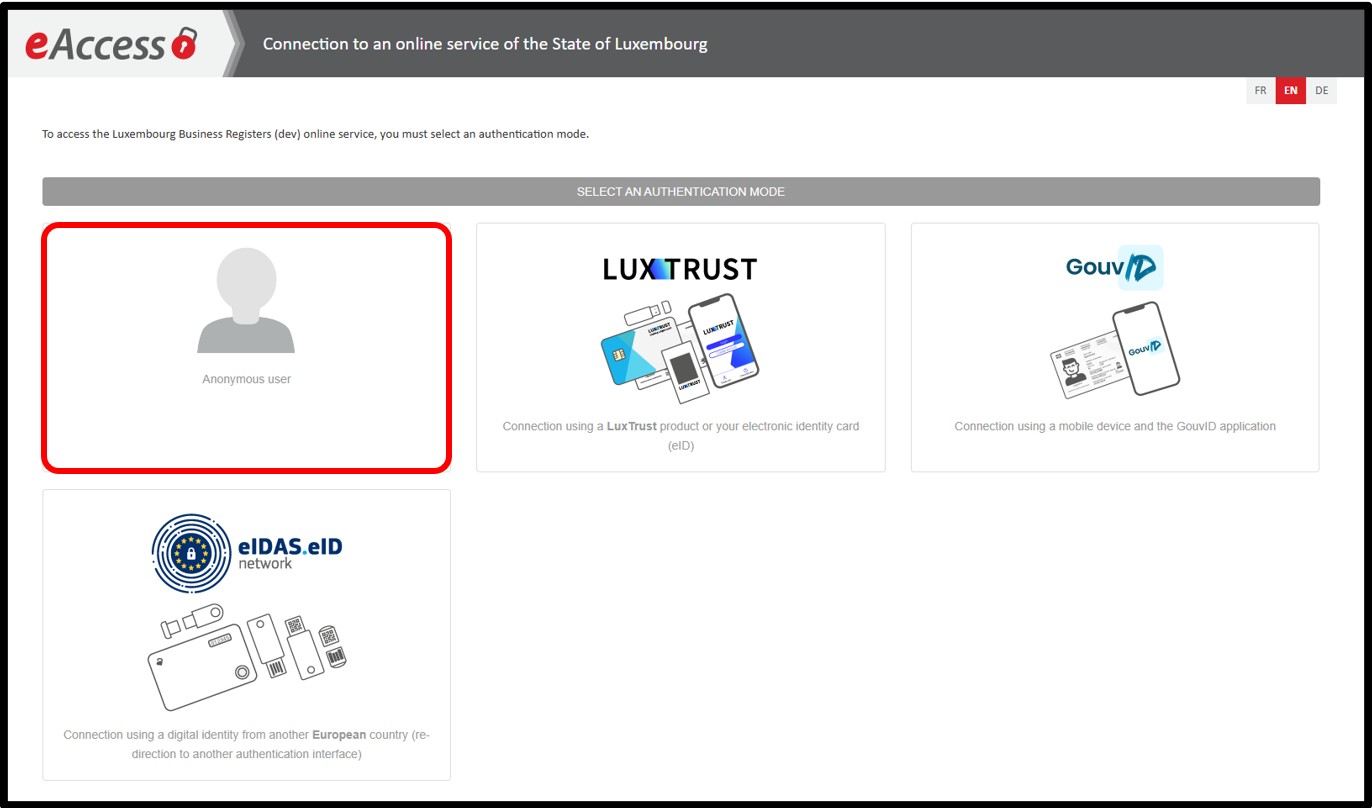
This authentication method only allows users to access their Personal cart containing their various orders. In the case of an authentication by anonymous connection, the documents ordered will be made available in a temporary space, the details of which will be sent to the user by email to the address that has been listed when the order was placed.
Authentication by certificate
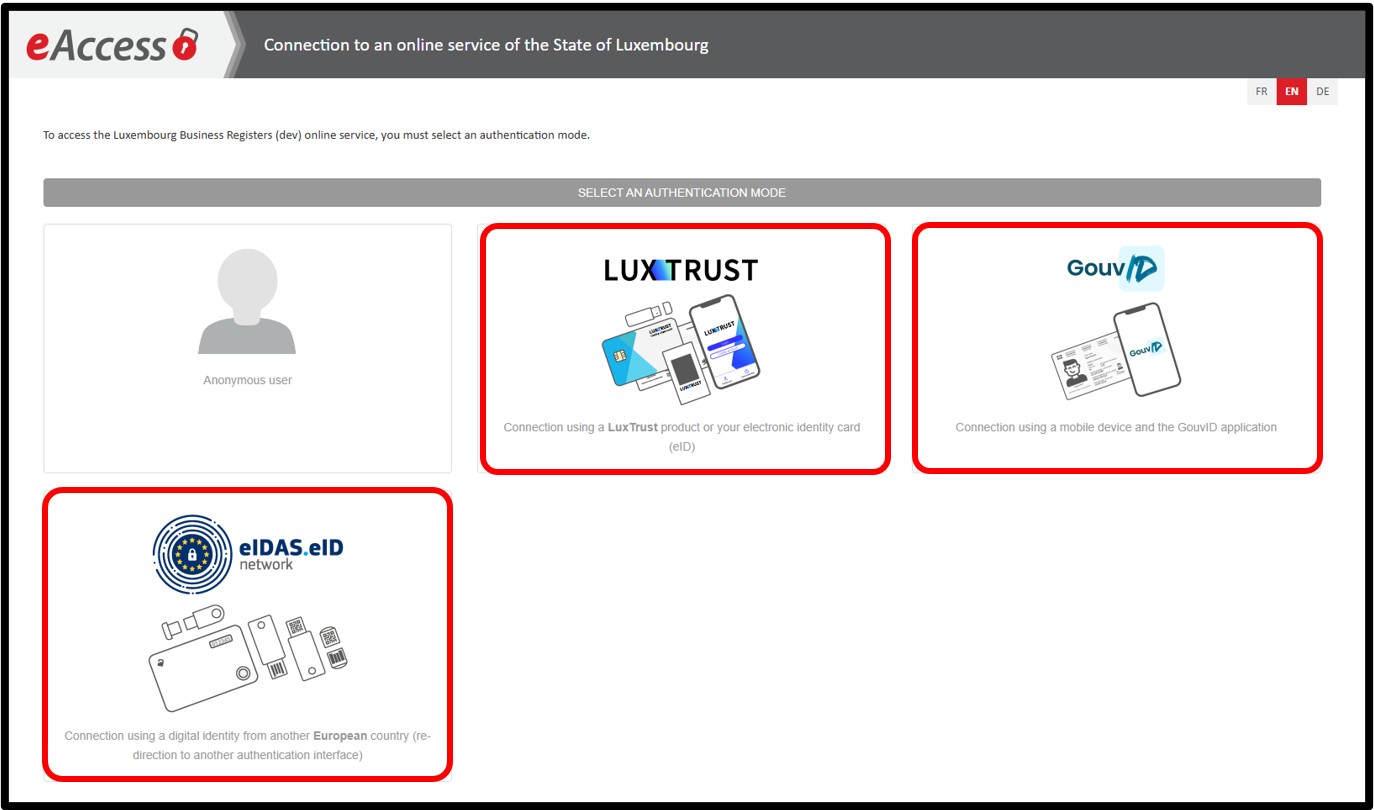
An authentication by certificate has to be done using:
- Either a product issued by LuxTrust, in their various forms (smartcard, signing stick, etc.).
- Or by using the GouvID application.
- Or by an eIDAS electronic certificate, offering at least a substantial level of security.
An authentication by certificate allows the user to benefit from the various functionalities made available within a personalised user account. This authentication by certificate allows the user to access their Personal cart containing their various orders. But also to access their personalised user account via the My Account menu. Via their personal account, the user benefits from the following functionalities:
- My requests to be finalised
- Tracking my requests
- My invoices and receipts
- My subscriptions
- My details and settings
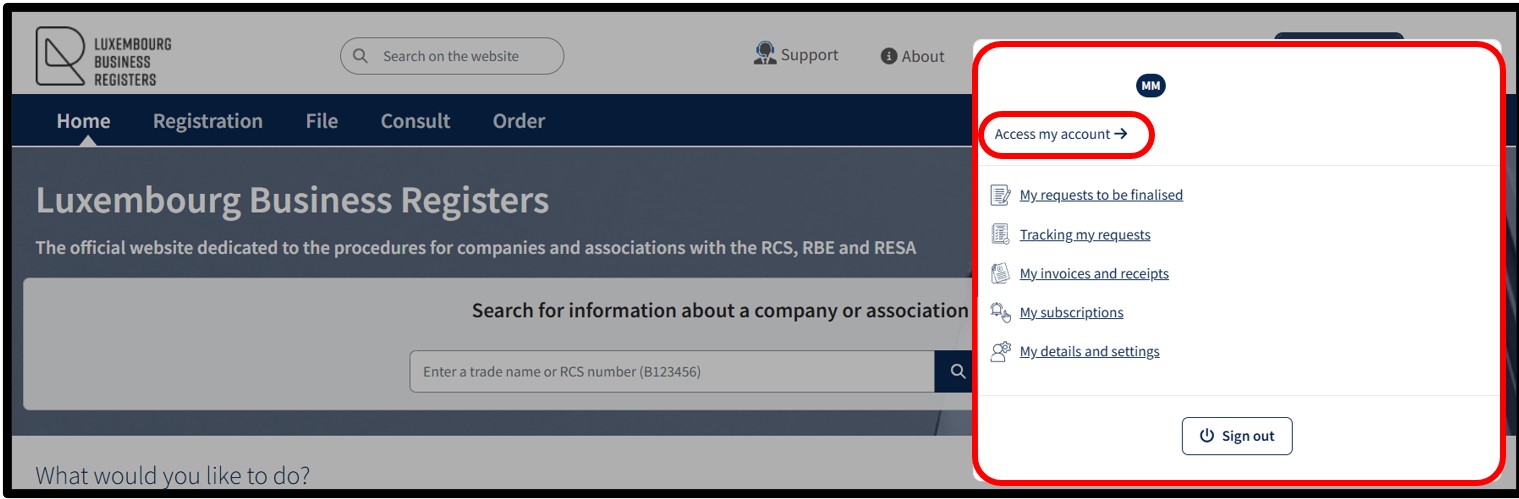
By clicking on the link Access my account, the user is redirected to the page showing the various functionalities of their customer space, but in the form of interactive tiles.