My requests to be finalised
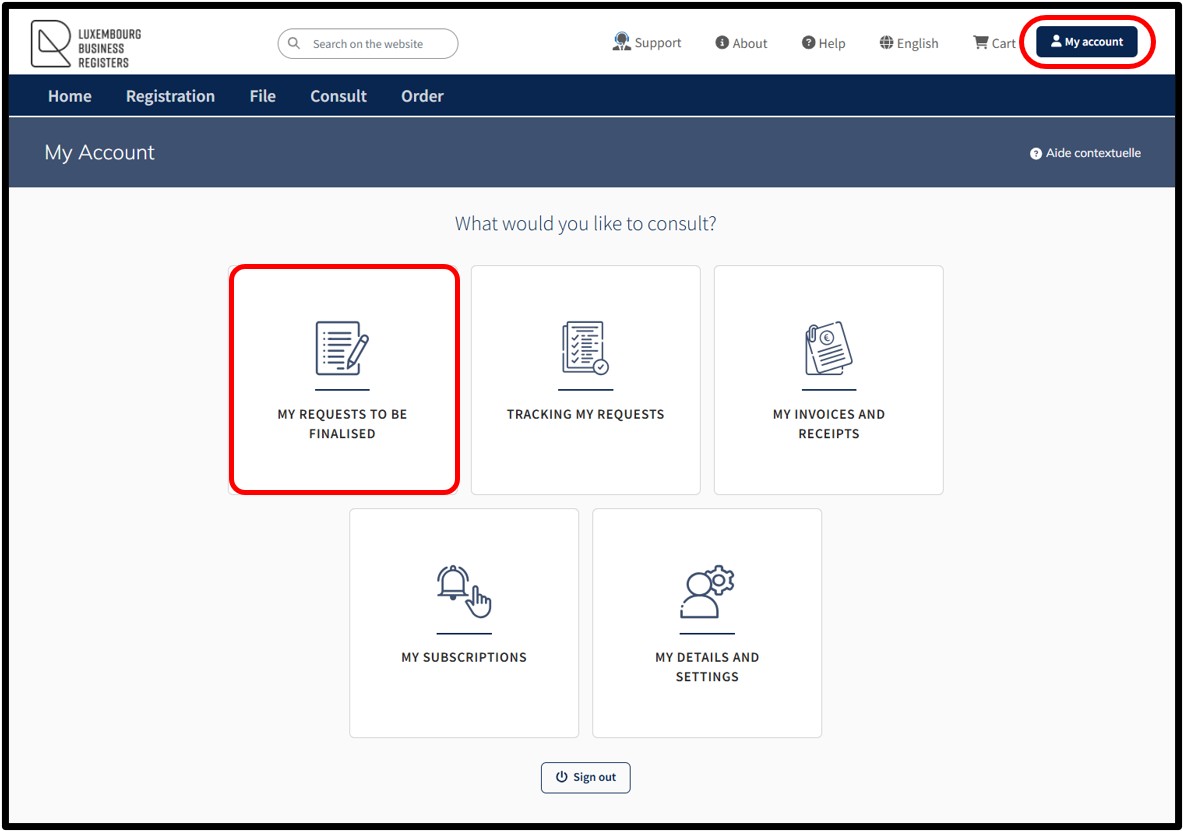
This functionality allows the user to access their customer space where they can find and consult the list of:
- Registration requests in process
- Administrative procedures (RCS filing requests) in process
- RBE declaration requests in process
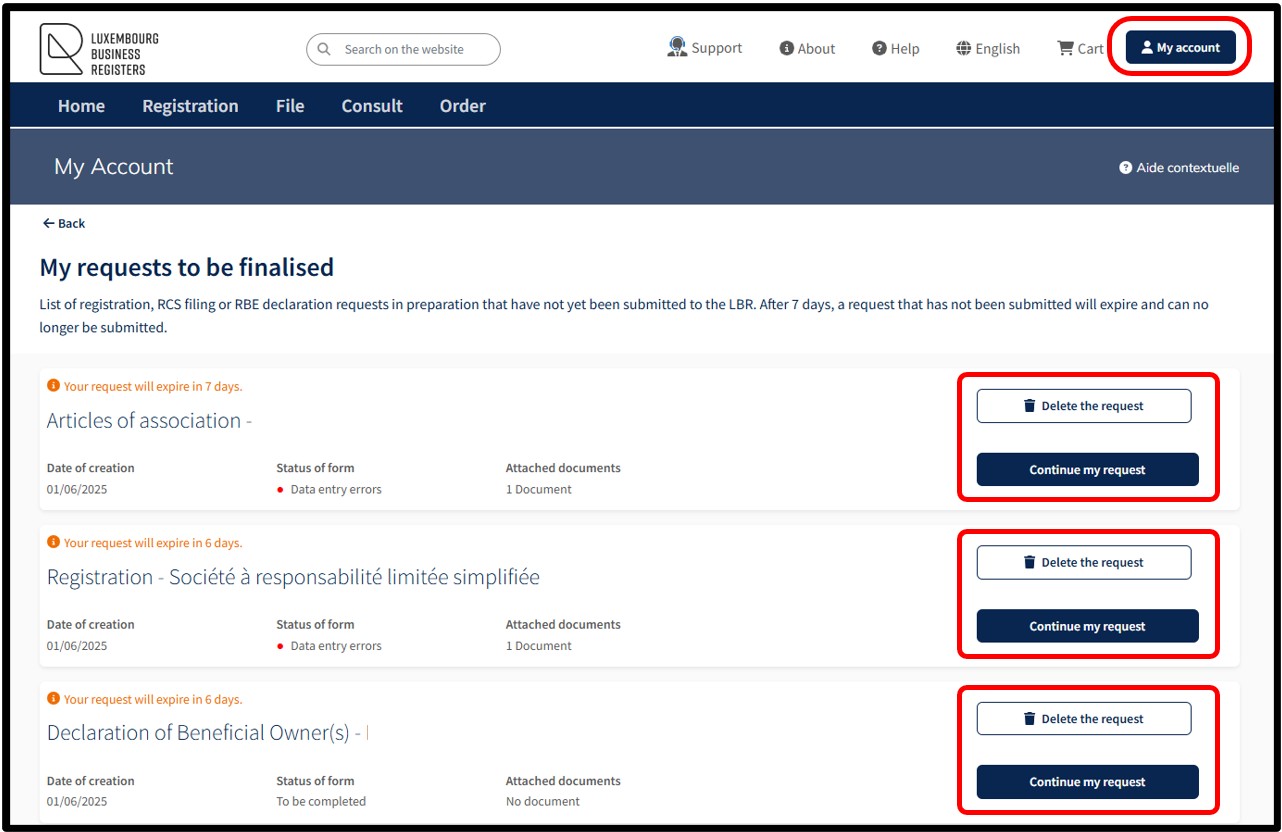
The functionality My requests to be finalised centralises all the requests initiated and in preparation by the user that have not yet been transmitted to the LBR for processing.
Within this space, the user finds information about:
- The date the request was created
- The status of their request
- The number of documents to be attached to the respective request
The user has the option of:
- Delete the request by clicking on the button Delete the request.
This action results in the permanent deletion of the request by the user, without the possibility of recovery. The user will then have to initiate a new request.
- Continue to finalise the request by clicking on the button Continue my request.
This action redirects the user to the data entry form to be completed in order to finalise their request.
Please note: A request or declaration awaiting finalisation is subject to a 7-day expiry date. After this period, requests that have not been sent to LBR will be automatically deleted and can no longer be submitted. The user will then have to start the procedure again.
Notifications are automatically sent by email to inform the user:
- When an RCS request or an RBE declaration, available in My requests to be finalised or in the Cart and which has not yet been submitted to LBR, is about to expire.
- When an RCS request or an RBE declaration available in My requests to be finalised has expired and can no longer be submitted to LBR.
If the user's preferred option is not to receive these emails, they can deactivate them in the My Account menu and select My details and settings.