Tracking my requests
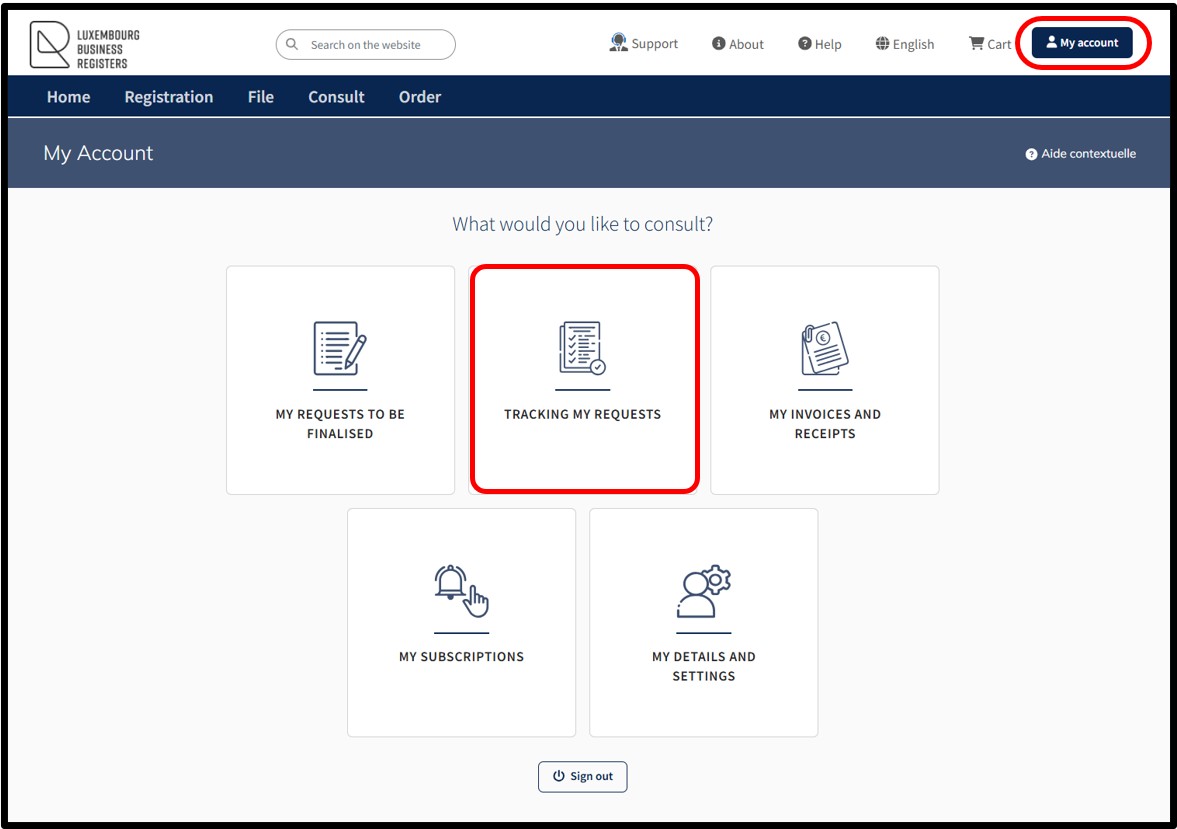
This functionality allows the user to access their customer space where they can check whether a request sent to the LBR has already been processed.
This is where the user will find all of their requests currently being processed, processed or refused by LBR, including:
- Ordering of extracts
- Ordering of certificates
- Ordering of subscriptions
- Registration requests
- RCS filing requests (administrative procedures)
- Declarations requests with the RBE
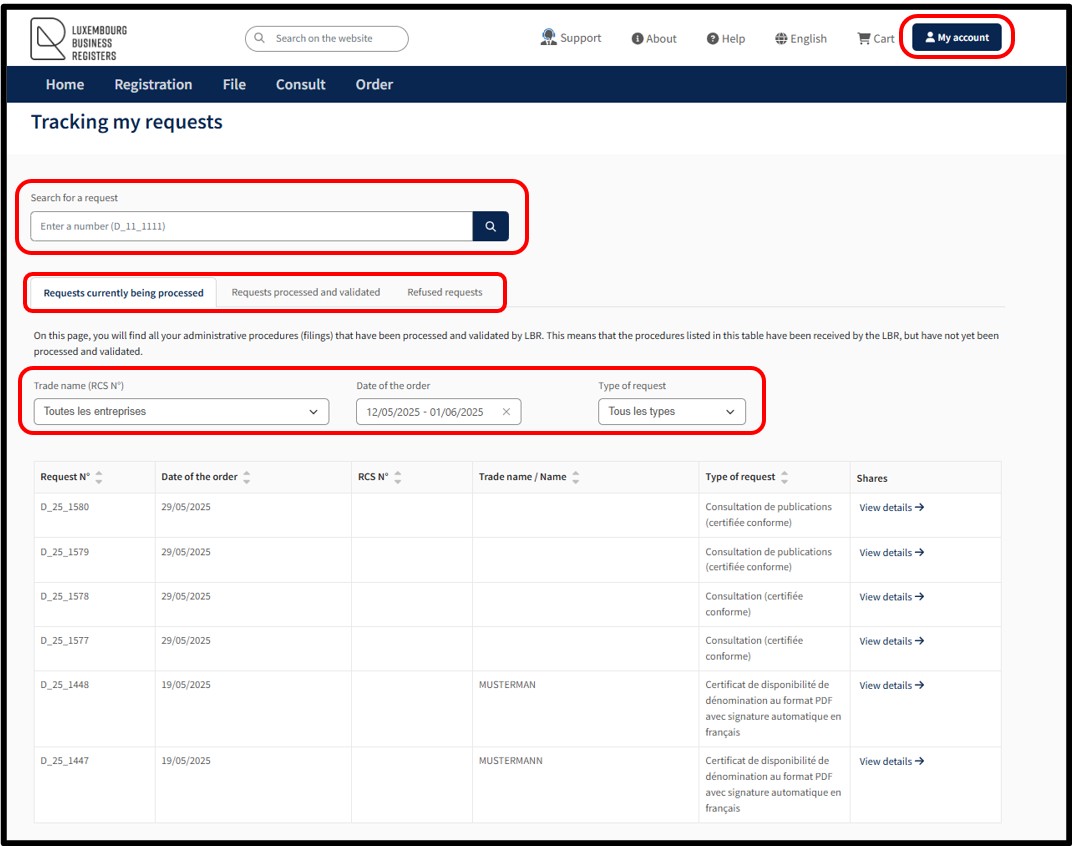
On accessing the page Tracking my requests, the user is provided with a search functionality enabling them to search using the reference number as indicated on the Confirmed order form.
On the page Tracking my requests, the user can access information about the status of their orders by means of a menu with three tabs:
- Requests currently being processed
- Requests processed and validated
- Requests refused
In each of these tabs, the user has three types of filters enabling them to sort their requests according to the following criteria:
- Trade name (RCS N°)
- Date of the order
- Type of request
Tabs relating to the tracking of requests - Overview
Requests being currently processed
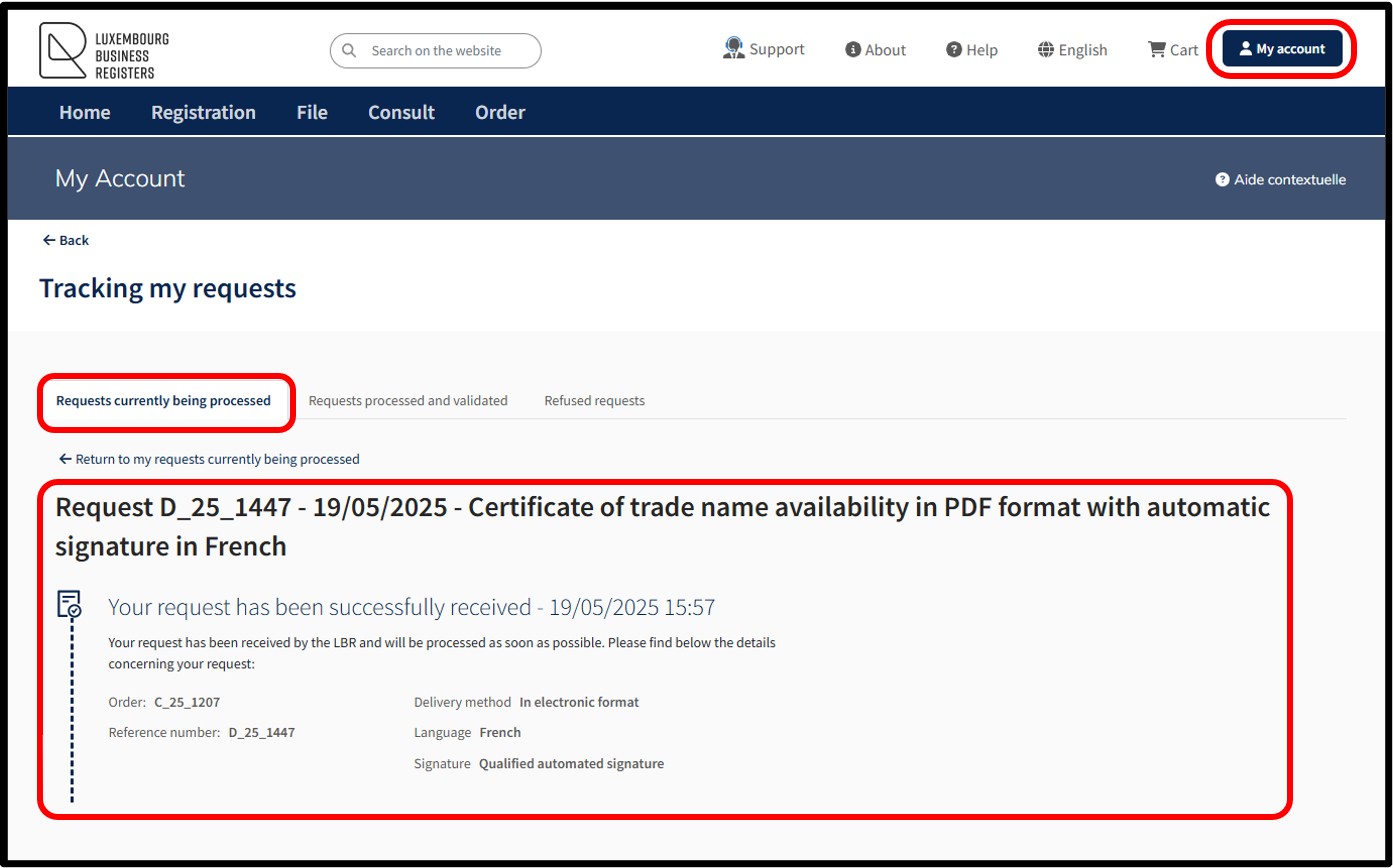
In this tab, the user will find all the requests currently being processed by LBR. The requests included in the list have been received by LBR but have not yet been processed and validated.
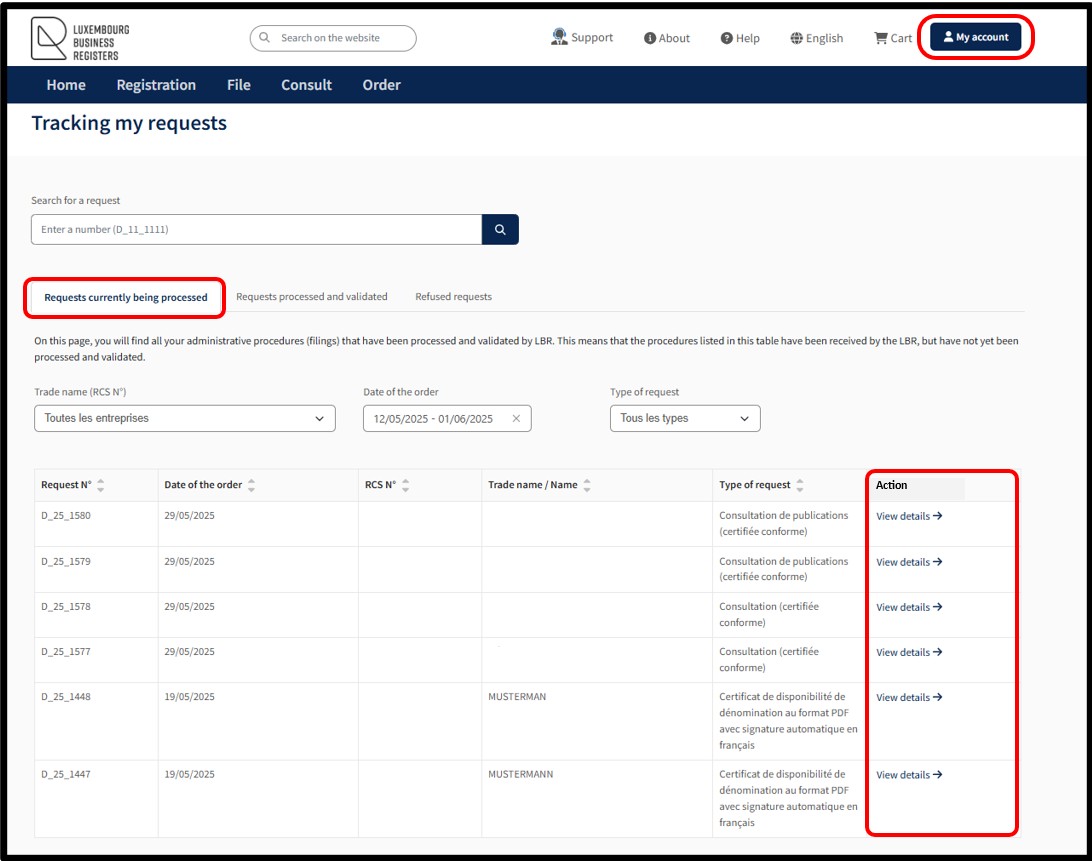
By clicking on the link View details, the user can access the details specific to the selected request and can download the Summary by clicking on the corresponding link.
Requests processed and validated
In this tab, the user will find all the requests that have been processed and validated by LBR. It is in this tab that the user will be able to download the documents ordered as well as the proofs of filing and declaration.
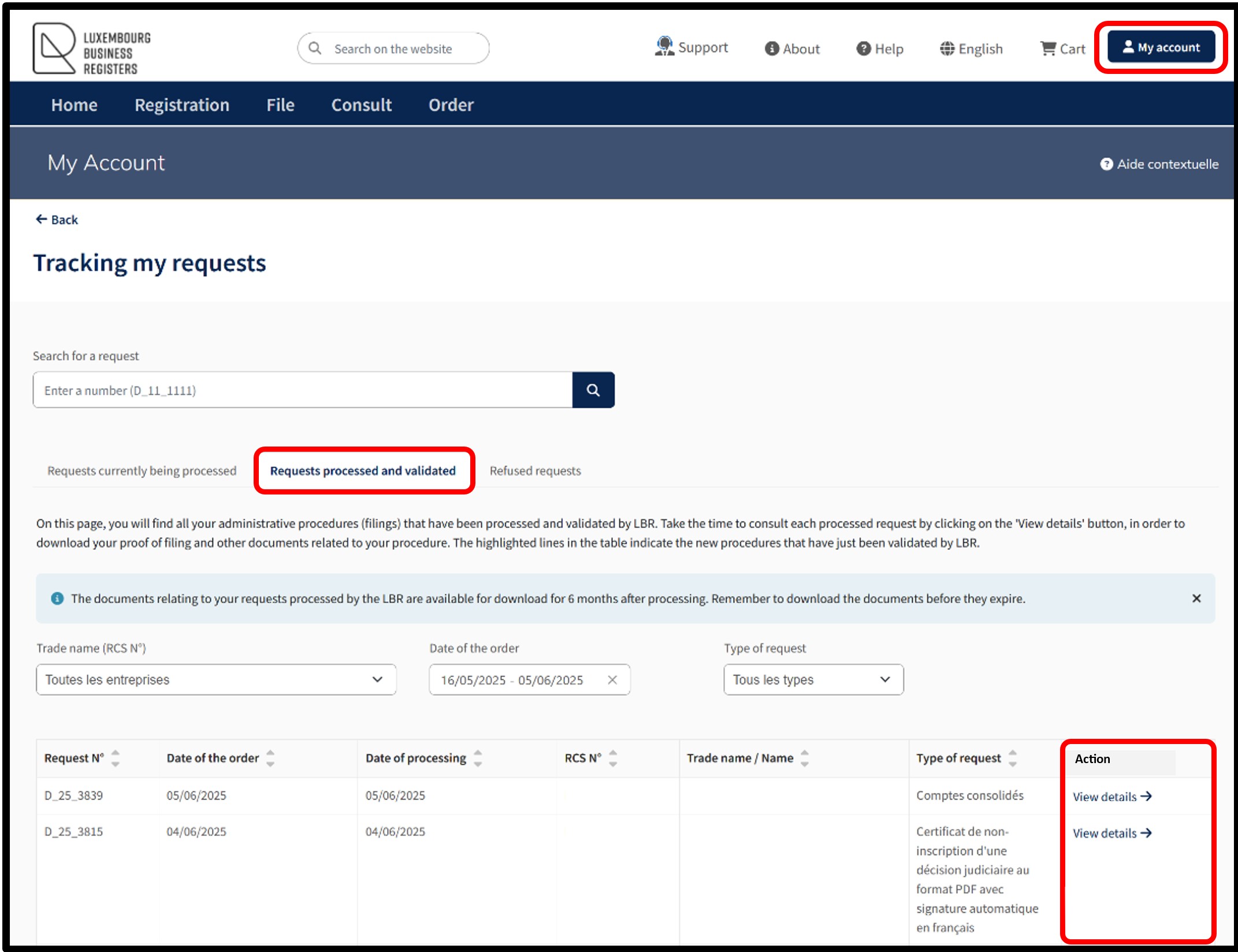
To do this, the user has to click on the link View details to access the details of their request and download the PDFs relating to the documents ordered as well as the proofs of filing and declaration.
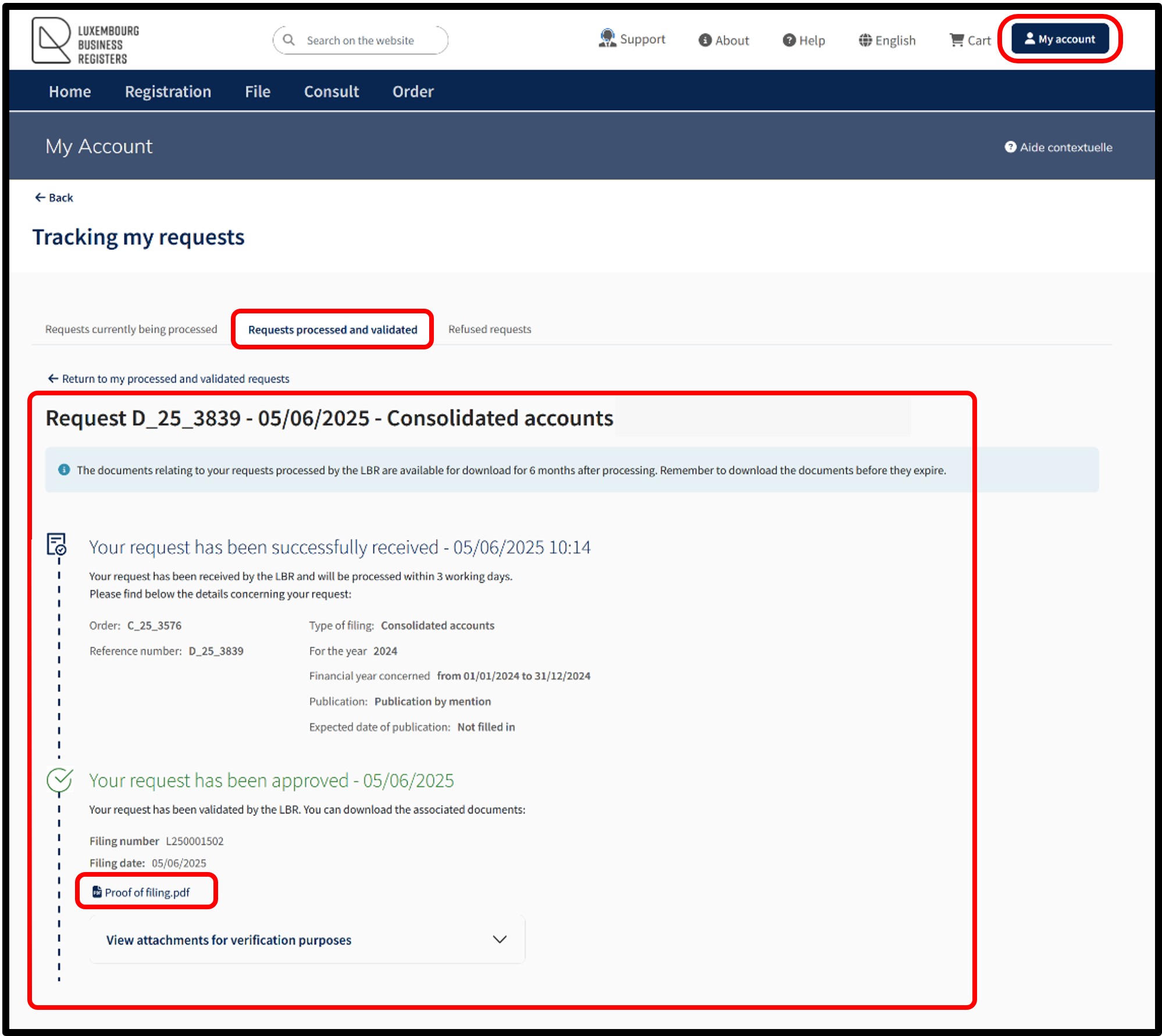
For the proofs of filing and declaration, PDF files are affixed with a virtual label showing the filing/declaration number and the RCS/RBE number. Please note: The user's attention is drawn to the fact that the availability of the documents ordered, as well as the proofs of filing and declaration, are only available for download for a period of 6 months after they have been processed. Once the availability period has expired, the document ordered, as well as the proofs of filing and declaration, are no longer accessible.
Requests refused
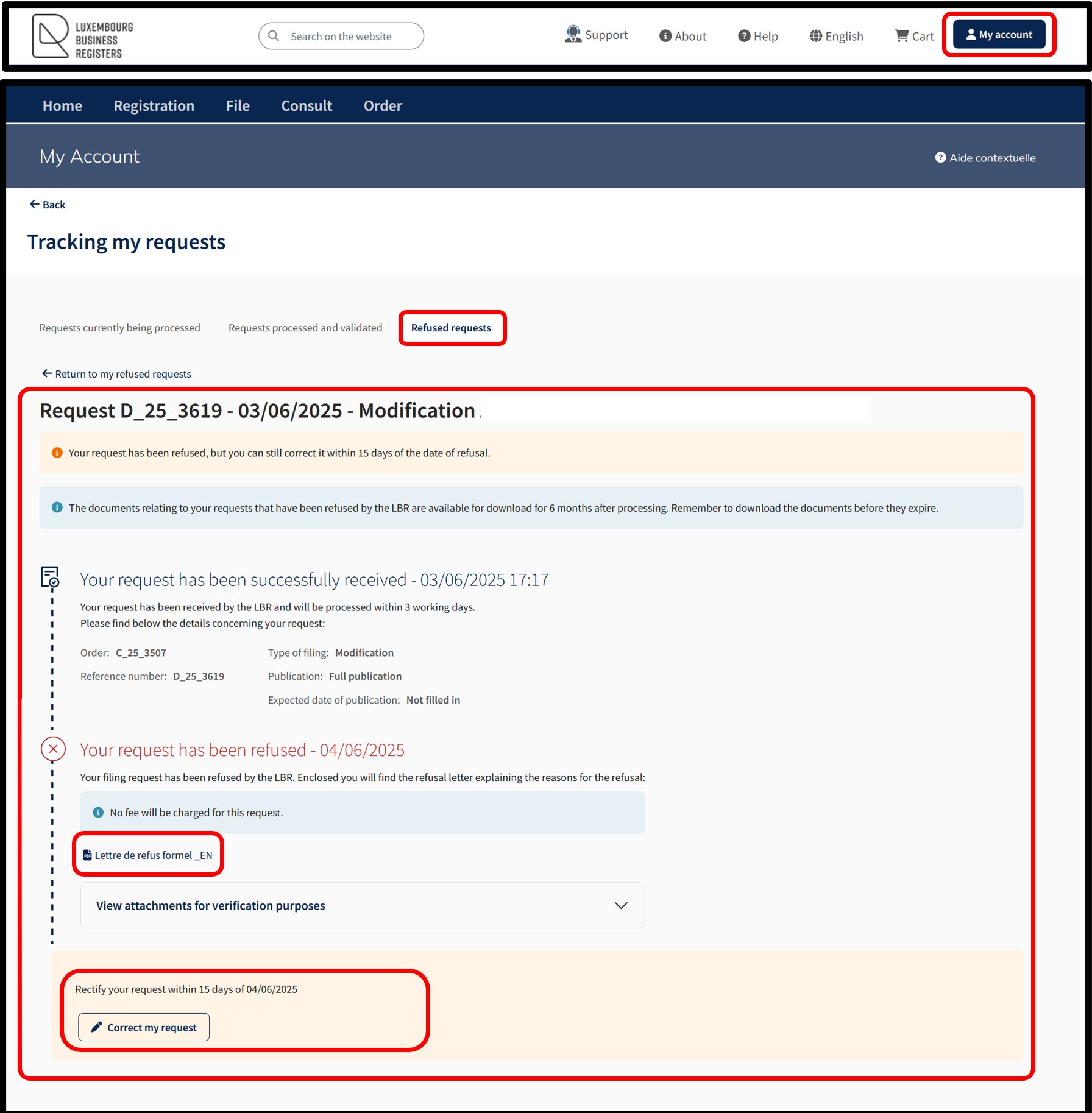
In this tab, the user will find all of their requests that have been refused by LBR. In this tab, the user will be able to download the explanatory refusal letter and, if necessary, proceed with the correction/regularisation of their request.
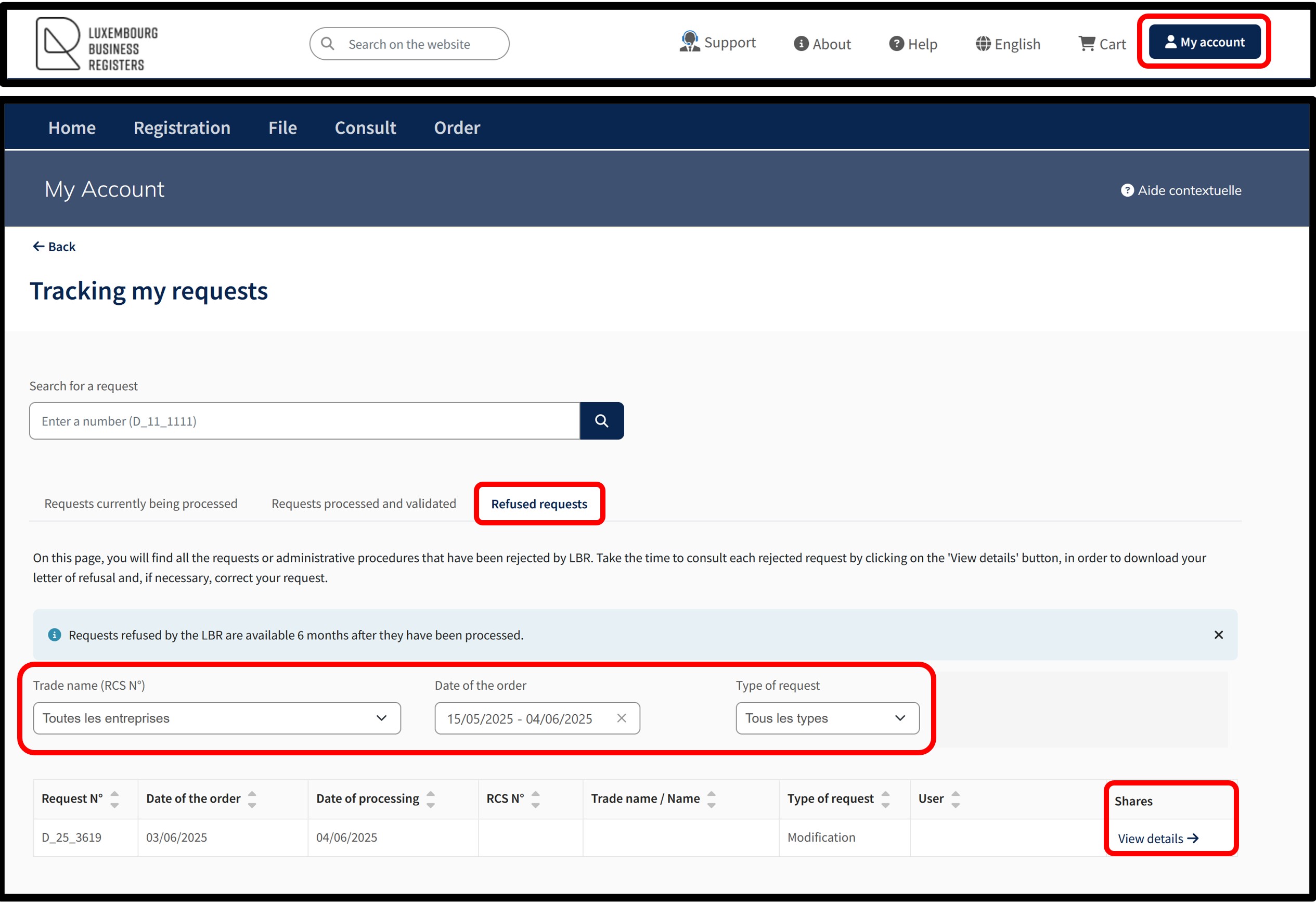
To do this, the user has to click on the link View details to access the details of their request and download the PDF relating to the letter of refusal and, if necessary, proceed with the correction/regularisation of the request. The user can correct their filing request by clicking on the Correct my request button, which generates a duplicate of the rejected filing request for correction by the user. The user then recovers the pre-filled form with the errors detected during validation. Only the sections that have not been validated can be corrected.