Declaration of information relating to corporate income tax
Resources made available by the European Commission
- Public country-by-country reporting taxonomy project (available in English only)
Project which led to the development of a prototype of the core public country‑by‑country reporting taxonomy, as well as a public country‑by‑country report generator.
This service concerns the filing of the declaration of information relating to corporate income tax. This new obligation stems from Articles 72decies et seq. of the Law of 19 December 2002 on the trade and company register and the accounting and annual accounts of companies, introduced by the Law of 15 August 2023.
It concerns the following legal forms:
- SA,
- SARL,
- SCA,
- SENC and SESC (where their associates are organised as a SA, an SARL or an SCA),
- Subsidiaries of companies established outside the EU with a legal form comparable to that of a SA, an SARL and an SCA.
It applies when these entities generate significant turnover in the European Union and fall into one of the following categories:
- Ultimate parent companies established in the EU with annual consolidated turnover exceeding €750 million.
- Stand-alone companies governed by EU law with annual turnover exceeding £750 million.
- Medium-sized and large subsidiaries governed by EU law and belonging to a group whose ultimate parent company outside the EU has annual consolidated turnover exceeding £750 million.
- Subsidiaries opened in the EU by a non-EU company, where the thresholds set out in the legislation are met.
The declaration has to be issued and filed in XHTML electronic format and is subject to publication by mention in the RESA.
Please note that the filing receipt (or proof of filing) concerning this new format will not take the usual form of a virtual label, but rather a ZIP file containing the filing receipt in PDF format and the declaration of information relating to corporate income tax in XHTML format, accompanied by the validation report of LBR’s electronic signature.
The declaration must be filed within twelve months of the end of the financial year concerned. The first declaration will cover the 2025 financial year and has to be filed and published in 2026.
How to file your declaration of information relating to corporate income tax?
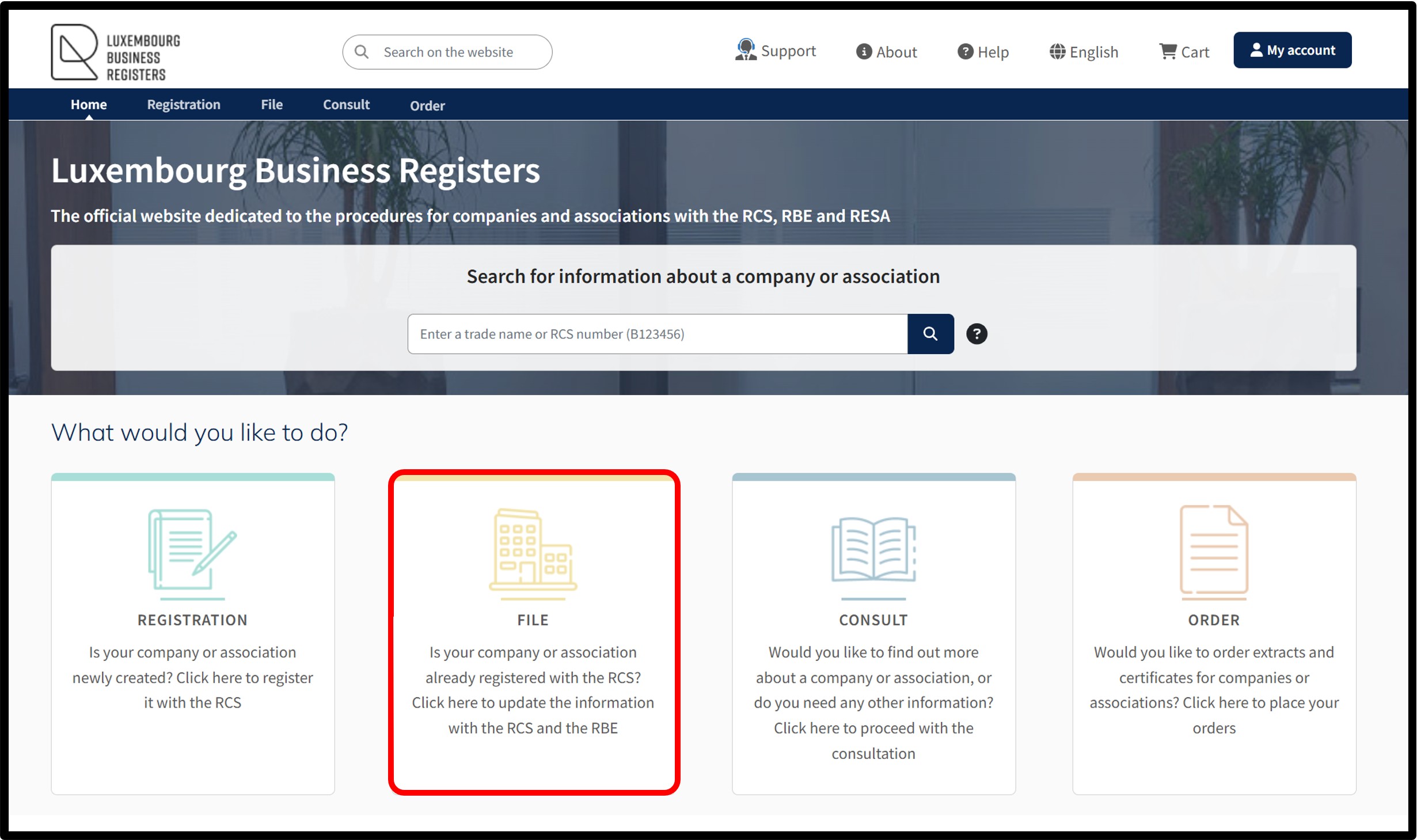
When you access the LBR homepage, click on the File tile to access the administrative formalities with the RCS.
A pop-up will appear on the page allowing you to use the search functionality.
Before continuing, you have to identify your entity by entering its RCS number or trade name.
After initiating the search, you will arrive at the page displaying your entity’s basic information.
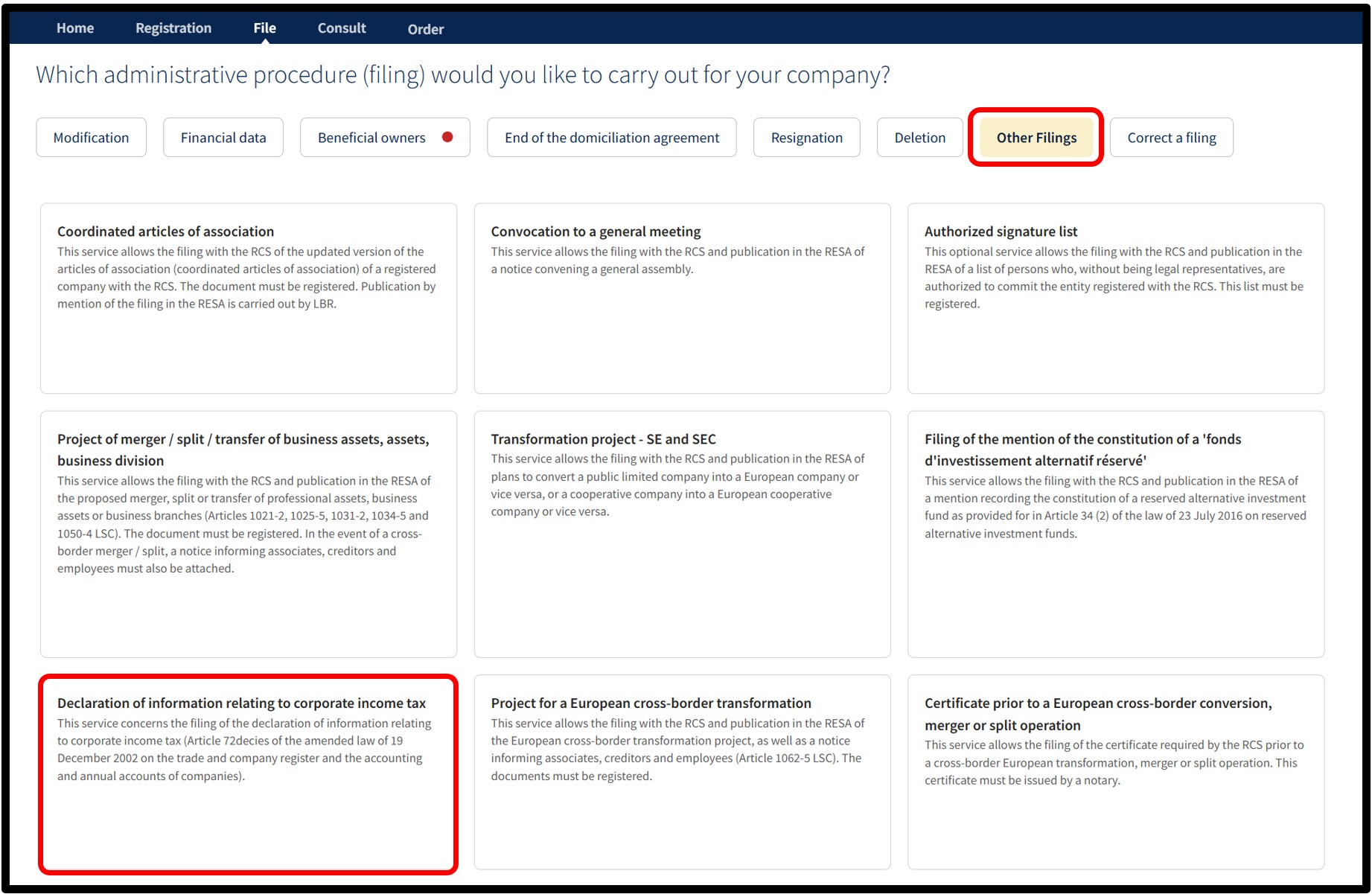
From the list of available administrative procedures, select the category Other filings, then select the service Declaration of information relating to corporate income tax.
On the next page, click Next to access the form that allows you to upload your declaration.
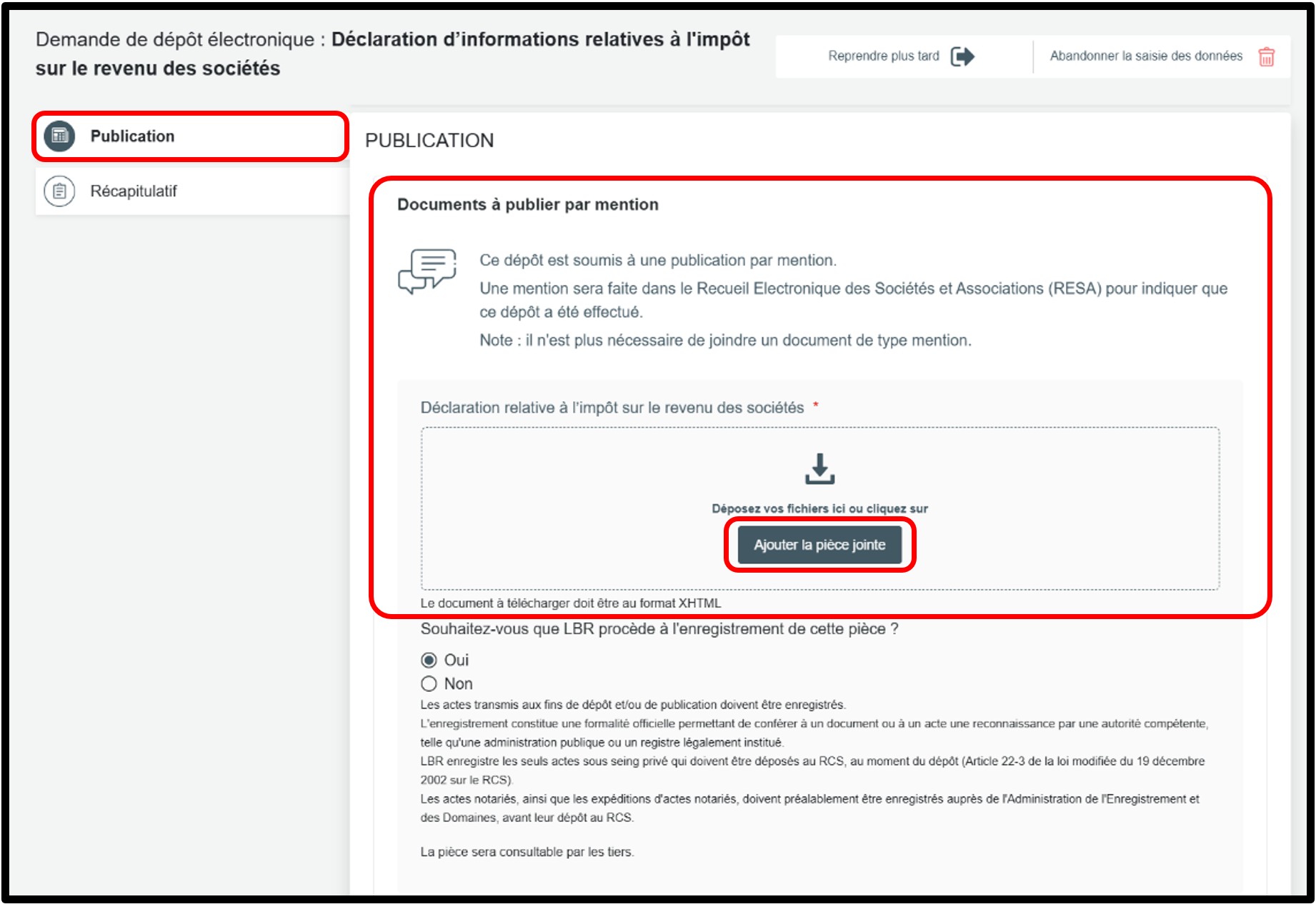
In the form, under the section Publications, upload your declaration in XHTML format in the field Documents à publier par mention by clicking on the button Ajouter la pièce jointe.
You also have to answer the question concerning the registration of the document by LBR.
The RCS administrator can register the documents submitted for publication. You can therefore choose whether you wish LBR to carry out this registration.
Simply check the preferred option. If you check No, you will have to register your document directly with the AED.
To continue with your filing, click on the button Vérification de la demande.
In the section Récapitulatif, you can check all the information in your request before sending it to the cart.
After verification, click on Ajouter la demande au panier to confirm your procedure.
For your information:
The XHTML format is a file generated automatically for certain declarations, such as those relating to corporate income tax.
It cannot be created manually. It is provided directly by the administrative platform, professional software or tax portal where the declaration is completed. It has to be uploaded as is, without having to be modified or converted.
Validation by the RCS of your declaration of information relating to corporate income tax
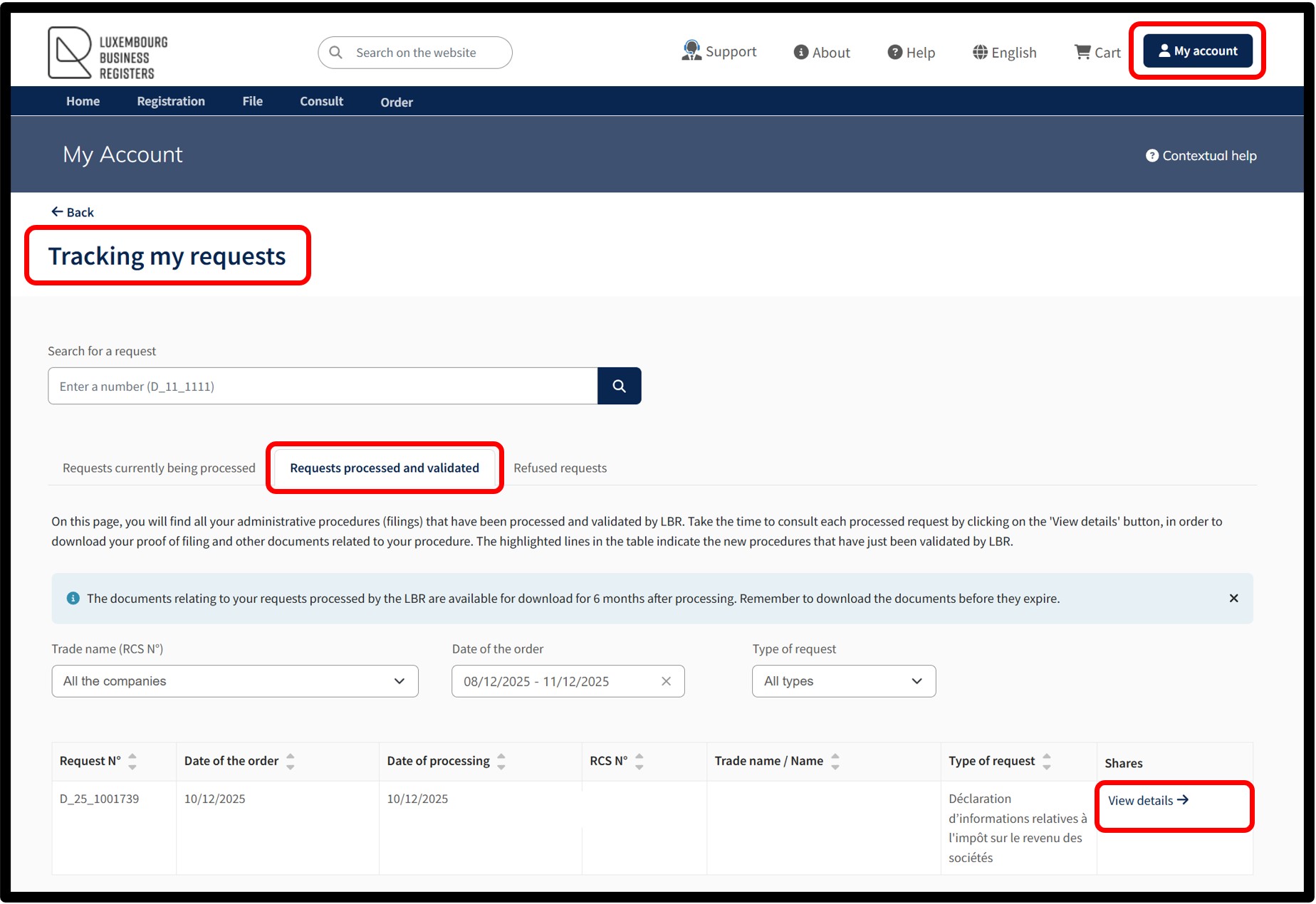
Once your request has been validated by the RCS, go to your customer space at My Account, under the section Tracking my requests.
In the tab Requests processed and validated, click on the link View details to consult the information regarding your request and download the proof of filing.
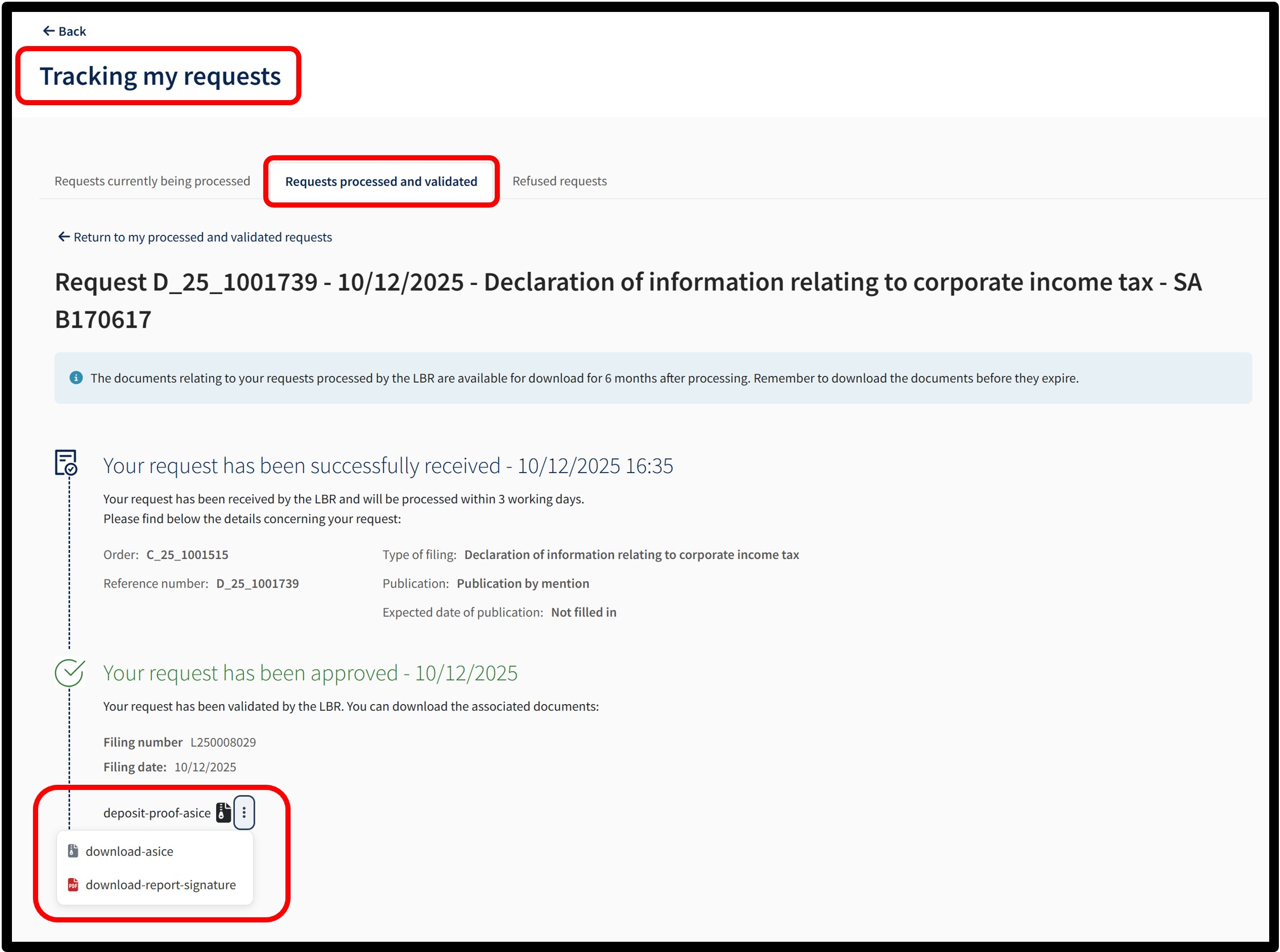
On the details page of your request, click on the 3 dots to display the download options.
You can then download the ZIP file containing the proof of filing and the declaration in XHTML format.
You may also download the validation report of the ASIC-E signature. This is a document issued by LBR confirming that the filing has been made and is electronically signed by LBR.
For your information:
Your file is located in your Downloads folder.
If you have trouble opening the ZIP folder or ASIC file, right-click on it and select Open with.
Then select 7-Zip File Manager or another compatible extraction application to open the file.