How do I register my new company/association?
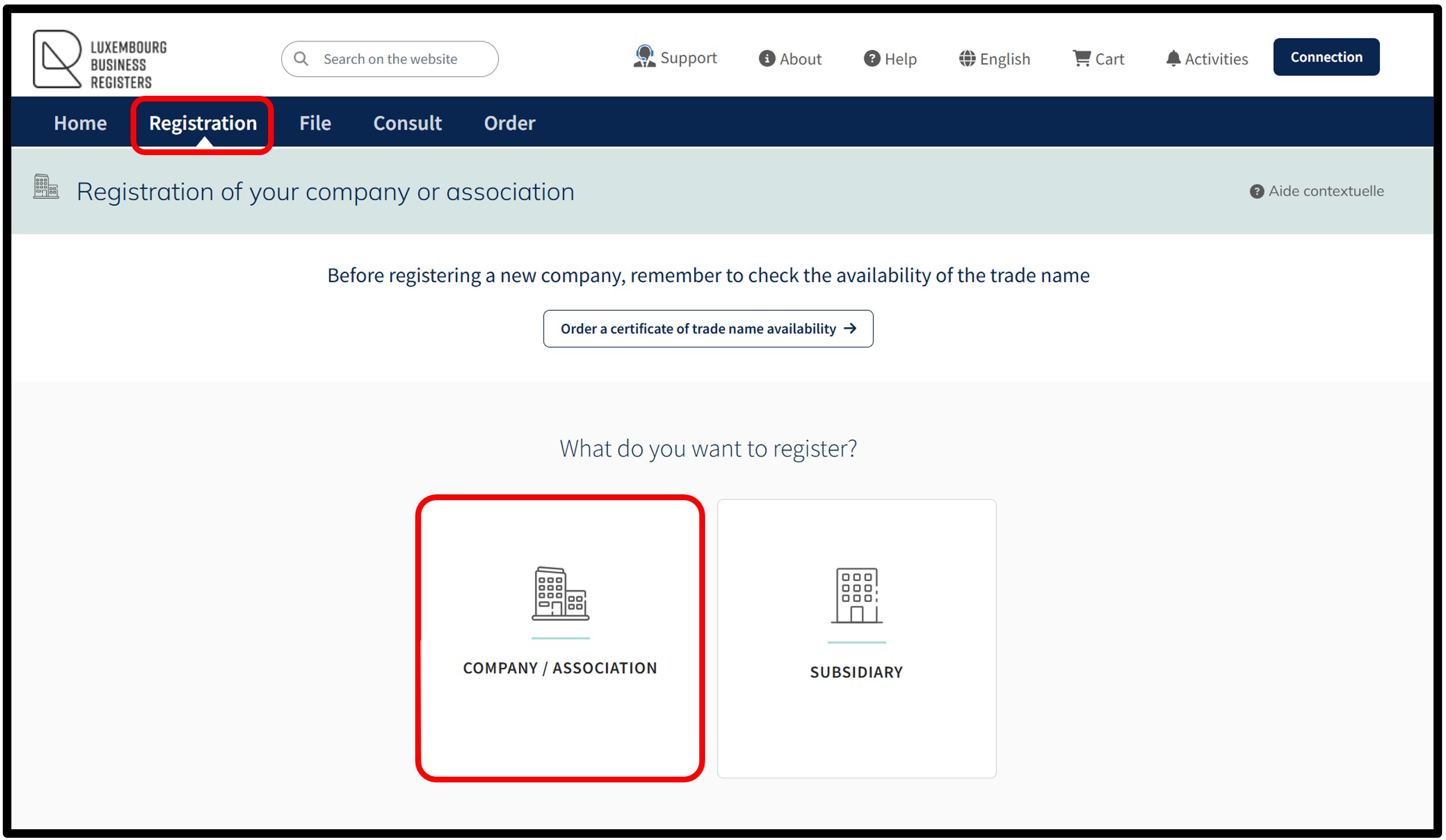
To create a request for registration of a new entity/association with the RCS, the user is invited to click on the Company / Association tile.
In order to proceed with a registration, it is mandatory for the user to authenticate themselves on the LBR website either by means of a product issued by LuxTrust, by using the GouvID application or by means of an eIDAS electronic certificate, offering at least a substantial level of security.
For further information, please consult our general help on the authentication by certificate process - how to connect?
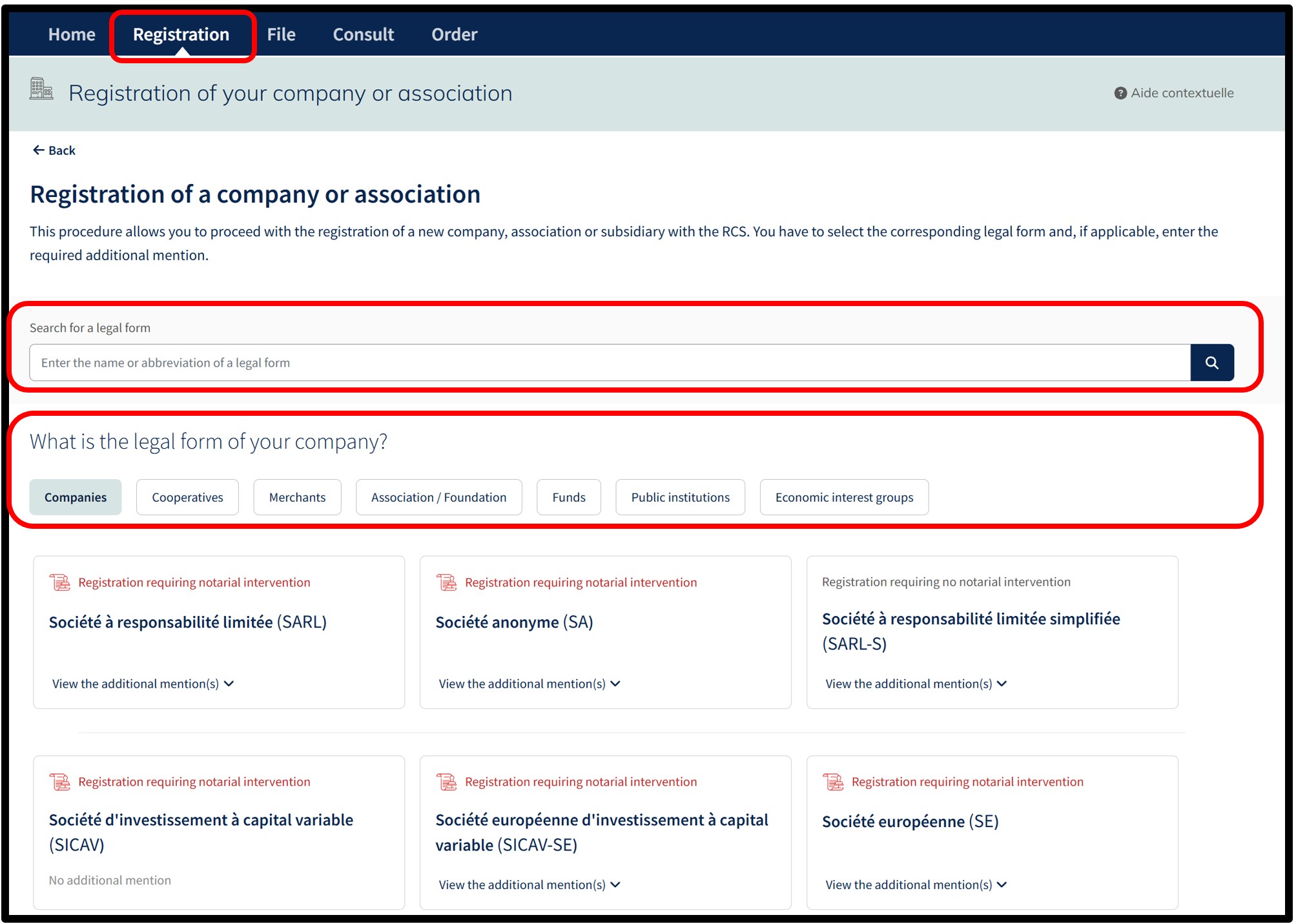
After clicking on the Company / Association tile, the user is redirected to the following page.
On this page, a search functionality allows the user to search for a legal form by entering the name or abbreviation of a legal form.
After selecting the legal form, the user will be redirected to the authentication screen where they are asked to select the desired authentication method.
Once the user has made their choice, they are invited to follow the instructions on the page to log on to the LBR website.
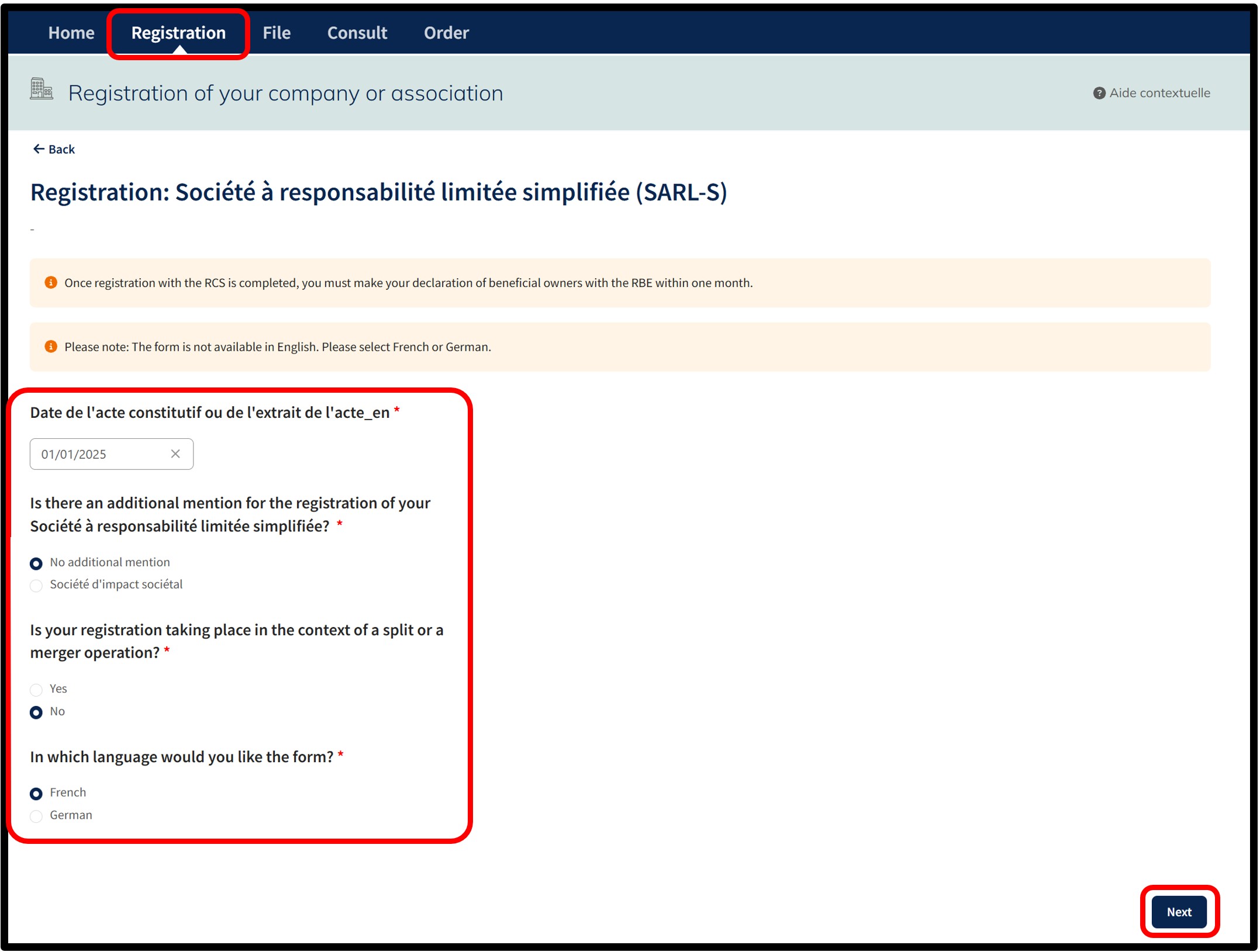
Following authentication, the user moves on to the next page where they have to:
- Select, if applicable, an additional mention to the legal form. If not applicable, select the option No additional mention.
- Depending on the legal form selected, indicate whether the new registration is part of a split or merger operation.
- Choose the language of the data entry form relating to the registration request.
Important: Make sure you have the information required to proceed with the registration and the necessary documentary evidence.
After indicating their choices, the user confirms the creation of their registration request by clicking on the Next button.
The user is then redirected to the data entry form for the registration filing corresponding to the selected legal form.
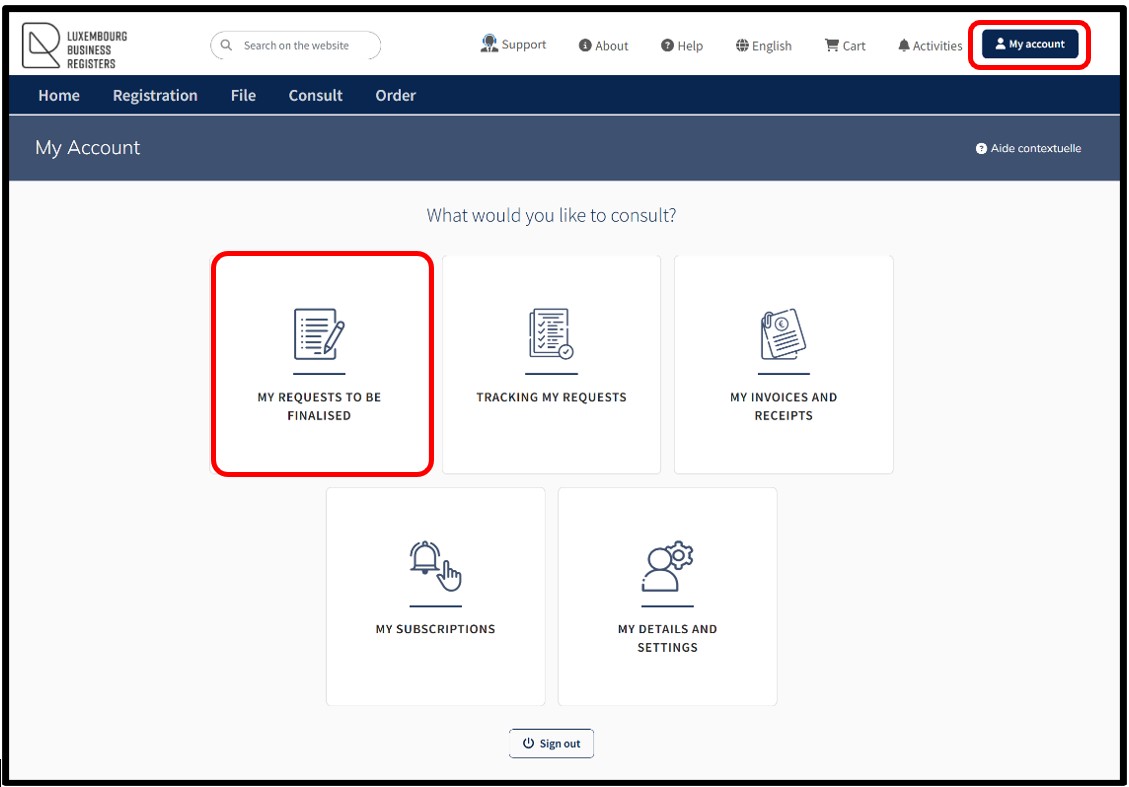
The user can also access their registration request in the My requests to be finalised section available in their customer space accessible via the My Account menu. The user can thus consult or complete their registration request in process.
Please note: The functionality My Account is only available through an authentication by certificate of the user.