First registration of your company, association or new subsidiary with the RCS
The user is presented with two procedures:
Registration of a company / association
This procedure allows a registration number (RCS number) to be allocated to your entity, as well as the creation of a file at the RCS concerning it. This is the first procedure to be carried out with the RCS, once the entity has been incorporated.
To access the data entry for the registration of the entity concerned, the user has to select its legal form (Examples: private limited company, public limited company, simplified private limited company, non-profit association, etc.). Some legal forms include additional mentions required by law (Examples: venture capital investment company, specialised investment fund, societal impact company, etc.). If this is the case for the entity concerned, the user has to select the appropriate mention. If no mention is to be added, the user has to indicate No additional mention.
Registration of a subsidiary
This procedure concerns the registration of the subsidiary of a person already registered with the RCS.
To complete the relevant data, it is necessary to indicate whether the person to whom the subsidiary reports is in Luxembourg or abroad, and to provide the necessary information and documentary evidence concerning the registration.
How do I submit my registration request?
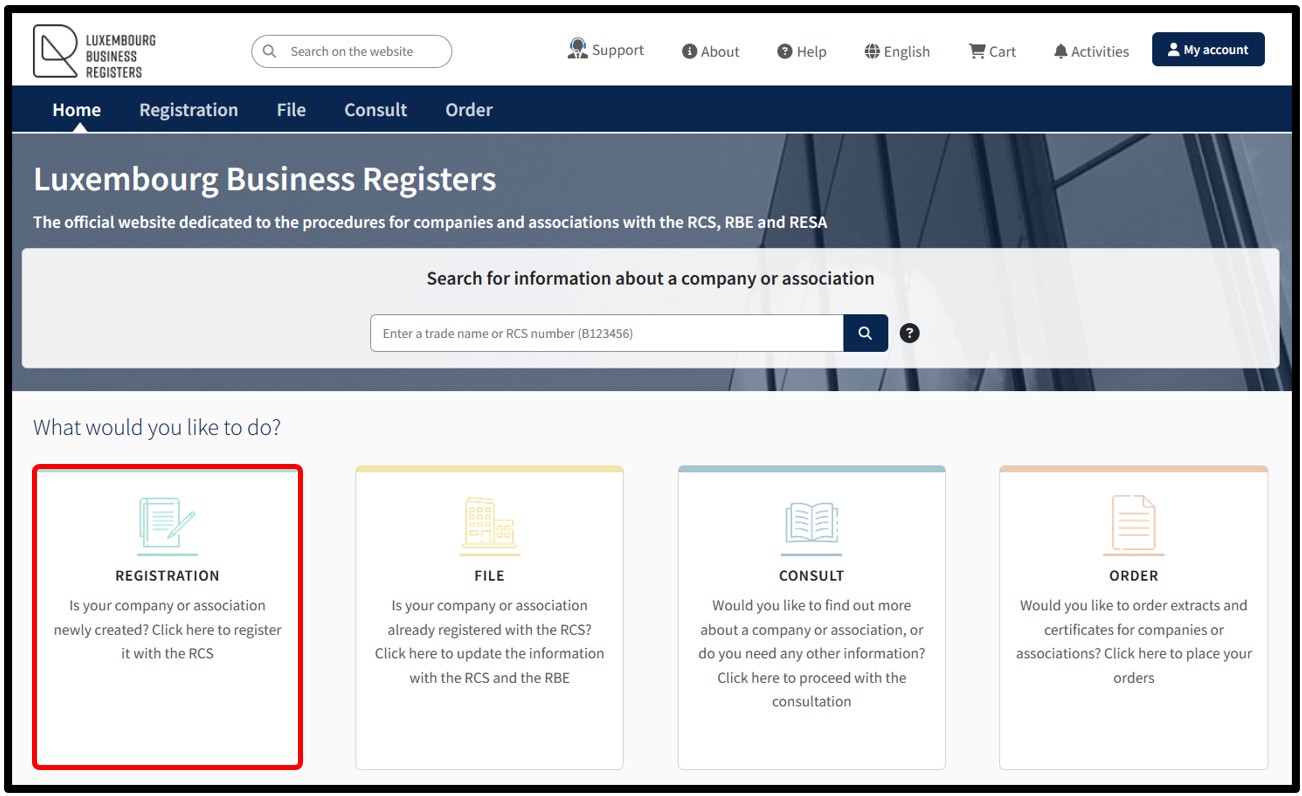
When accessing the LBR home page, the user has to click on the Registration tile in order to initiate the procedure for registering their entity for the first time.
This procedure allows your entity to be assigned a registration number (RCS number) and a file to be created for it in the RCS.
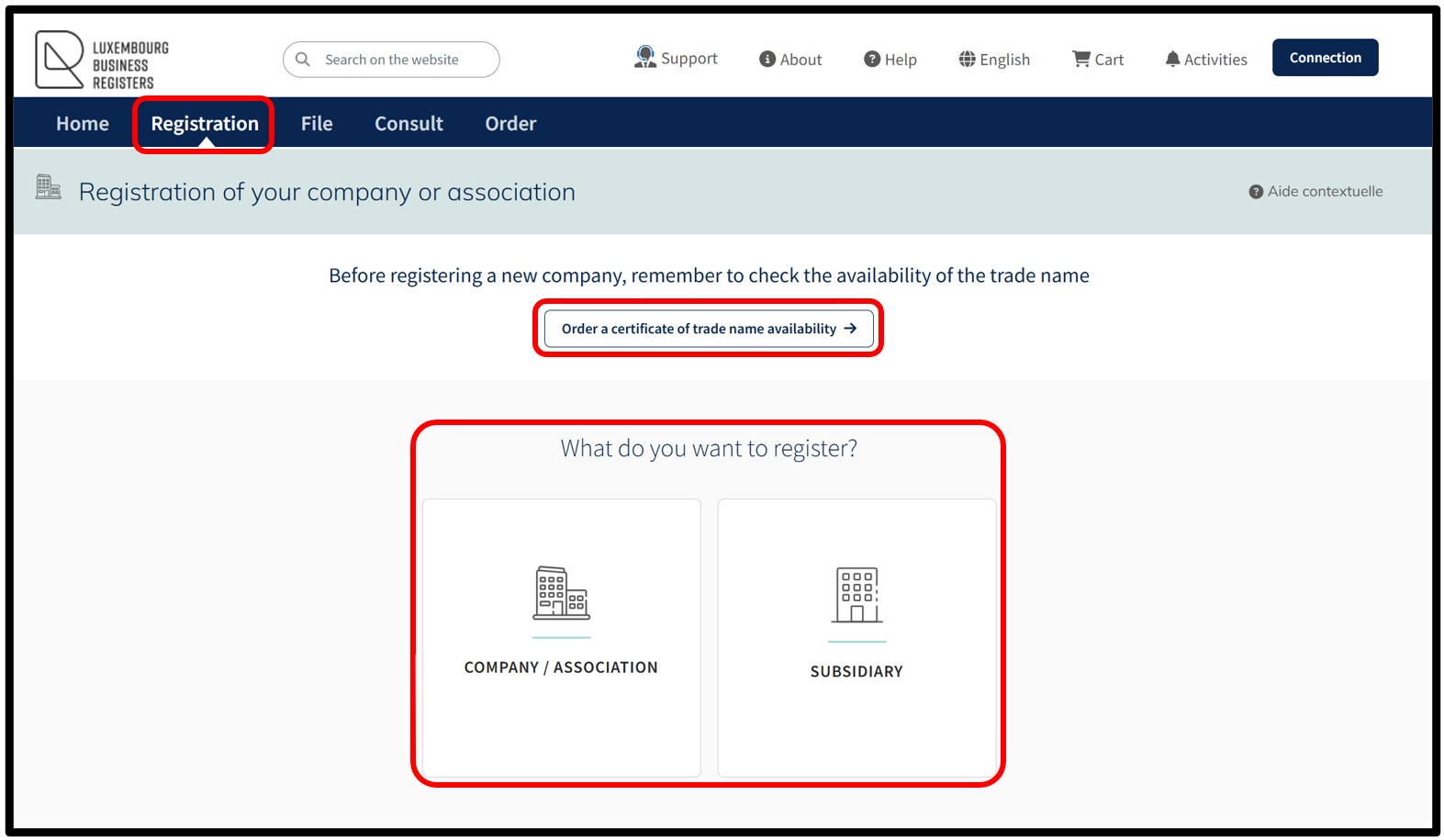
After clicking on the Registration tile, the user is redirected to the following page, where they can register with the RCS:
- A new company
- A new association / foundation
- A new subsidiary
In order to be able to proceed with their registration request, it is mandatory for the user to have authenticated themselves, either by LuxTrust electronic certificate, via the GouvIDapplication, or by eIDAS certificate.
Please note: Authentication by anonymous connection does not allow you to initiate the creation of a registration request.
Registration – Available services
This section presents the services available in the context of registration with the RCS. It helps you quickly identify the procedure that corresponds to your situation.
Useful documentation and document templates
- Rules for choosing the denomination of your entity – Guidelines on corporate names (Pdf - 667 Kb)
The name of an entity must comply with certain rules in order to be accepted. This document outlines, in a few key points, what should be checked before selecting a name.
- Header templates
This document sets out the rules to be followed when formatting the header of documents intended for the RCS. It helps you check that your header complies with the requirements before submitting your filing.
How to order a certificate of trade name availability?
How to order a certificate of availability?
The user has the option to proceed with the order of a certificate of trade name availability. This service is recommended before proceeding with registration or modification of the trade name of a registered entity and allows the user to ensure that the chosen trade name is available.
This certificate attests to the availability or non-availability of the requested trade name(s) in relation to the trade names of entities already registered with the RCS.
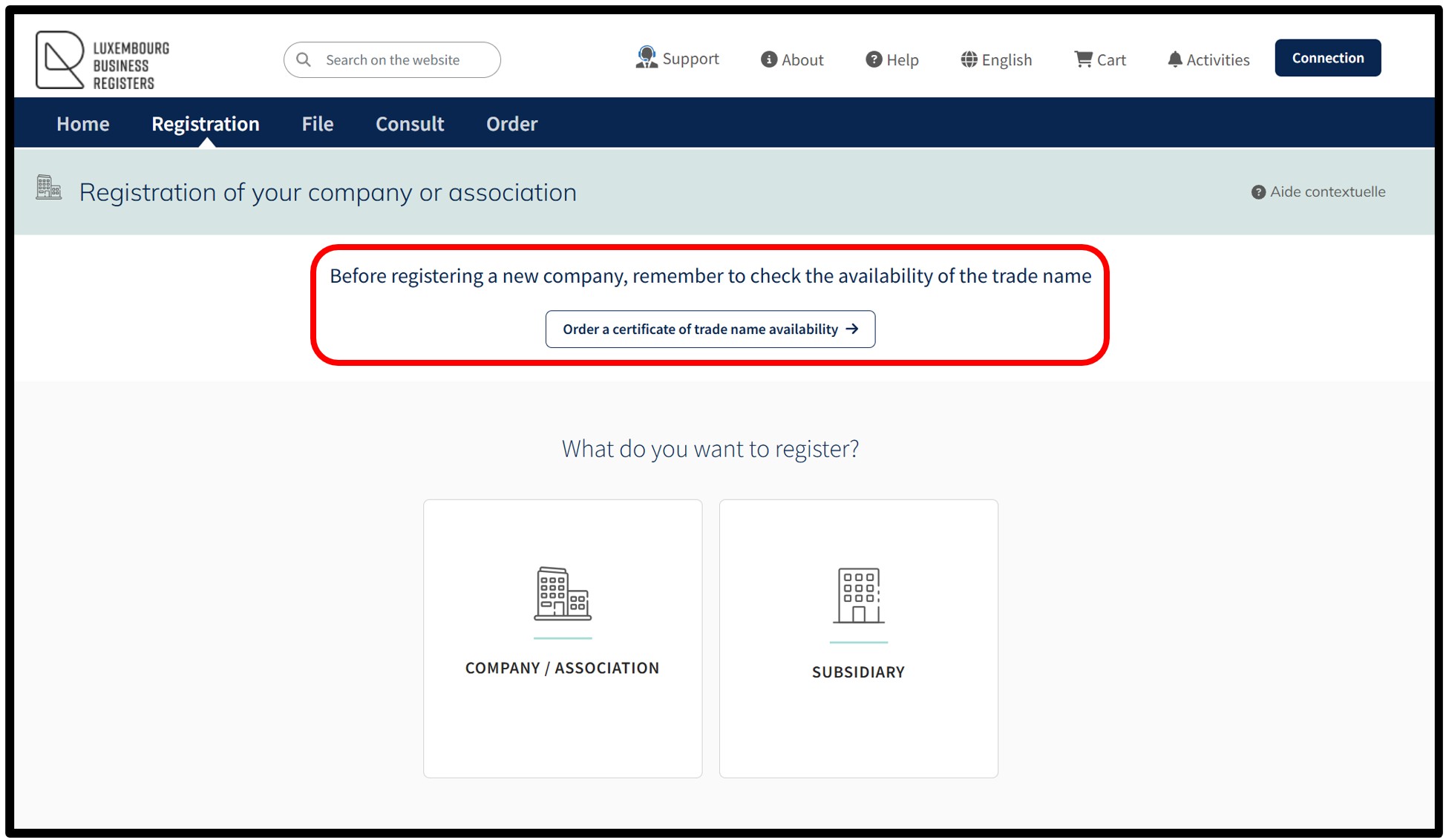
The service relating to the ordering of a certificate of trade name availability can be accessed both by authentication by anonymous connection and by authentication by certificate.
Step 1: Enter the trade name
By selecting this service, the user is taken to the page where they can enter the exact trade name(s) for which they wish to check availability with the RCS.
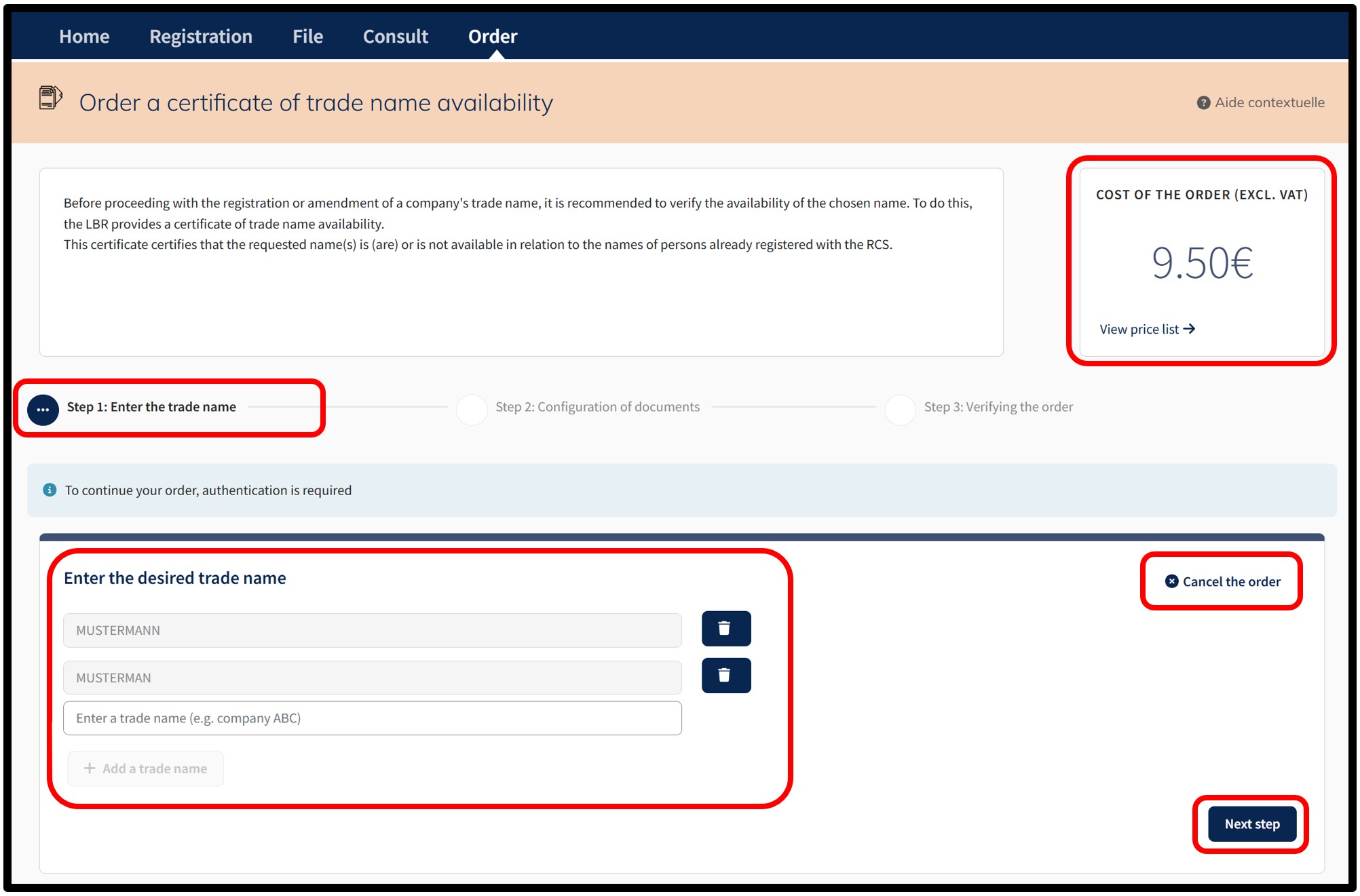
Within the field Enter the desired trade name, the user has to enter the trade name to be verified. The user can check the availability of one or more trade names by clicking on the button Add a trade name. To delete an added trade name, the user simply has to click on the Trash button.
Depending on the trade name(s) entered by the user, the amount of the order is displayed in the Cost of the order (excl. VAT) field at the top right of the page. The View price list link informs the user of the current prices for the type of service selected. The user can cancel their order by clicking on the option Cancel the order.
After entering the information requested, the user has to click on the Next step button. On the next page, the user is redirected to the authentication screen where they are asked to select the desired authentication method.
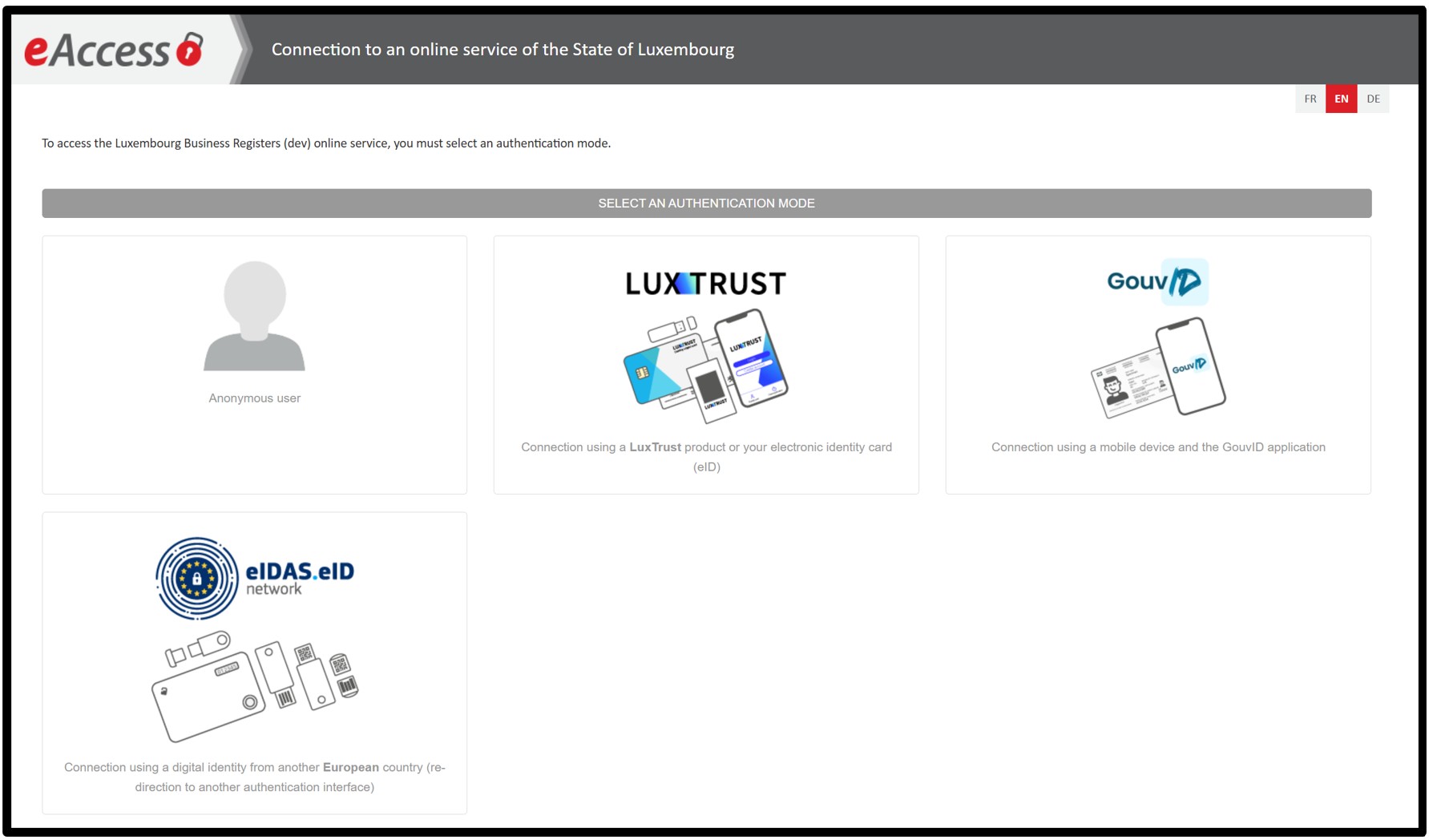
To order a certificate of trade name availability, an authentication by anonymous connection is sufficient.
4 authentication methods are proposed:
- Authentication by anonymous connection
- Authentication by LuxTrust certificate
- Authentication via the GouvID application
- Authentication by eIDAS electronic certificate
Once the user has made their choice, they are invited to follow the instructions on the page to log on to the LBR website.
Step 2: Configuration of documents
Once the connection to the LBR website has been finalised, the user accesses the page enabling him to configure the certificate of trade name availability.
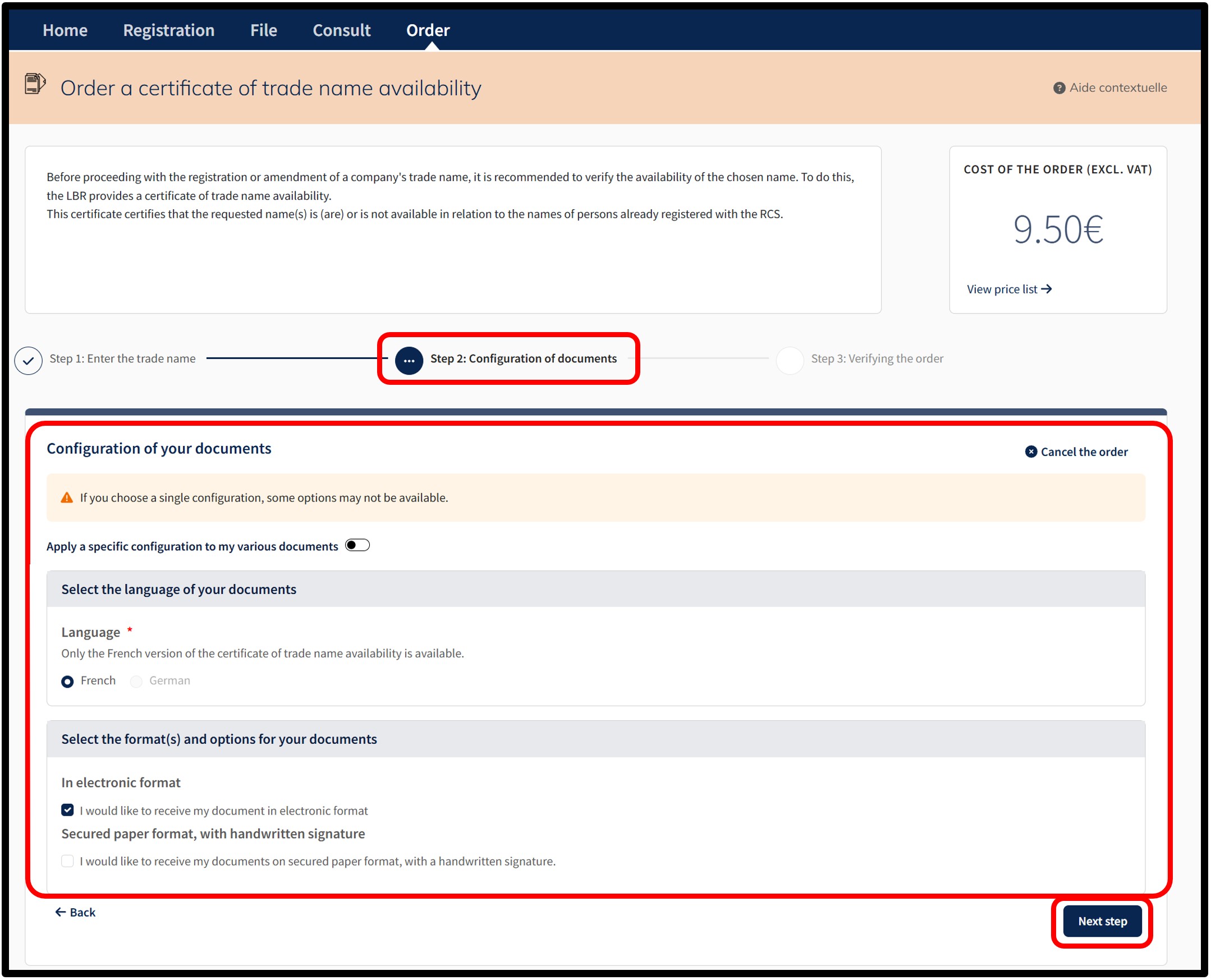
At this stage, the user has to indicate their choices regarding the configuration of the certificate. The user can cancel their order by clicking on the option Cancel the order.
The certificate of trade name availability can be issued in electronic format and/or on secure paper.
The user has the following options:
- Select the language of the document
This section allows the user to choose the language of the certificate by checking one of the available boxes.
The French box is selected by default because currently only the French version of the document can be issued by the RCS.
- Selection of the format(s) and options of the documents
This section allows the user to choose between the two available document formats by checking the corresponding boxes.- In electronic format means that the certificate of availability is issued with an automatic qualified electronic signature, guaranteeing the authenticity and integrity of the certificate.
- Secured paper format with handwritten signature means that the certificate of availability is issued and signed manually, including the surname and first name of the agent who signed it, on behalf of the administrator of the RCS.
- In electronic format means that the certificate of availability is issued with an automatic qualified electronic signature, guaranteeing the authenticity and integrity of the certificate.
If only the order in electronic format is selected, the user has to confirm their choice by clicking on the Next step button.
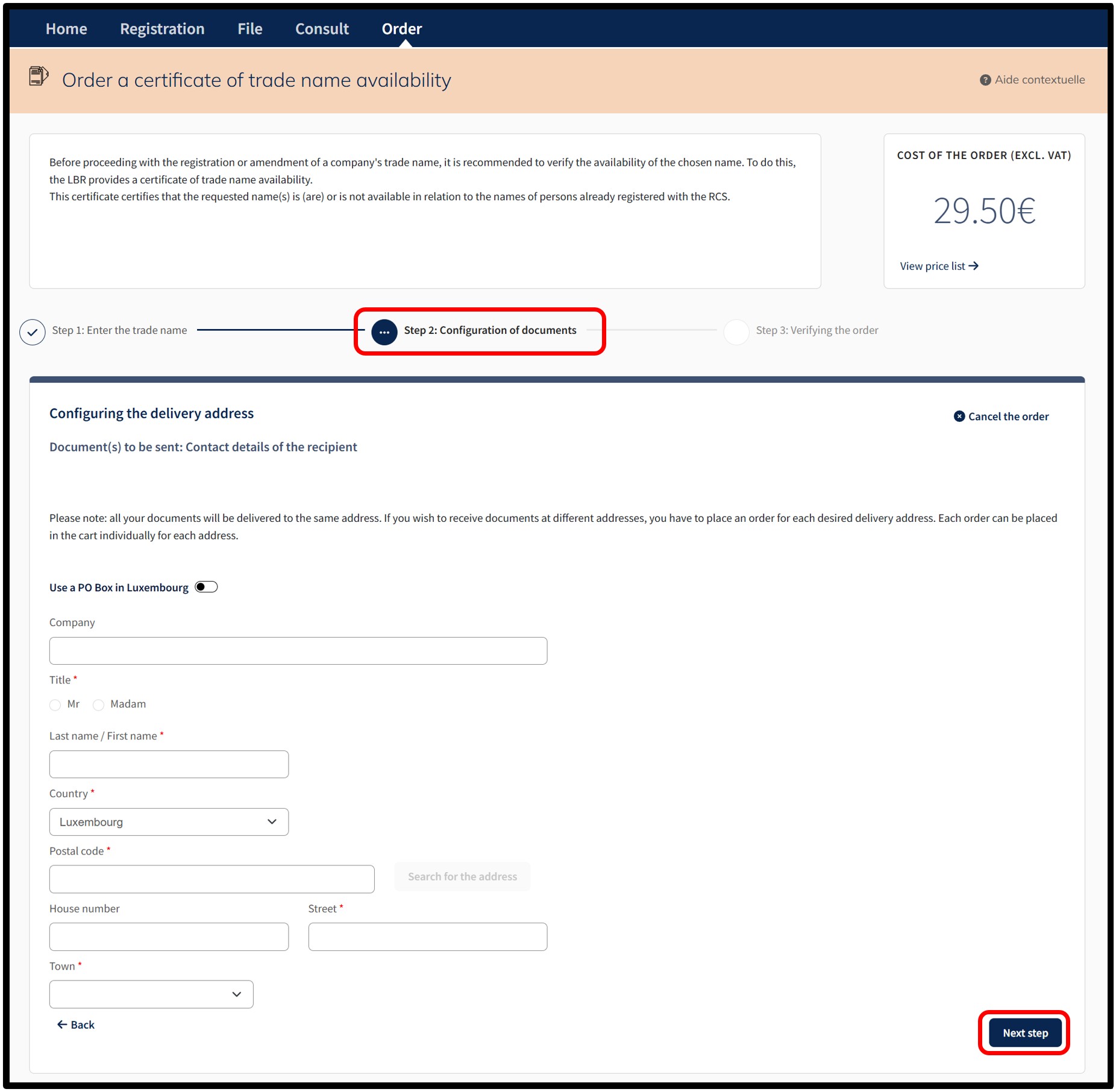
If the order on secure paper format is also selected, the user has to confirm their choice by clicking on the Continue button. By clicking on the Continue button, the user is redirected to the page where they can enter the delivery information for the postal dispatch of the certificate of availability on secure paper format. The user can cancel their order by clicking on the option Cancel the order.
Once the required information has been entered, the user is invited to click on the Next step button. On the next page (Step 3: Verifying the order), the user is redirected to the page for the verification of the order.
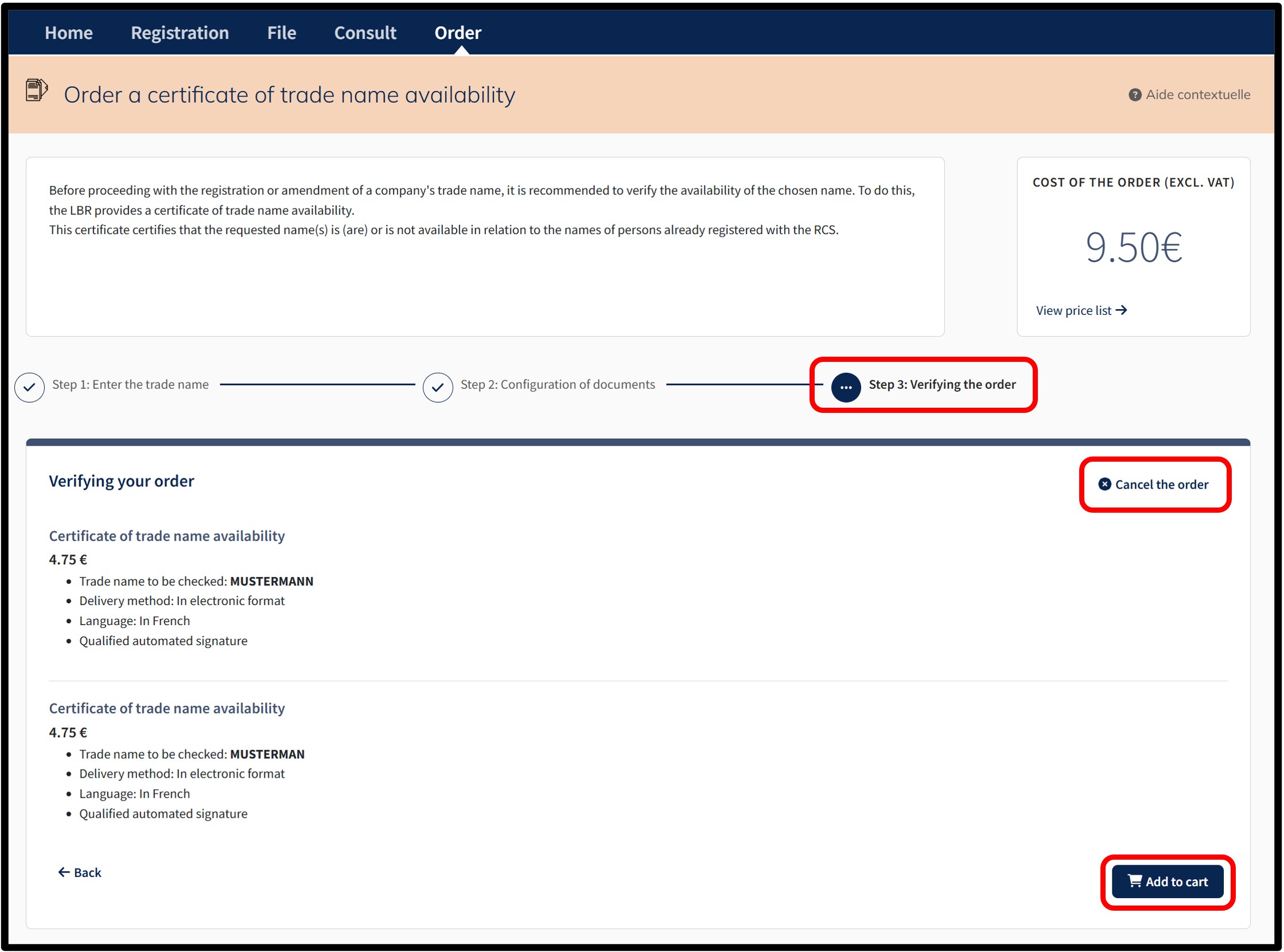
Step 3: Verifying the order
On the next page, the user is redirected to the page for the verification of the order. The user can cancel their order by clicking on the option Cancel the order.
The user finalises their order by clicking on the Add to cart button.
After confirming the order by clicking on the Add to cart button, the user is taken to the Details of their cart, which presents a summary of the order.
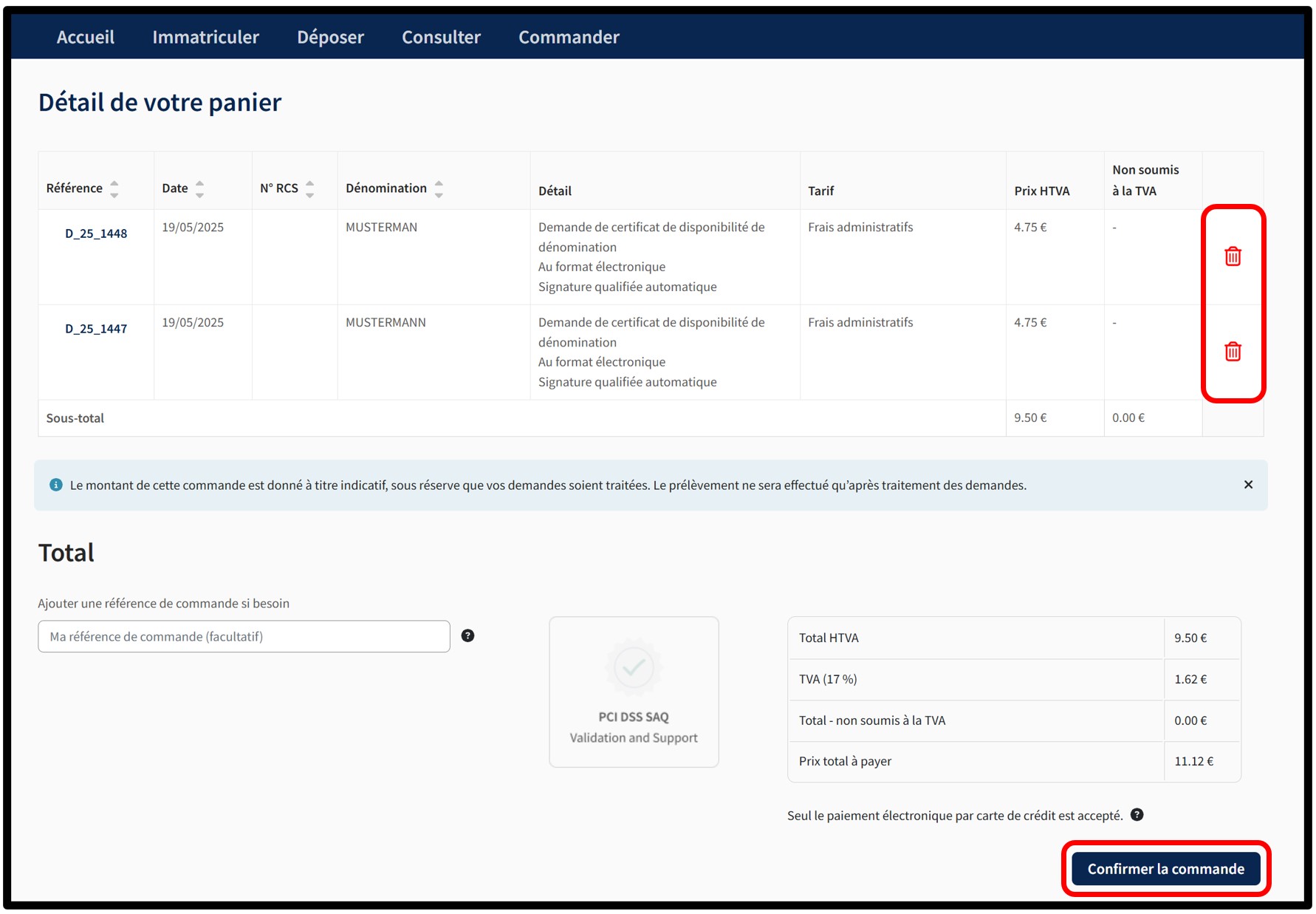
The user can delete an order from their cart by clicking on the Trash icon.
In order to confirm the order, the user has to click on the button Confirm order. By this action, the user indicates their willingness to proceed with the payment of all the requests in the cart. All the requests constitute an order. Payment is made by means of the secured electronic payment platform Saferpay from SIX Card Solutions.
After clicking on the Confirm order button, the user is redirected to the next screen Option to save a credit card, offering the possibility of saving a credit card for future payments. The user has to choose whether or not they wish to register their payment method.
Please note: The functionality of recording credit card data mandatorily requires an authentication by certificate of the user. An authentication by anonymous connection does not allow the use of this functionality.
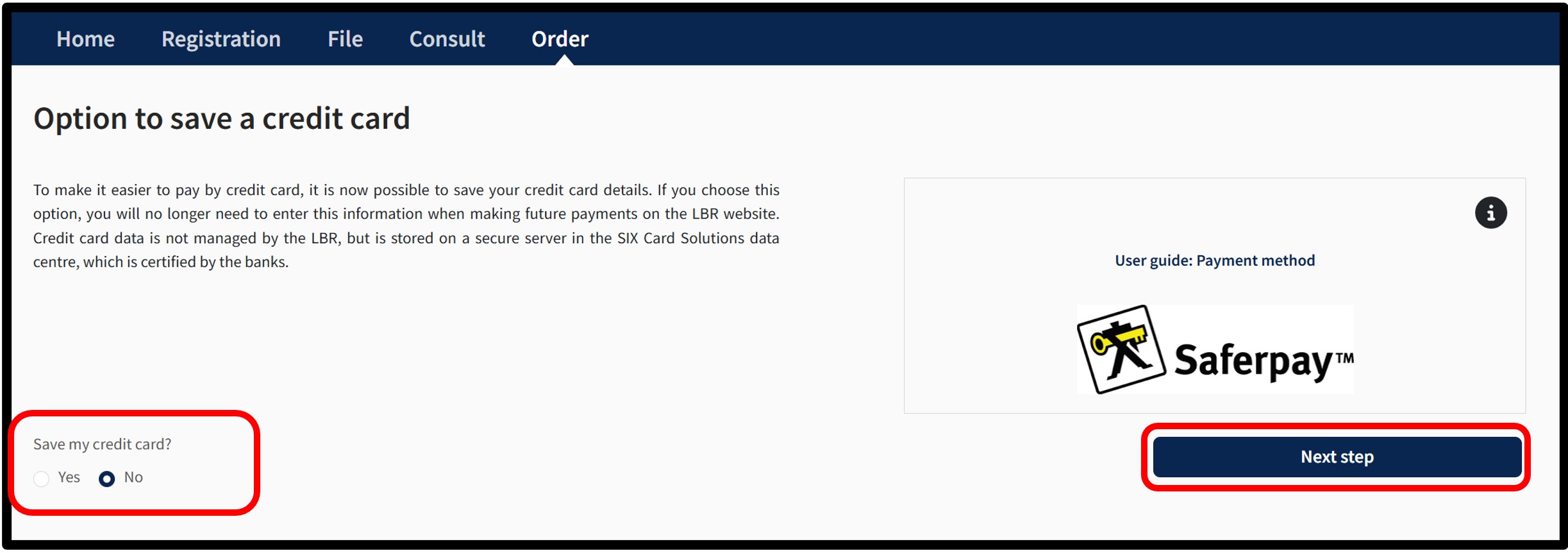
To do this, the user has to indicate their choice by checking either:
- The Yes box indicating their wish to register their payment method.
- The No box indicating their wish not to register their payment method.
To confirm their choice, the user is invited to click on the button Next step. After clicking Next step, an information pop-up about the payment process will appear on the page.
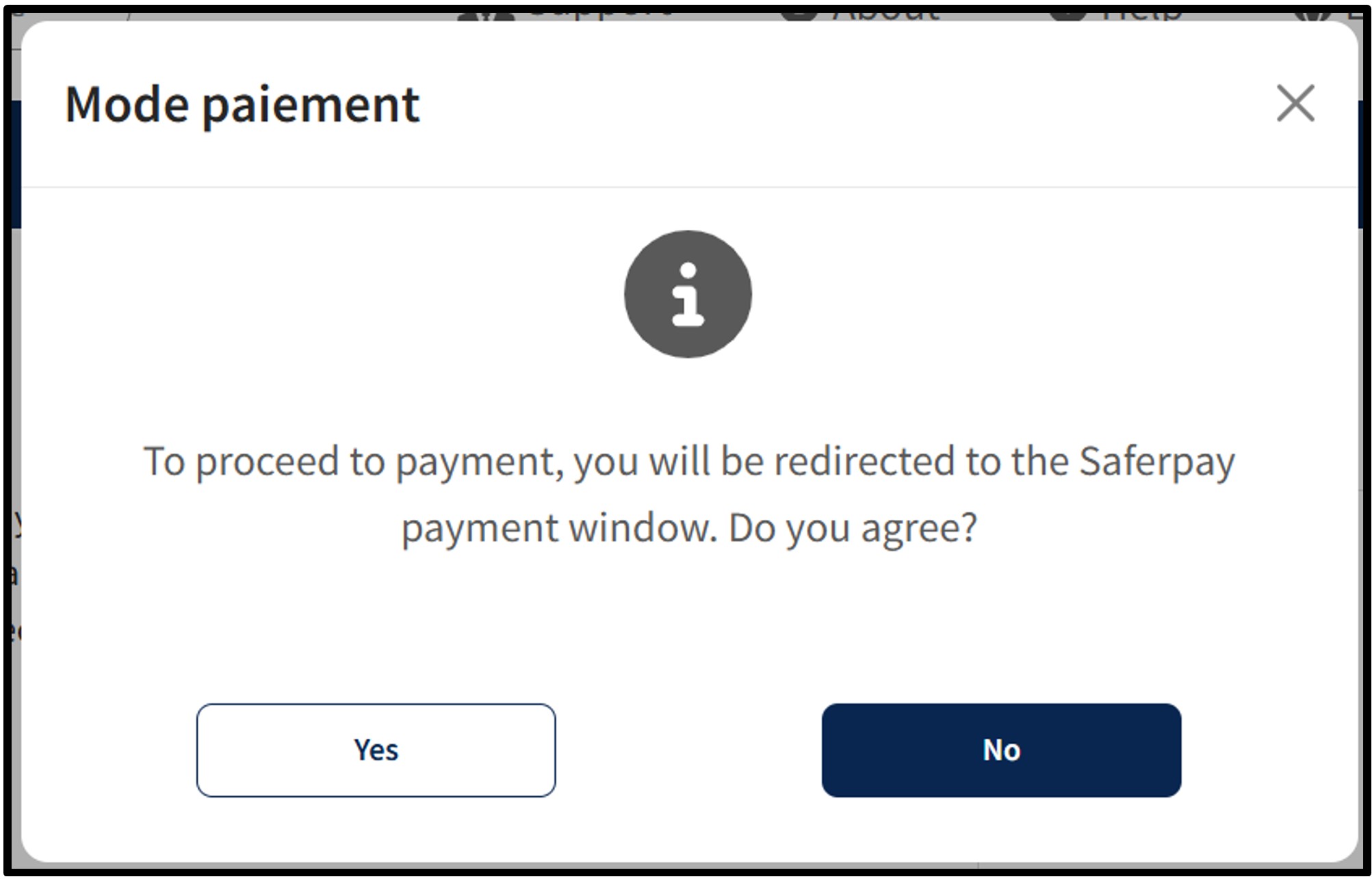
To continue the payment procedure, click on the button Yes. The user is redirected to the secured payment platform Saferpay. The user simply has to follow the instructions on the page to finalise the payment process. To cancel the payment procedure, click on the No button.
Once the payment process has been finalised and provided that the payment is accepted, the user is then redirected to the Confirmed order form page.
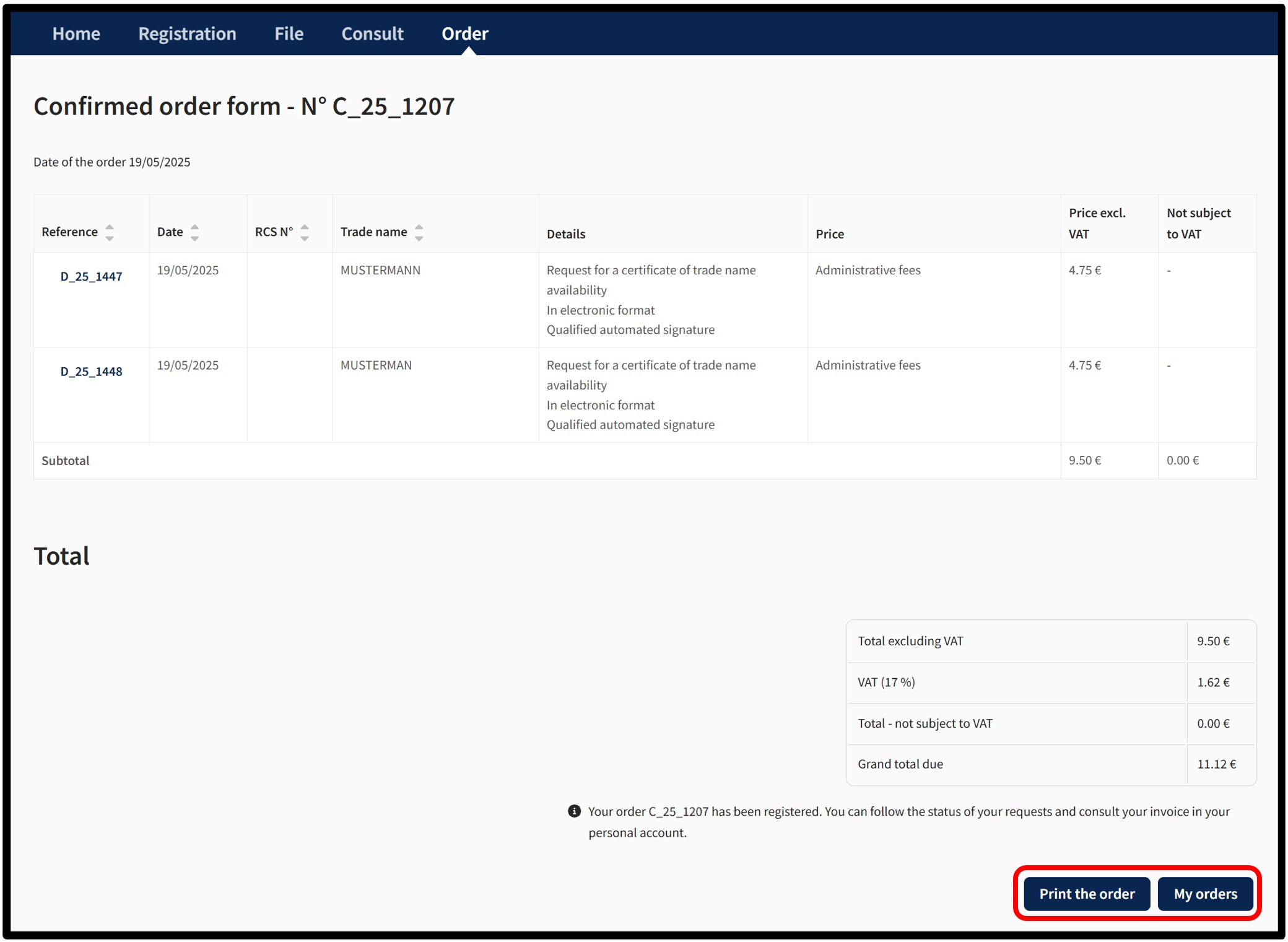
The user can print their confirmed order form in PDF format by clicking on the Print the order button.
In the case of an order for a certificate of availability in electronic format:
- With an Authentication by Anonymous Connection, the certificate of availability will be made available in a temporary space, which will be communicated to the user by email to the address that has been listed when the order was placed.
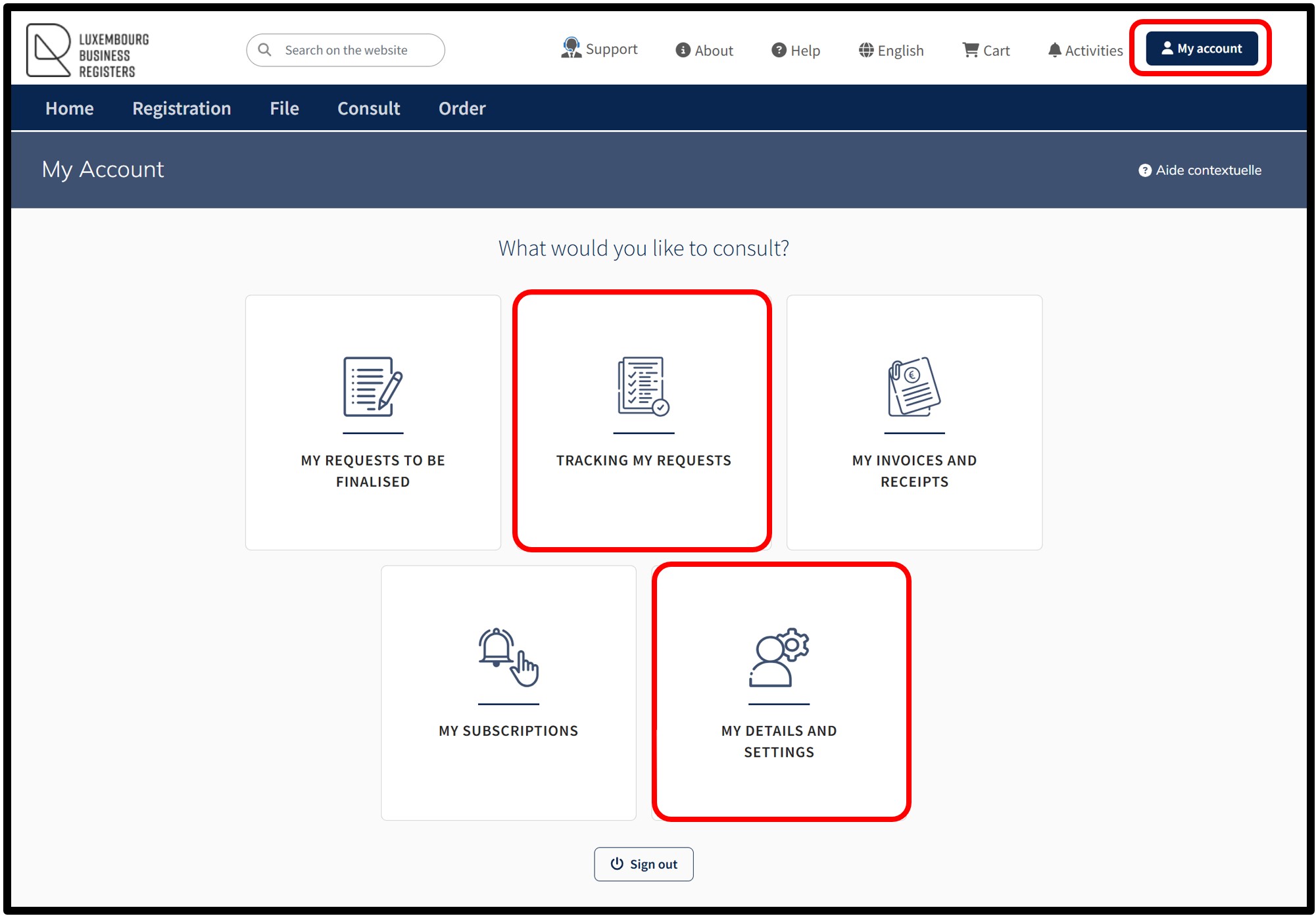
- With Authentication by Certificate, the certificate of availability will be made available in the Tracking my requests section in the customer space, which can be accessed via the menu My Account.
Notifications are automatically sent by email to the user:
- To confirm receipt of their order by LBR.
- To confirm that their order has been processed by LBR.
If the user does not wish to receive these emails, they can disable receipt from the menu My Account and select My details and settings.
Other practical information
Filing and publication principles
General Guidelines
1) Existence of a legal basis for filing and / or publishing
Completing a submission with the Luxembourg Trade and Companies Register (« RCS ») consists in submitting all documents to the « RCS » as required by the applicable law.
Due distinction must be made between the information required to register with the « RCS » as per the amended law of the 19th December 2002 on the Luxembourg Trade and Companies Register as well as accountancy and annual company accounts (“loi modifiée du 19 décembre 2002 concernant le registre de commerce et des sociétés ainsi que la comptabilité et les comptes annuels des entreprises”, hereafter “law of 2002”) and the information to be published within the RESA as per the amended law of 10th August, 1915 on commercial companies (“loi du 10 août 1915 sur les sociétés commerciales”), as well as any other specific regulations.
All information required by the « RCS » must be digitally transmitted to the « RCS » using one of the dedicated requisition forms. Please note that all information contained within the requisition forms submitted to, and accepted by the manager upon digital submission, are registered and filed exactly as they were submitted as on the abovementioned forms. The manager will not amend any contents or form of the latter in any way and does not have the authority necessary to amend any information contained within the requisition forms.
Any information required for publication must be submitted as notarial acts or privately drafted deeds.
All requisition forms and related documents for publication must be submitted to the « RCS », with the exception of special cases such as a submission for the publication of future events for example.
The « RCS » manager will only accept any acts, extracts of acts, minutes and documents legally required for registration or publication. Therefore the « RCS » manager will reject any document or information, of which the publication is not required by law.
2) Exception
As per article 6 from the regulation of the 23rd January 2003 enforcing the law of 2002the manager may accept a request for submission or publication of acts, extracts of acts, minutes or any documents which are not legally required. The depositor must support his request for submission or publication in writing with sufficient evidence of dire and exceptional circumstances directly justifying the submission or publication.
This is an exceptional measure:
- This exception concerns first and foremost foreign laws, in a case where submission to the « RCS » or publication within an official journal is required by foreign law and that the registered person may not evade this action without grave prejudice.
- Acceptance of the submission or publication is left to the entire discretion of the « RCS » manager.
- In the event of a rejection from the latter, rights of appeal as detailed within article 21 of the law of 2002 are made available to the petitioner.
Filing formalities
All requisitions are completed using dynamic requisition forms as set out within the amended Grand-Ducal regulation of the 23rd January 2003, enforcing the amended law of 2002. All such forms must be digitally submitted using the “RCS” website.
All submissions made to the « RCS » are subject to administrative fees in compliance with the pricing table as set out within the Grand-Ducal regulations.
1) Submitted documents
All submitted documents must comply with the following requirements:
- Submission as a PDF/A file.
- Perfect legibility.
- Horizontal space of at least 35 mm, which must be left available on the top of the first page.
2) Documents filed for publication
Documents filed for publication must meet the following conditions:
- To be transmitted to format PDF/A text and must neither contain images, nor have been digitized, or being “océrisés” (no optical character recognition method allowed).
- Be presented in A4 format, drafted with fonts commonly used in office automation. The list of fonts is specified by the manager of the RCS on its web site.
- Be written in black font on a white background.
- Reserve at the top of the first page a white horizontal zone of at least 35 millimeters.
Filing and publication of documents in full
The incorporation deed for partnerships, special partnerships corporate joint ventures, limited liability companies, cooperative companies and civil societies as well as any amendments to these deeds must be submitted and published in full as per article 100-10 from the amended law of 10th of August 1915 on trading companies (“loi du 10 août 1915 sur les sociétés commerciales”).
Deeds concerning general partnerships, standard limited partnerships or special partnerships are published as an extract, in compliance with article 100-7 from the abovementioned amended law from the 10th August, 1915 (“loi du 10 août 1915 sur les sociétés commerciales”). Contents of this extract are set out within article 100-8 of the amended law of 1915 (“loi du 10 août 1915 sur les sociétés commerciales”).
RCS verification function
The RCS administrator proceeds with an overall examination of requisition forms and publications prior to accepting their submission. Should any doubt be cast on the legality of the requested registration, the RCS administrator will conduct the following procedure:
- He analyses within the submitted texts:
- Whether the information meant for publication, and the information submitted for registration based on the relevant requisition forms are coherent.
- Whether the overall information to communicate are indeed reflected on the associated requisition form.
- The existence of a legal basis prescribing the filing and/or the publication presented.
- He may suggest that the petitioner amends his submission, request any applicable additional information or evidence in compliance with article 21 (2) of the law of 2002.
- Finally, he may reject the requested registration as per article 21 (3) of the law of 2002.
The RCS administrator does not proceed with the interpretation of any submitted documents; however he does execute any thereby introduced requisitions based on an overall check of the information submitted by the petitioner.
Special cases regarding registration, filing and publication
1) Opening of a branch within the Grand Duchy of Luxembourg by a Luxembourgish company
No legal disposition requires a publication within the RESA upon creation of a branch within the Grand Duchy by a Luxembourgish company. The RCS administrator must reject any such publication. Only the relevant requisition form must be presented with regards to registering a new branch.
2) Granting of discharges, or refusal thereof, to administrators, managers, auditors, reviewers and liquidators
In the absence of any legal requirement to this effect, no submission or publication must be submitted to the RCS with regards to this matter.
3) Note on optional requisition form fields
Input of optional information such as floor or building number within the petitioner’s address, are not required in the absence of any such information. Therefore, any submission requests containing any such signs as « / » or « n/a » will be returned to the applicant by the administrator.