Authentication using a mobile device and the GouvID application - Connection
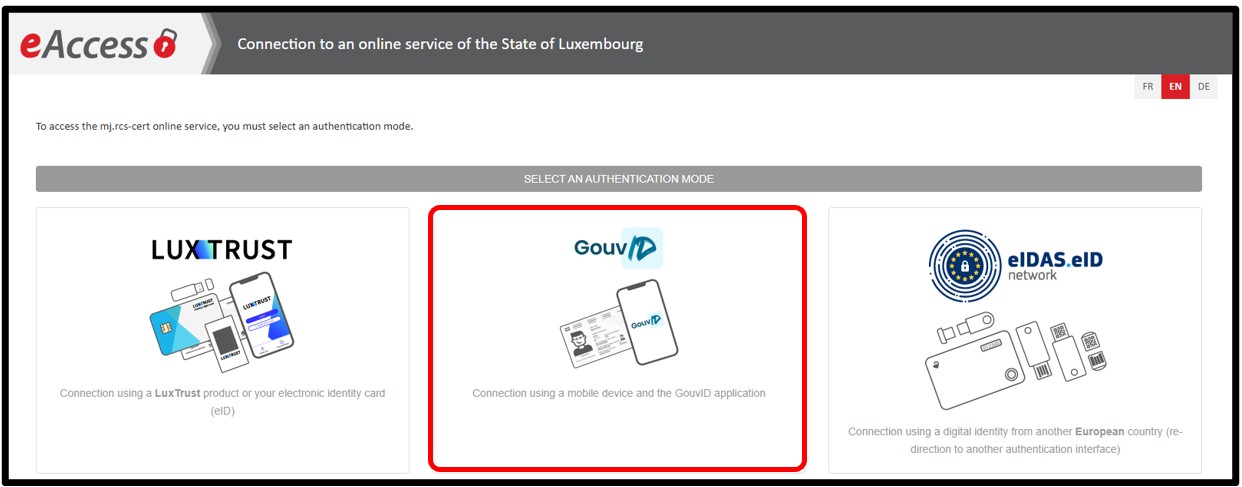
To use the GouvID application, the electronic certificate on the user's identity card has to be activated. This is done when the user requests a new identity card.
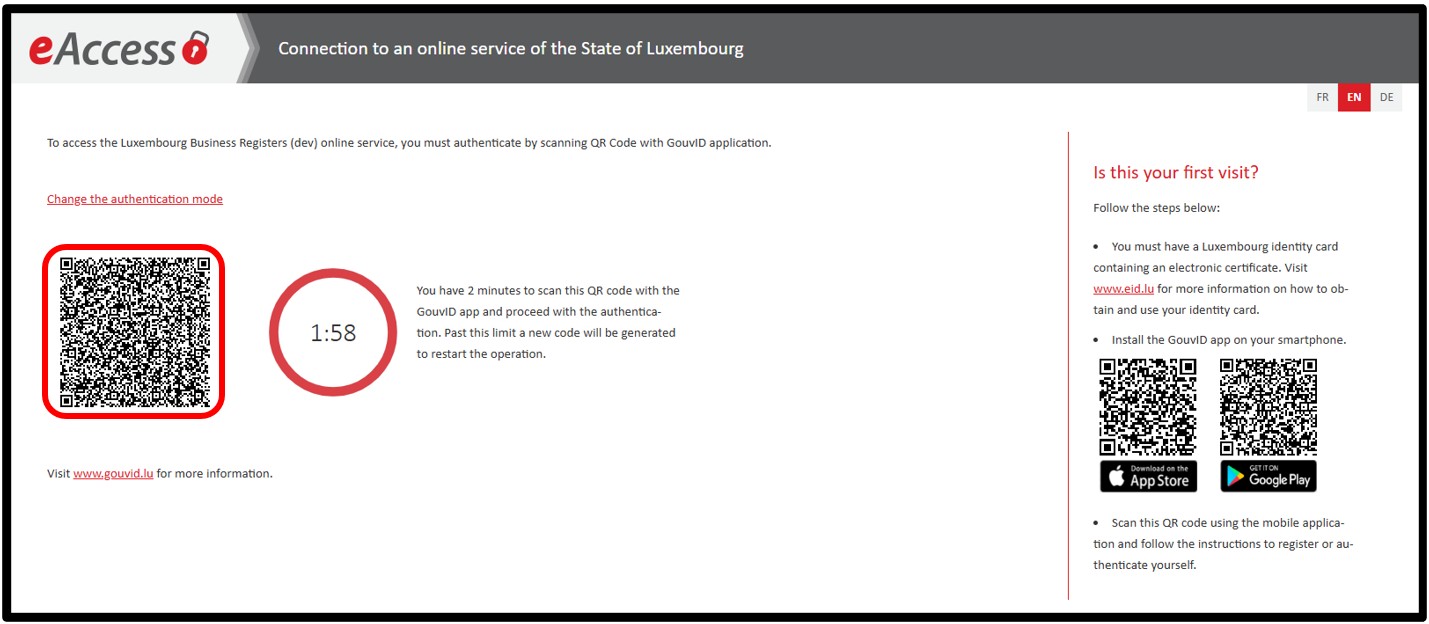
When selecting the GouvID authentication method, a QR code will be displayed on the page. The user must open the GouvID application on their smartphone, select the Scan a QR code option, then scan the displayed code.
The user then has to use the biometric functionality if it is activated, or, failing that, enter the PIN code associated with their identity card.
The smartphone has to be positioned on the front of the identity card, in accordance with the instructions shown on the page, to enable the certificates to be read. This step may take a few moments.
When connecting for the first time with the GouvID application, prior registration is required. The user will have to enter their email address, confirm their registration by clicking on the link received by email, then authenticate themselves again with the GouvID application to finalise the procedure.
If the certificate used is linked to several LBR accounts, the user is first redirected to the Account Selection page where they will have to indicate the user account to be used.
Once the user account has been selected, the user accesses the website's home page or, if the authentication follows an action requiring authentication, the requested page.