REGINSOL - Consultation: Things to know
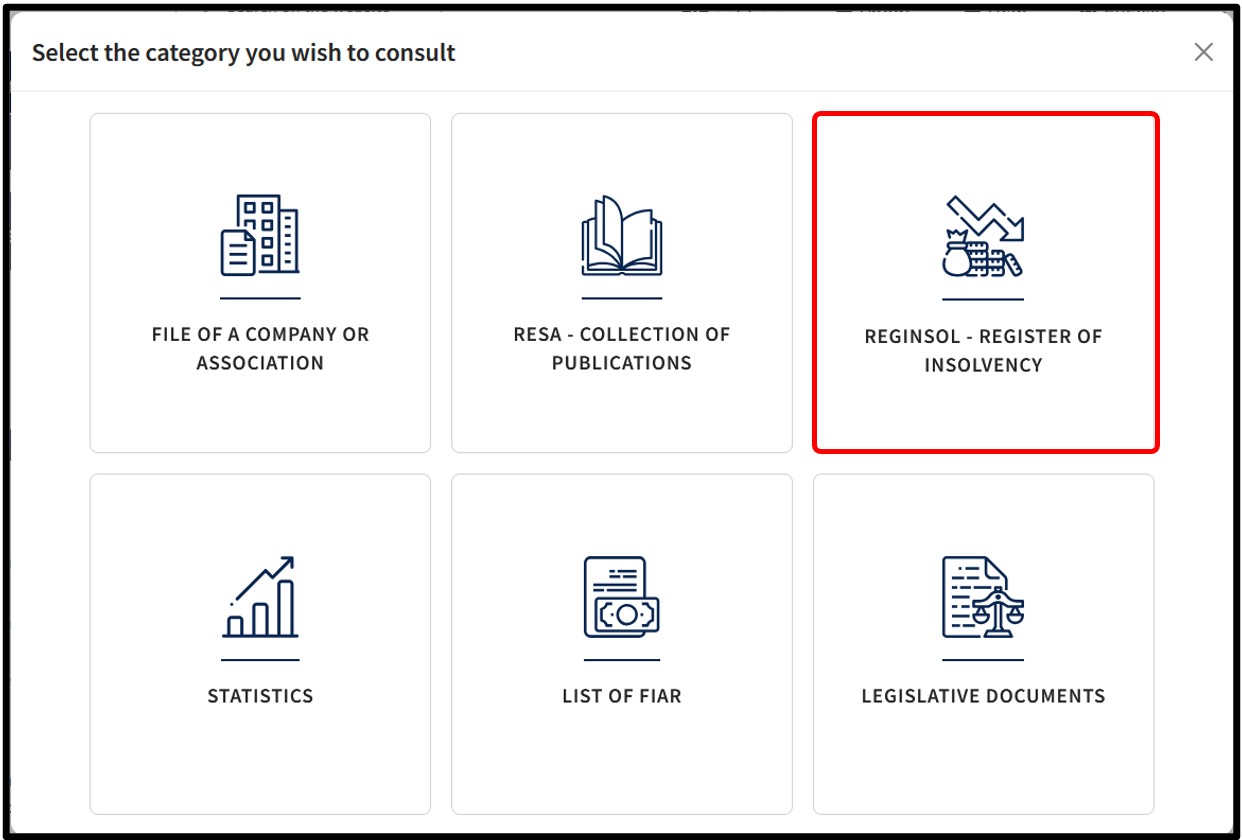
In the pop-up window displaying the consultation categories, the user is invited to click on the tile REGINSOL - Register of insolvency which centralises all statements of court rulings and administrative dissolutions without liquidation filed with the RCS.
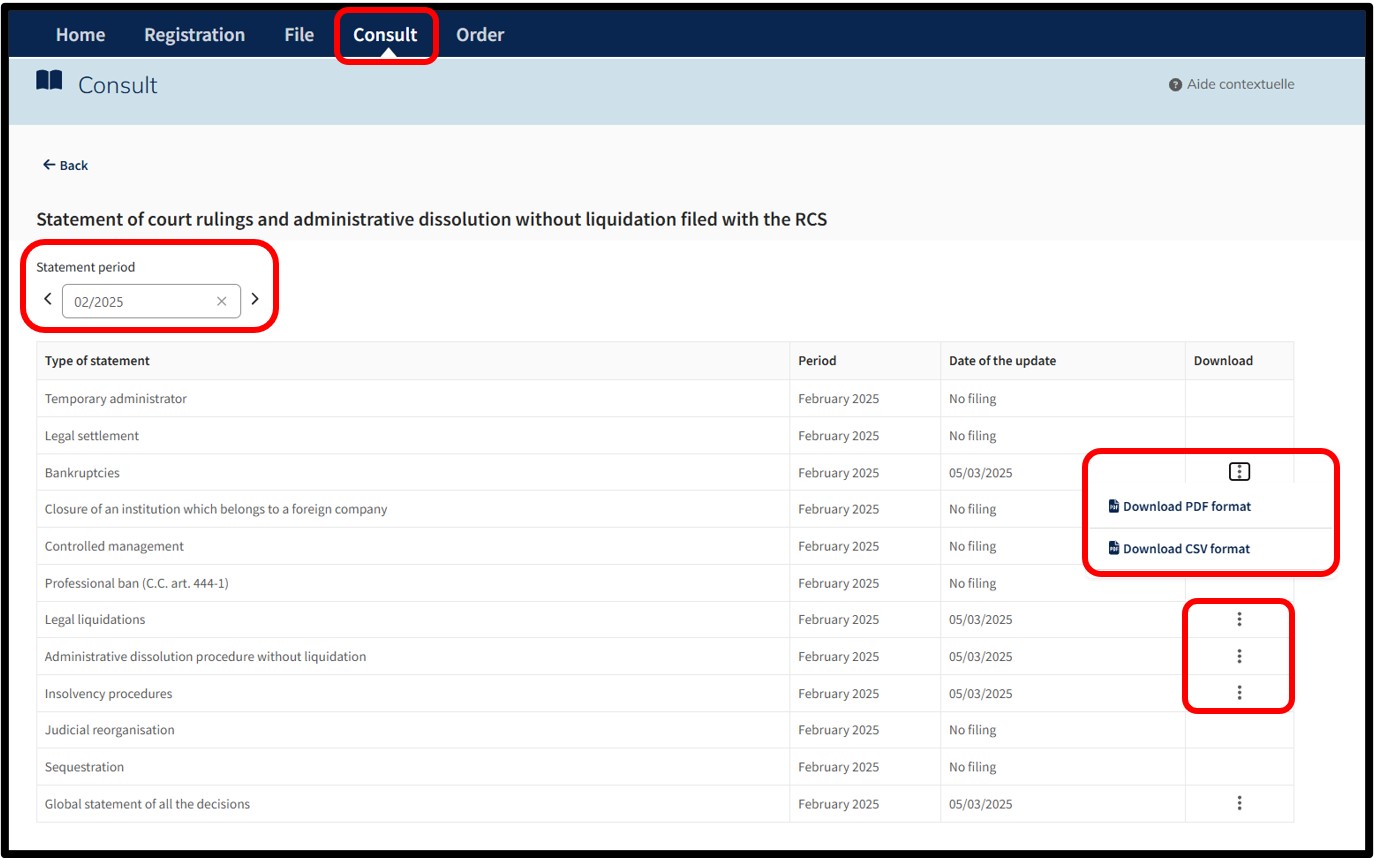
By selecting to consult the REGINSOL, the user accesses the page displaying the monthly statement of court rulings and administrative dissolutions without liquidation filed with the RCS.
The user can customise the coverage period for the monthly statements by selecting the preferred month and year in the dedicated field or navigate from month to month using the navigation sliders.
The table of monthly statements of rulings is presented as follows:
- Type of statement lists the different categories of rulings or procedures available.
- Period indicates the month and year to which the listed rulings relate.
- Date of the update specifies the date on which the information was updated or filed.
The indication No filing means that no updates or documents have been submitted for this specific period.
The user can access the consultation options for a given statement by clicking on the icon with three small dots. When the icon is visible, the user can consult/download the decisions corresponding to the type of statement.
The user is then offered the following consultation options:
- Download the journal in PDF format
- Download the journal in CSV format
Depending on their needs, the user can either download the statement in one of the available formats.