Publications
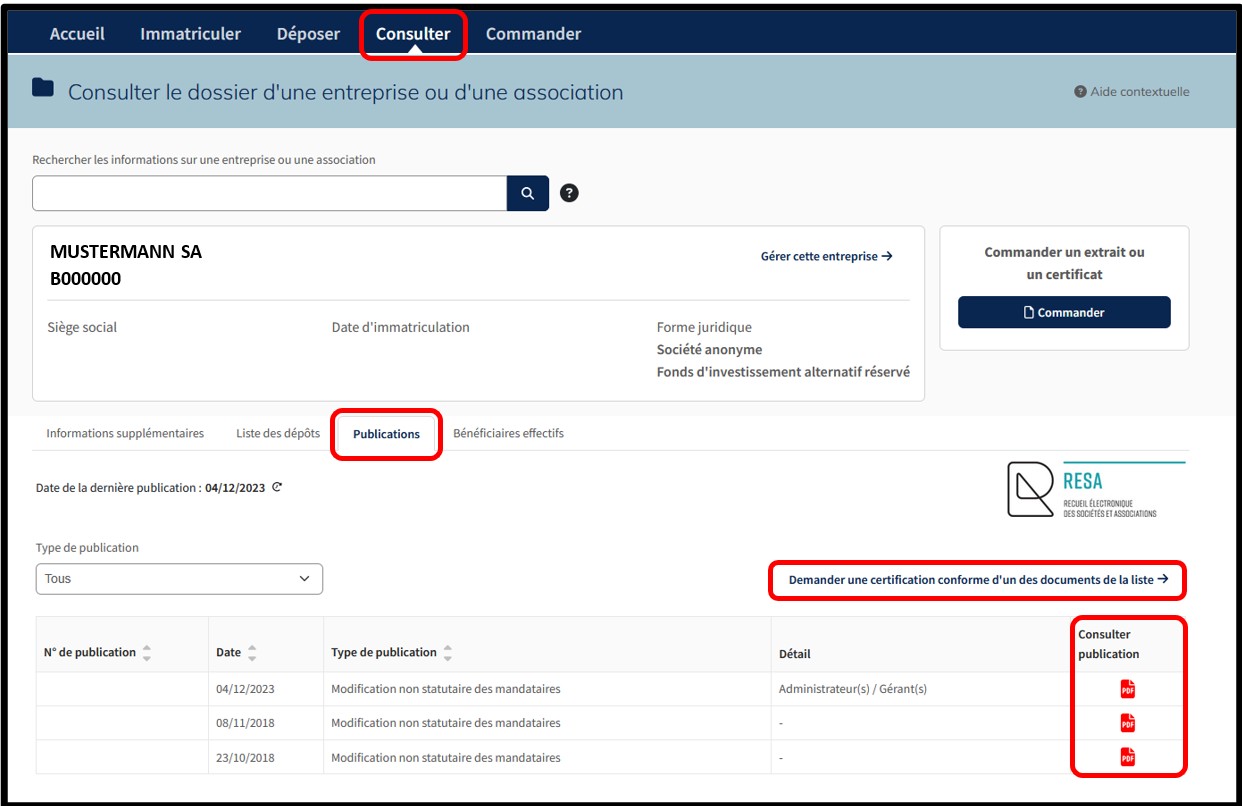
This tab displays the list of the RESA publications made by the entity as part of its legal obligations.
Within this list, the user has the option to:
1. Filter by publication type.
2. Consult the information relating to RESA publications, in particular:
- The RESA publication number
- The RESA publication date
- The type of publication
- Details
3. Download the RESA publication, in PDF format, according to the type of filing, by clicking on the PDF icon.
On this page, the user also has the option of using the following service:
- Request certified conformance of a publication
Available service
Certificate of conformity of a publication
The service Request certification of one of the documents on the list consists of the administrator of the RESA officially certifying that the publication selected by the user is a true and accurate reproduction of the original and ensuring its legal validity. This secured service, accessible both through authentication by anonymous connection and through authentication by certificate, allows the user to order a certified conformance of a RESA publication.
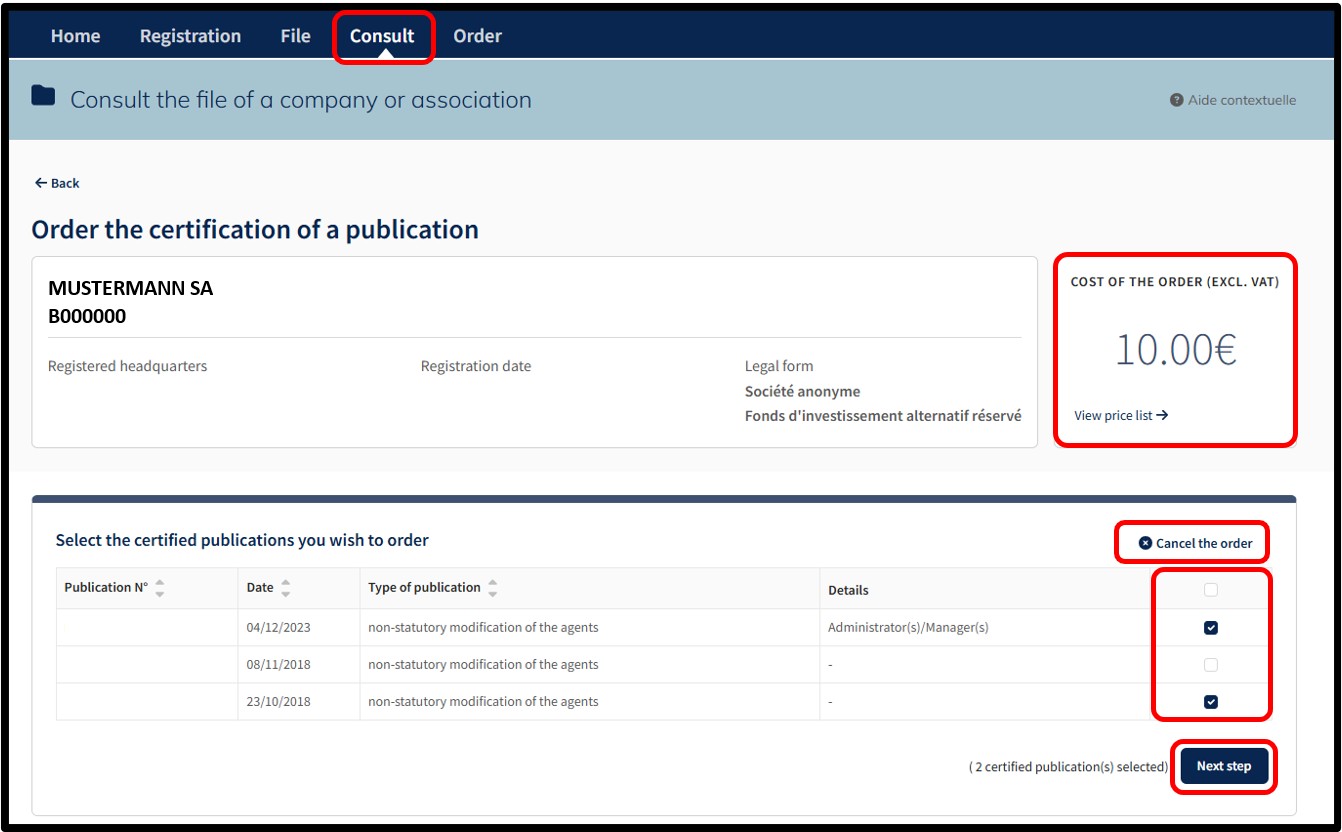
By selecting this service, the user accesses the page allowing them to select the certified RESA publication(s) for which they wish to place an order. The user can cancel their order by clicking on the Cancel the order option.
The amount of the order is displayed in the Cost of the order (excl. VAT) field at the top right of the page. The View price list link informs the user of the current prices for the type of service selected.
To order the certified publications, the user has to indicate their choice by checking the boxes. Once the selection has been made, the user has to click on the Next step button. On the next page, the user is redirected to the page for the verification of the order, which summarises the list of certified publications selected by the user. The user finalises their order by clicking on the Add to cart button.
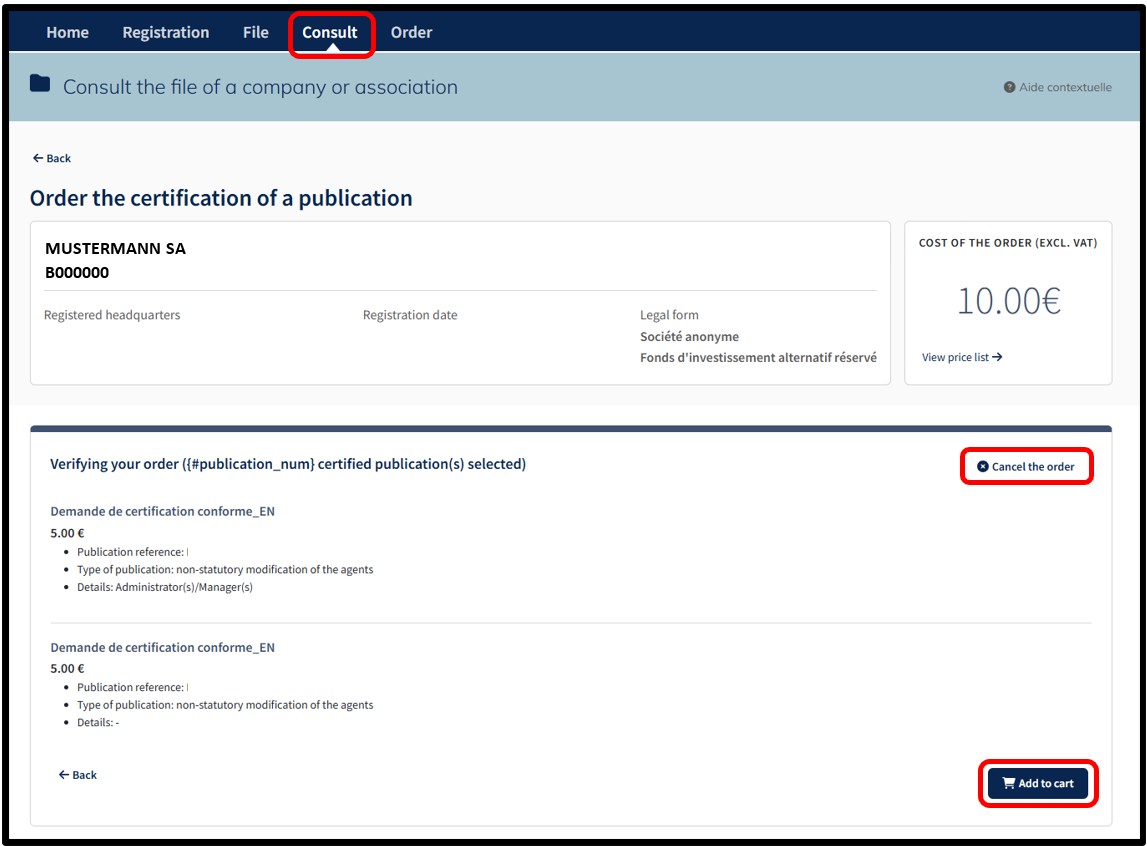
After confirming their order by clicking on the Add to cart button, the user accesses the Details of their cart, which presents a summary of their order.
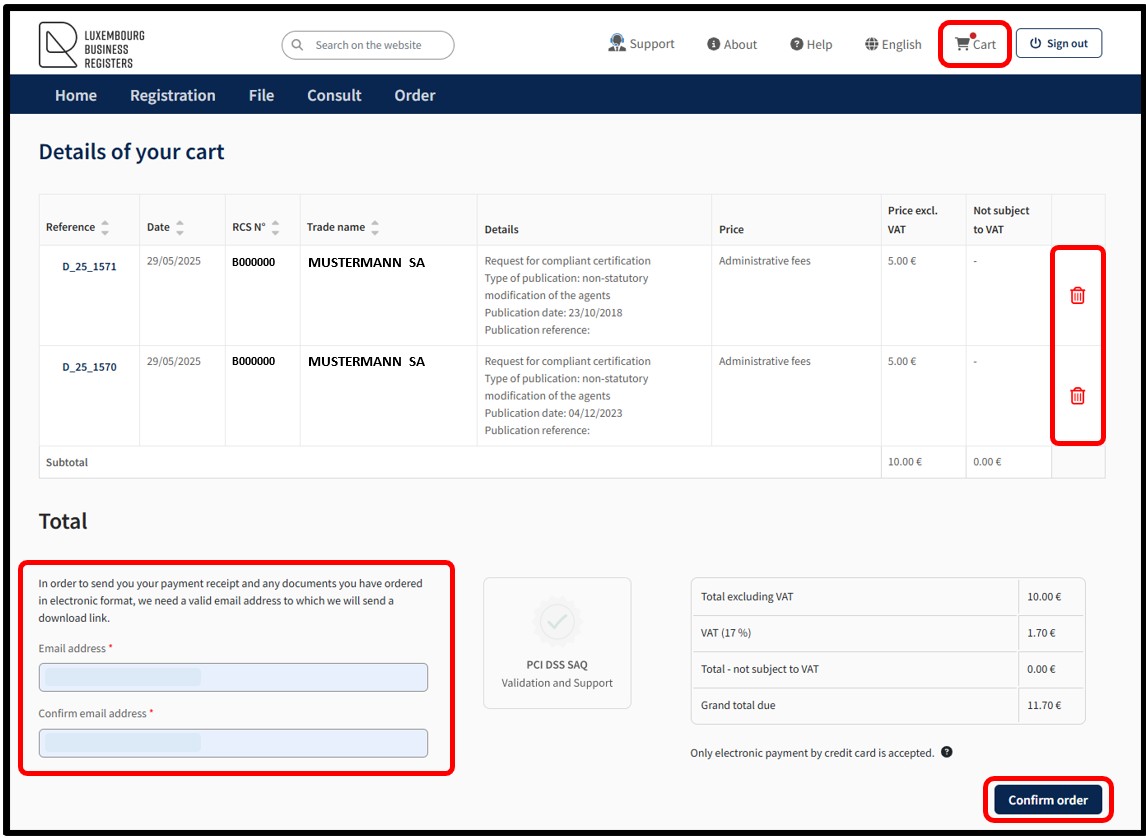
The user can delete an order from their cart by clicking on the Trash icon.
In the case of authentication by anonymous connection, the user must provide a valid email address. A download link will then be submitted to them to enable them to access the payment receipt and the documents ordered in electronic format.
In order to confirm the order, the user has to click on the button Confirm order. By this action, the user indicates their willingness to proceed with the payment of all the requests in the cart. All the requests constitute an order. Payment is made by means of the secured electronic payment platform Saferpay from SIX Card Solutions.
After clicking on the Confirm order button, the user is redirected to the next screen Option to save a credit card, offering the possibility of saving a credit card for future payments. The user has to choose whether or not they wish to register their payment method.
Please note: The functionality of recording credit card data mandatorily requires an authentication by certificate of the user. An authentication by anonymous connection does not allow the use of this functionality.
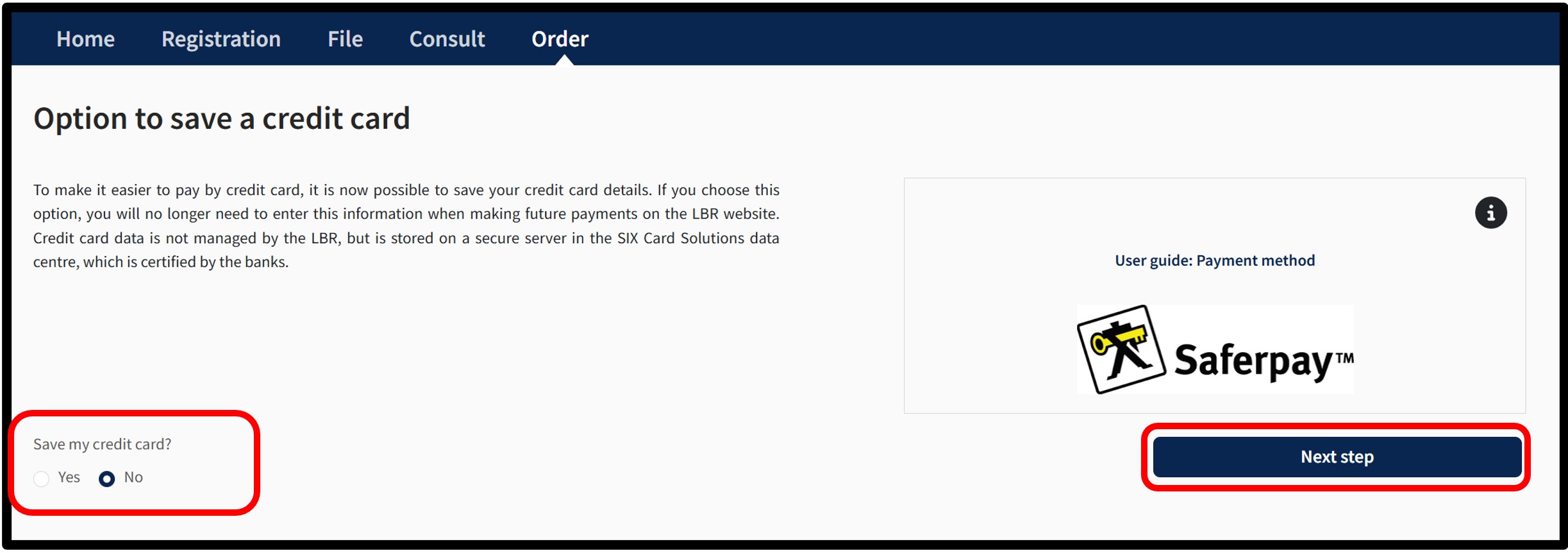
To do this, the user has to indicate their choice by checking either:
- The Yes box indicating their wish to register their payment method.
- The No box indicating their wish not to register their payment method.
To confirm their choice, the user is invited to click on the button Next step. After clicking Next step, an information pop-up about the payment process will appear on the page.
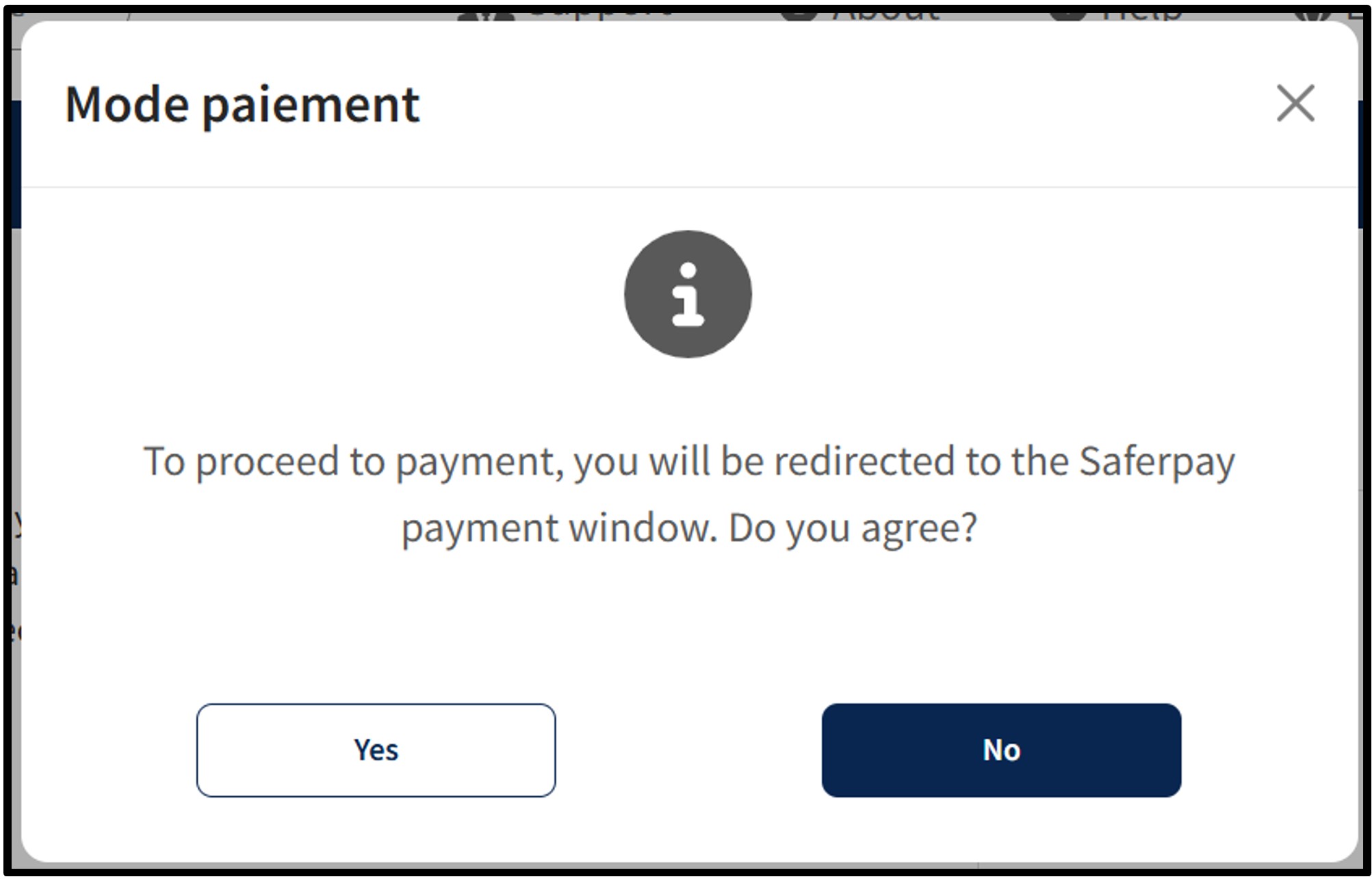
To continue the payment procedure, click on the button Yes. The user is redirected to the secured payment platform Saferpay. The user simply has to follow the instructions on the page to finalise the payment process. To cancel the payment procedure, click on the No button.
Once the payment process has been finalised and provided that the payment is accepted, the user is then redirected to the Confirmed order form page.
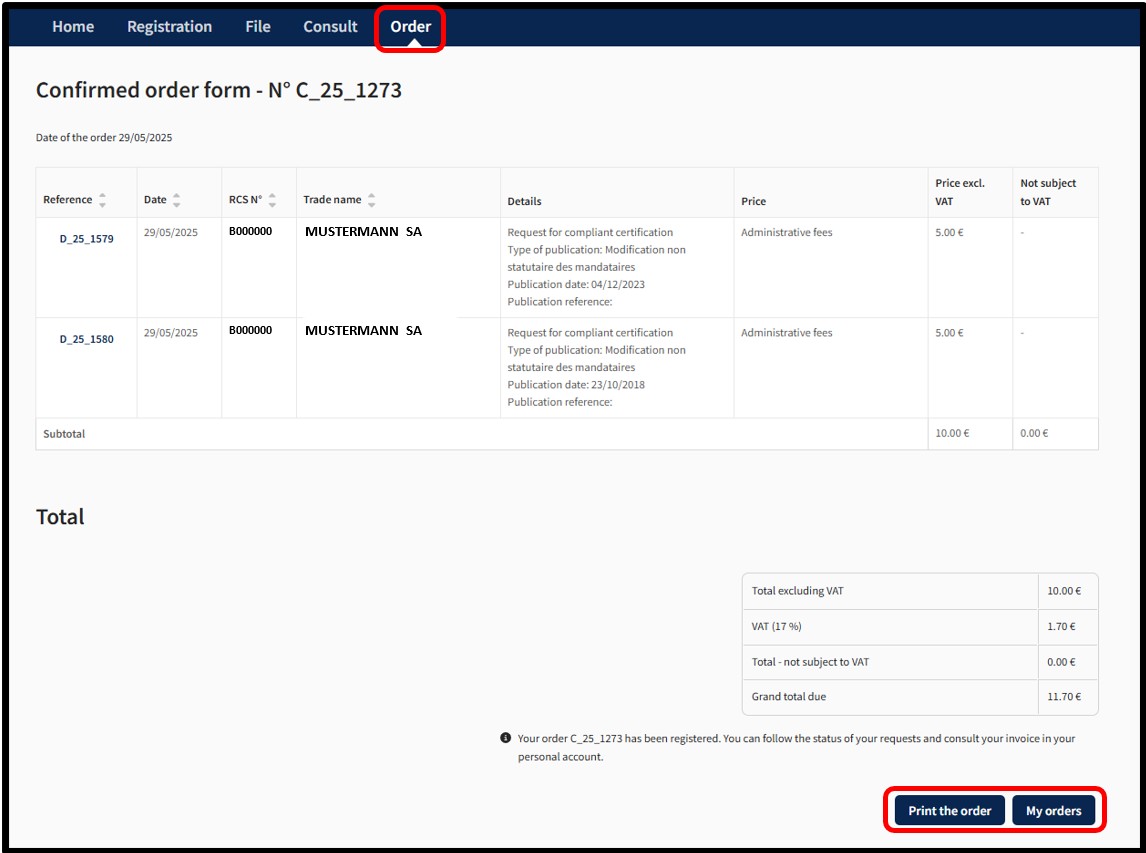
The user can print their Confirmed order form in PDF format by clicking on the Print the order button.
- With an Authentication by Anonymous Connection, the documents ordered will be made available in a temporary space, which will be communicated to the user by email to the address that has been listed when the order was placed.
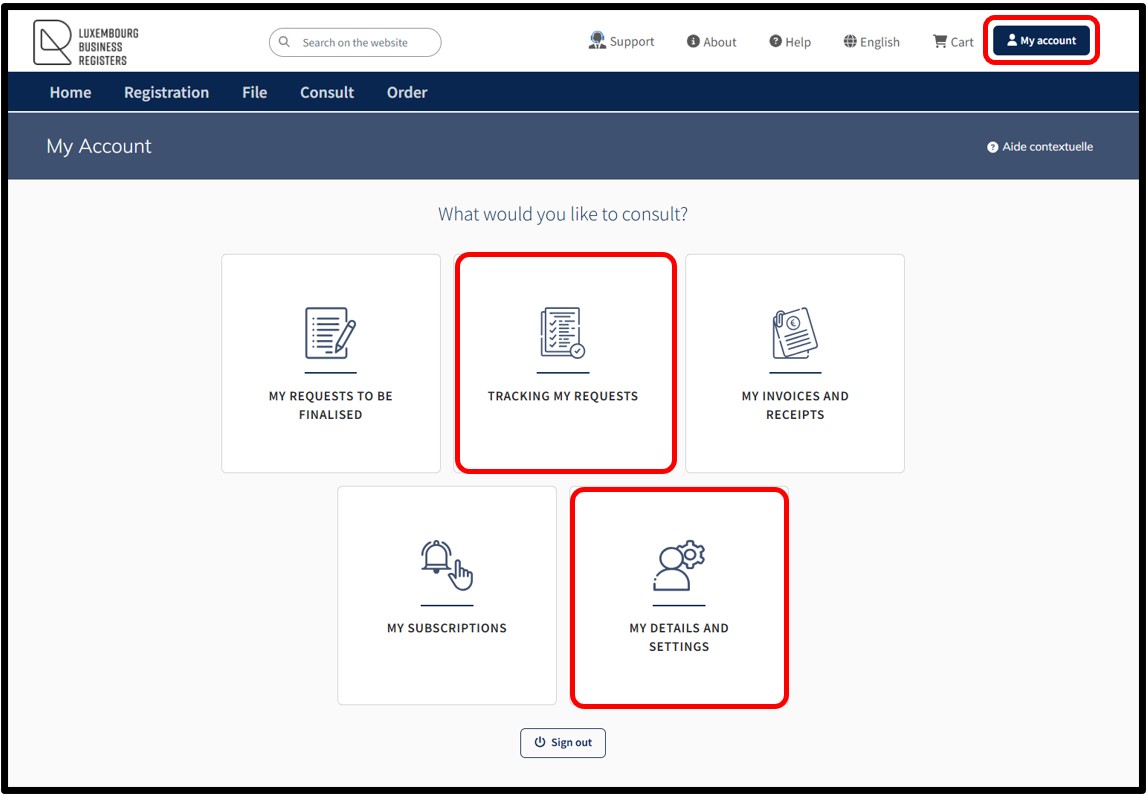
- With Authentication by Certificate, the documents ordered will be made available in the Tracking my requests section in the customer space, which can be accessed via the menu My Account.
Notifications are automatically sent by email to the user:
- To confirm receipt of their order by LBR.
- To confirm that their order has been processed by LBR.
If the user does not wish to receive these emails, they can disable receipt from the menu My Account and select My details and settings.